-
GUI FTP client?
Maybe I'm blind, but i cant find any gui ftp clients in knopix?
sure, there are mozilla and mc and so on.. but i mostly use knoppix for
system recovery of busted windows installations at work.
Booting a knoppix CD and backing upp everything over FTP works great.
But a GUI client vould make life somewhat easier.
....So, the question is.. Am I blind or not? 
Regards,
Magnus
-
Senior Member
registered user
You are not blind. There isn't one in regular Knoppix.
I added gFTP to my remastered CD's, which is graphical- Overclockix
It has has ncftp which is a nice text mode ftp client.
If you wait until later tonight, my 3.4 Cebit beta version of Overclockix will be up on the site. It's got captive-NTFS, which should allow for safe writing to NTFS filesystems using wrapped windows drivers. might be a bit better as a utility disk.
Also has a cheatcode to boot straight into memtest, and features folding@home, seti@home, prime95, and cpuburn for stability testing.
-
Okey, sounds interesting.. 
Post a new reply with an url for it when its done.
Its 1AM here so i'll look at it tomorrow.
Regards,
Magnus
-
Senior Member
registered user
Re: GUI FTP client?

Originally Posted by
falstaf
Maybe I'm blind, but i cant find any gui ftp clients in knopix?
sure, there are mozilla and mc and so on.. but i mostly use knoppix for
system recovery of busted windows installations at work.
Booting a knoppix CD and backing upp everything over FTP works great.
But a GUI client vould make life somewhat easier.
....So, the question is.. Am I blind or not?
Regards,
Magnus
Use Konqueror and type in the location bar ftp://some.ftp.site or if you do not want to enter a user name and password ftp://user_name [email protected]. If you want drag'n'drop split the window left/right, top/bottom however you want actually before or after you login then browse to files to be transfered. If you have ssh access use fish instead of ftp in the line to do the transfer securely.
-
Senior Member
registered user
Nice!
And I thought konqueror was lame....
-
Senior Member
registered user
Originally Posted by
arkaine23
Nice!
And I thought konqueror was lame....
Konqueror is far from lame aside from the above mentioned protocols there are smb://, smpt://, sftp://, audiocd:/, file:/, finger:// ..... the list just goes on and on check in the Info Center under Protocols for more. There is a nice little third party app you may want to check out and put in one of your remasters as well kio-apt this gives you a apt:/ in the location bar that you can use for apt-cache {show,search,policy} and dpkg -L & -S plus a box to search the packages.debian.org all from a page or the location bar with a web shortcut found that here in the tips and tricks and you can get the lastest version with this in your sources list.
-
Senior Member
registered user
I saw kio-apt on kde-look, but figured synaptic would be good enough.
-
arkain23, the new downloadlink gives me a 404-errror
-
Senior Member
registered user
Originally Posted by
Stephen
Originally Posted by
arkaine23
Nice!
And I thought konqueror was lame....
Konqueror is far from lame aside from the above mentioned protocols there are smb://, smpt://, sftp://, audiocd:/, file:/, finger:// ..... the list just goes on and on check in the Info Center under Protocols for more. There is a nice little third party app you may want to check out and put in one of your remasters as well kio-apt this gives you a apt:/ in the location bar that you can use for apt-cache {show,search,policy} and dpkg -L & -S plus a box to search the packages.debian.org all from a page or the location bar with a web shortcut found that
here in the tips and tricks and you can get the lastest version with this in your sources list.
Yes and in KDE 3.2 try fonts:/ and system:/
Adam
-
Senior Member
registered user
Hi all,
I have to admitt that I had to ask the
"where's the FTP' question.
It would be nice if the KDE menu gave
a little hint about this. Perhaps a link
menu option Internet --> FTP Use Konqueror
Konqueror is indeed versatile.
A new (early development) protocol for KNOPPIX Live CD
can be installed from http://klik.berlios.de
After installing the protocol, if you want to add
a new appilcation like JAP just enter the following:
klik:/JAP
Best Wishes
paradocs
Similar Threads
-
By jjbergdolt in forum General Support
Replies: 6
Last Post: 06-29-2005, 09:34 PM
-
By lor in forum Hdd Install / Debian / Apt
Replies: 0
Last Post: 10-25-2004, 05:24 PM
-
By hybridus in forum General Support
Replies: 3
Last Post: 03-09-2004, 05:13 AM
-
By kayl in forum Networking
Replies: 1
Last Post: 03-01-2004, 10:28 AM
-
By probono in forum Ideas
Replies: 10
Last Post: 04-06-2003, 02:26 PM
 Posting Permissions
- You may not post new threads
- You may not post replies
- You may not post attachments
- You may not edit your posts
-
Forum Rules


🔀 Juniper Networks EX2300-C-12P 12× Gigabit PoE+ • 2× 10G SFP+ Compact Switch ⚡
$109.99

Juniper EX2300 12-Port Gigabit PoE+ Managed Network Switch P/N: EX2300-C-12P
$149.99

Juniper Networks EX3400-24T 24-Port Ethernet Switch w/Power Cord
$174.99

Juniper EX3400-24P 24-Port PoE+ GbE + 4-Port 1/10Gb SFP Switch
$245.00

Juniper MX204 +JUNOS and Dual Power Supply
$7299.99

Juniper Networks AP33-US Indoor Wifi6 (US Version) 5GHz: 4x4:4; 2.99
$24.99
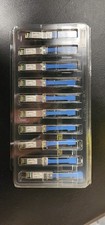
Juniper Networks 25GBASE-LR SMF 25Gbps 10km 1310nm LC SFP 740-071562 Lot 10
$1200.00
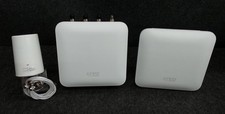
JUNIPER NETWORKS KATIRIV LCM Mist Outdoor Access Point Survey Kit Mod 2 No Box*
$1234.99

Juniper Networks AP33 Wireless Access Point Bluetooth WiFi 6 Cloud Managed NIB
$54.99

Juniper Networks Mist Wireless Access Points, Model AP45
$59.99



 Reply With Quote