-
Senior Member
registered user
Hi again,
Here is another Konqueror FTP tip.
Copy the following profile file named FTP into
/home/knoppix/.kde/share/apps/konqueror/profiles/
Then in Kommander select Settings--> Load View Profile
--> FTP Note: the green light shows which panel is in
the Location Bar. Of course you may make your own
profiles and save them with Save View Profile.
Best Wishes
paradocs
[Main Window Settings]
MenuBar=Enabled
[Main Window Settings Toolbar bookmarkToolBar]
Hidden=true
IconSize=16
IconText=IconTextRight
Index=3
NewLine=true
Offset=259
Position=Top
[Main Window Settings Toolbar extraToolBar]
Hidden=true
IconSize=22
IconText=IconOnly
Index=0
NewLine=false
Offset=-1
Position=Top
[Main Window Settings Toolbar locationToolBar]
Hidden=false
IconSize=22
IconText=IconOnly
Index=2
NewLine=true
Offset=184
Position=Top
[Main Window Settings Toolbar mainToolBar]
Hidden=false
IconSize=22
IconText=IconOnly
Index=1
NewLine=true
Offset=-1
Position=Top
[Profile]
Container0_Children=View1,View2
Container0_Orientation=Horizontal
Container0_SplitterSizes=397,397
Container0_activeChildIndex=0
Container0_docContainer=true
Name=FTP
RootItem=Container0
View1_LinkedView=false
View1_LockedLocation=false
View1_PassiveMode=false
View1_ServiceName=konq_treeview
View1_ServiceType=inode/directory
View1_ToggleView=false
View1_URL=ftp://ftp.uni-kl.de/pub/linux/knoppix/
View2_LinkedView=false
View2_LockedLocation=false
View2_PassiveMode=false
View2_ServiceName=konq_treeview
View2_ServiceType=inode/directory
View2_ToggleView=false
View2_URL=file:/home/knoppix
Similar Threads
-
By jjbergdolt in forum General Support
Replies: 6
Last Post: 06-29-2005, 09:34 PM
-
By lor in forum Hdd Install / Debian / Apt
Replies: 0
Last Post: 10-25-2004, 05:24 PM
-
By hybridus in forum General Support
Replies: 3
Last Post: 03-09-2004, 05:13 AM
-
By kayl in forum Networking
Replies: 1
Last Post: 03-01-2004, 10:28 AM
-
By probono in forum Ideas
Replies: 10
Last Post: 04-06-2003, 02:26 PM
 Posting Permissions
- You may not post new threads
- You may not post replies
- You may not post attachments
- You may not edit your posts
-
Forum Rules

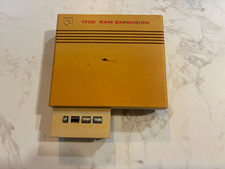
Commodore 1750 512K RAM Expansion REU for C128 / C64 – Tested & Working
$110.00

TeensyROM+ TR+ v0.4 Cartridge for C64/128 - w/ Case & 32GB SD Preloaded
$89.50

Commodore VIC-20 Diagnostic Cartridge & Test Harness Set - USA seller
$39.99

Commodore OS USB | Bootable LIVE + Install | The Ultimate Gaming Linux OS | NEW
$11.99

Commodore 128 C128 Computer FOR PARTS / REPAIR Untested Missing Key No Cords
$149.99
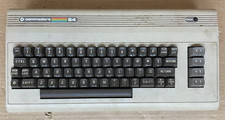
Commodore 64 C64 Computer & RF TV Switch Cable UNTESTED NO POWER SUPPLY AS IS
$104.99

Commodore 64 Serial Cable 6PIN DIN 1541 1571 C64 128 C128 Disk Drive Printer USA
$10.49

Commodore 1541 Emulator PI1541 HAT with ROTARY, OLED screen, USA Seller
$29.99
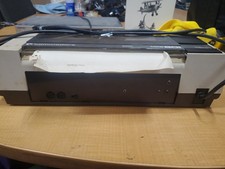
RARE Commodore MPS801 Printer - 1st printer for the 64 - powers on
$70.00

Commodore 64 Dead Test & Diagnostic Cartridge & Test Harness Set - USA seller
$39.99



 Reply With Quote