

 Reply With Quote
I have Mondo installed as part of my HDD install of Knoppix 3.7
Open a console window and type "mondoarchive"
You should then get a series of DOS box type queries asking you what kind of backup you want to do.
sakiZ


Hi! I'm having problems getting Mondoarchive to run. I see it is installed on the Knoppix CD. I have studied the manual and man page but still get errors.
Could someone who has had success getting it to run could give me a few pointers?
I have a debian (Xandros) distro on hda3 that I want to make a full backup. I am learning Linux so need to be able to make a full restore when I pooch up the install again. (Yes, I have already rendered one installation unusable and had to reinstall from scratch. This was a painful process!)
I tried to get Mondo to run on Xandros without success. So I thought that since Knoppix has it running, I could use that.
I would like to have Mondo make the full backup of hda3 to CDRs. The mondo command/man indicates that you should be able to burn CDRs or CDRWs directly.
The error message is:
I'm not sure what this is supposed to tell me but I am guessing that I need to allow mondo to make images files somewhere on the hard drive that I am trying to backup. This worries me because I don't want to also backup the backup image (is this even possible???).-------------------- mount | grep cdrom | grep super --------------------
--------------------------------end of output------------------------------
...ran with errors.
------------------- mount | grep floppy | grep super -------------------
--------------------------------end of output------------------------------
...ran with errors.
Unmounting old ramdisks if necessary
-------- umount `mount | grep shm | grep mondo | cut -d' ' -f3` --------
Usage: umount [-hV]
umount -a [-f] [-r] [-n] [-v] [-t vfstypes] [-O opts]
umount [-f] [-r] [-n] [-v] special | node...
--------------------------------end of output------------------------------
...ran with errors.
Mondo Archive v1.66 --- http://www.mondorescue.com
root is mounted at /dev/root
Using /dev/root is stupid of you but I'll forgive you.
I believe I am running on a live filesystem.
root is mounted at /dev/root
Using /dev/root is stupid of you but I'll forgive you.
I believe I am running on a live filesystem.
Checking sanity of your Linux distribution
Free space on given partition = 2 MB
-------------------------------- umount --------------------------------
Usage: umount [-hV]
umount -a [-f] [-r] [-n] [-v] [-t vfstypes] [-O opts]
umount [-f] [-r] [-n] [-v] special | node...
--------------------------------end of output------------------------------
...ran with errors.
---FATALERROR--- Your / (or /root) partition has <50MB free. Please adjust your partition table to something saner.
Would someone who has had success running mondoarchive from Knoppix please explain what I am missing here?
Thank you in advance.
I have Mondo installed as part of my HDD install of Knoppix 3.7
Open a console window and type "mondoarchive"
You should then get a series of DOS box type queries asking you what kind of backup you want to do.
sakiZ
 Posting Permissions


Yealink T48S VoIP/SIP Phone, 2 x Gigabit Ports PoE 7" Color SIP-T48S | TESTED
$34.95

Grandstream VoIP Phone Adapter ATA 1-Line Black Ethernet (RJ-45) Micro USB
$27.07
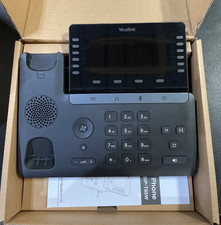
$153.99

Yealink MP54 - VoIP Phone - Black Teams phone Android POE WIFI Bluetooth
$49.95

Yealink SIP-T33G IP Phone 4-LineSpeakerphone VoIP Desk Phone Black w/ Power Sply
$25.00

Grandstream HT701 1-Port FXS Analog Telephone Adapter ATA VoIP Gateway -Free S/H
$19.99

Grandstream WP810 Portable Cordless Wi-Fi IP Phone
$49.28

Cisco/Linksys SPA2102 VoIP Phone Adapter Router 2FXS (Unlocked)
$17.99

Poly CCX 400 Desktop Business Media Phone VoIP 2200-49700-019
$49.99

Cisco CP-8841 IP Phone Charcoal Handset And Stand Included
$27.99