

 Reply With Quote
During startup, type the following:
This will tell it to boot at that resolution.Code:boot: knoppix screen=1024x768
Hope this helps!
--Chris ^_^


Hi y'all...
I'm a newbie with a newbie-question....
With some help from a more experienced Linux user I got my Daewoo monitor to run smoothly... (the autodetect didn't get it right) however it is running in 800x600 resolution and my monitor is able to run in 1024x768 resolution...
However, I ran the xf86config script yesterday (and set the monitor and gfx card) but I didn't get an option to choose a resolution...
I'm running Knoppix 3.3...
What do I do?
Saeed
During startup, type the following:
This will tell it to boot at that resolution.Code:boot: knoppix screen=1024x768
Hope this helps!
--Chris ^_^
dpkg-reconfigure xserver-xfree86 gives you the opportunity but you may as well edit the file /etc/X11XF86Config-4 and put in your resolution there in the Depth subsection an example of the section in the file.Originally Posted by Saeed.Bak.dk
You need similar in your file in the subsection for the DefaultDepth you are using. Then you need to restart the X server and see if it likes the new resolution with as root from the command line /etc/init.d/kdm restart or choose restart X server from the menu option at the KDE login screen. You should also have the proper refresh rates set for your monitor in the monitor section similar to this.Code:Section "Screen" Identifier "Screen0" Device "Card0" Monitor "Monitor0" DefaultDepth 24 # SubSection "Display" # Depth 1 # EndSubSection # SubSection "Display" # Depth 4 # EndSubSection # SubSection "Display" # Depth 8 # EndSubSection # SubSection "Display" # Depth 15 # EndSubSection # SubSection "Display" # Depth 16 # EndSubSection SubSection "Display" Depth 24 Modes "1024x768" "800x600" "640x480" EndSubSection EndSection
A bit of searching should find the correct values HorizSync and VertRefresh if you do not have the manual that came with the monitor.Code:# Acer AcerView 54e Section "Monitor" #DisplaySize 270 200 # mm Identifier "Monitor0" VendorName "API" ModelName "4536" HorizSync 30-54 VertRefresh 50-110 Option "DPMS"
 Posting Permissions


Dell Precision T5820 Workstation 3.70GHz W-2135 No RAM/ GPU/ HDD/ OS
$179.98

Dell EMC PowerEdge R440 Xeon silver 4215 2.5GHz 16 GB ram 2x 550W PSU No HDD
$275.00

Dell Precision Tower 7810 Xeon E5-2630 v3 @ 2.40GHz , 32GB Ram, NO HDD, NO OS
$239.99

Intel Xeon Phi 5110P 60-Core 1.053GHz Coprocessor
$50.00

Intel Xeon E5-2699 V4 2.20GHz 55M 22-CORES LGA2011-3 Server Processor 145W SR2JS
$84.49

Dell Precision T7820 2x Xeon Silver 4114 2.20GHz 950W No RAM GPU HDD 4x SATA
$350.48

Lenovo ThinkStation P520c Intel Xeon W-2133 6-Core 3.60GHz -NO RAM/ HDD/ GPU/ OS
$127.54

Intel Xeon E5-2690 v4 SR2N2 14 Core 2.6GHz 35MB LGA2011-3 CPU *km
$15.99
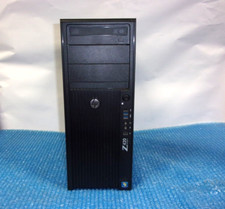
HP Z420 Tower Workstation Xeon E5-1620 3.60GHz, 4GB Ram, NO HDD, NO OS
$140.00

DELL Precision T3420 | Xeon 1240v6 | 525GB SSD |16GB RAM |Nvidia GPU |Win11
$149.00