

 Reply With Quote
have you tried 'apt-get update' first to update the packages that are available for you?


I am getting this error on the intall of package that i wanted. I dont under stand the error, how can i find out what it is and fix it (error code (1).
BTW, am using Koppix 3.3 installed on hard drive Any help would be appreciated. THANKS !
Also, as you can see i already tried apt-get -f install
root@Linuxbox:~# apt-get install kdetoys
Reading Package Lists... Done
Building Dependency Tree... Done
You might want to run `apt-get -f install' to correct these:
The following packages have unmet dependencies:
kdetoys: Depends: amor but it is not going to be installed
Depends: eyesapplet but it is not going to be installed
Depends: fifteenapplet but it is not going to be installed
Depends: kaphorism but it is not going to be installed
Depends: kmoon but it is not going to be installed
Depends: kodo but it is not going to be installed
Depends: ktux but it is not going to be installed
Depends: kweather but it is not going to be installed
Depends: kworldclock but it is not going to be installed
libqt3-mt-dev: Depends: libxcursor-dev but it is not going to be installed
E: Unmet dependencies. Try 'apt-get -f install' with no packages (or specify a solution).
root@Linuxbox:~# apt-get -f install
Reading Package Lists... Done
Building Dependency Tree... Done
Correcting dependencies... Done
The following extra packages will be installed:
libxcursor-dev
The following NEW packages will be installed:
libxcursor-dev
0 upgraded, 1 newly installed, 0 to remove and 733 not upgraded.
49 not fully installed or removed.
Need to get 0B/29.2kB of archives.
After unpacking 139kB of additional disk space will be used.
Do you want to continue? [Y/n] y
(Reading database ... 113569 files and directories currently installed.)
Unpacking libxcursor-dev (from .../libxcursor-dev_1.0.2-4_i386.deb) ...
dpkg: error processing /var/cache/apt/archives/libxcursor-dev_1.0.2-4_i386.deb (--unpack):
trying to overwrite `/usr/X11R6/include/X11/Xcursor/Xcursor.h', which is also in package xlibs-dev
Errors were encountered while processing:
/var/cache/apt/archives/libxcursor-dev_1.0.2-4_i386.deb
E: Sub-process /usr/bin/dpkg returned an error code (1)
root@Linuxbox:~#
have you tried 'apt-get update' first to update the packages that are available for you?
Hi, cyKeMatica
Yes I have updated apt-get on same night before tring to install some pakages
it updated ok.
Do as root:
dpkg -i --force-overwrite /var/cache/apt/archives/libxcursor-dev_1.0.2-4_i386.deb
Hi, Markus and thank you for the post.
Tried your sugestion but it did not work got this error this time. Any other suggestions?
root@Linuxbox:/home/knoppix# dpkg -i --force-overwrite /var/cache/apt/archives/libxcursor-dev_1.0.2-4_i386.deb
(Reading database ... 113569 files and directories currently installed.)
Unpacking libxcursor-dev (from .../libxcursor-dev_1.0.2-4_i386.deb) ...
dpkg - warning, overriding problem because --force enabled:
trying to overwrite `/usr/X11R6/include/X11/Xcursor/Xcursor.h', which is also in package xlibs-dev
dpkg: dependency problems prevent configuration of libxcursor-dev:
libxcursor-dev depends on libxcursor1 (= 1.0.2-4); however:
Package libxcursor1 is not configured yet.
libxcursor-dev depends on libc6-dev | libc-dev; however:
Package libc6-dev is not configured yet.
Package libc-dev is not installed.
Package libc6-dev which provides libc-dev is not configured yet.
dpkg: error processing libxcursor-dev (--install):
dependency problems - leaving unconfigured
Errors were encountered while processing:
libxcursor-dev
root@Linuxbox:/home/knoppix#
Try doing:If that fails, try:Code:apt-get install libc6-dev
Can't remember which I had to do when overwriting libxcursor-dev.Code:apt-get install libc6
Might as well try:
Sometimes it helps to do it a couple of times.Code:apt-get -f install
Markus,
I am trying the ( apt-get install libc6-dev) now
will let you know the results. as for the (apt-get -f install)
i aready tried it it didnt work
Make sure to use a dpkg --configure -a when you get this error you have unconfigured packages from the last action of apt which had an error in it.Originally Posted by efi360
Markus, you rock Amigo
The ( apt-get install libc6-dev) did the trick.
libc6 installed ok, then I apt-get install kdetoys and every thing installed fine with out a hitch.
just wish I understood the proccess more rather just putting in commands wich I dont realy understand, coming from working with Windose OS. for a long time it's defanetly a lerning curve, but learning something new is good for me. I think linux is really Cool I am glad I stumbled across it
Thanks for the Help.
efi360. from San antonio TX.
Stephen, Thanks for the post
although I See the console text print out I dont really understand it's meaning being fairly new to liunx, It's slowly starting to sink in a littile though. I will have to look a littile closer at what it's telling me but not really sure I will know what to do with info. Good thing for linux community you can allways ask for help no matter how dumb the questions sound. I guess every one starts at the bottom, and then its learn, learn, learn You cant shine if you dont put in the time.
 Posting Permissions

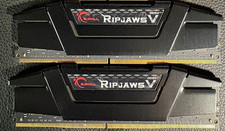
RAM G. SKILL Ripjaws V Series 32GB 2x16GB DDR4 3200 CL16 F43200C16Q64GVK Matched
$149.99

Netac DDR4 32GB 16GB DDR4 3200MHz UDIMM C16 Desktop Internal Memory RAM Kit
$99.99

16GB KIT (2x8GB) DDR4 Gamer Desktop RAM PC4 MIXED BRANDS
$65.00

Kingston 16GB DDR4 3200MHz PC4-3200AA-SA2-12 Laptop RAM SODIMM (HP32D4S2S8ME-16)
$64.99
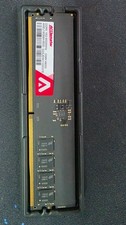
ACCLAMATOR 32GB (2x16GB) DDR5 6000MHz Desktop RAM AMEU16G58H-6000
$315.00
Samsung 32GB DDR4-2933 Desktop RAM – M378A4G43AB2-CVF
$150.00
![[ BULK LOT OF 10 ] UNITS of 8GB DDR4 Laptop RAM SAMSUNG, HYNIX etc. picture](/store/img/g/IKQAAeSwEK9qv9TG/s-l225/-BULK-LOT-OF-10-UNITS-of-8GB-DDR4-Laptop-RAM-SAMSU.jpg)
[ BULK LOT OF 10 ] UNITS of 8GB DDR4 Laptop RAM SAMSUNG, HYNIX etc.
$299.99
Lot of 12 SK Hynix 64GB PC4-2666V LRDIMM Server Memory RAM HMAA8GL7CPR4N -Tested
$4200.00

RAMAXEL Lenovo 32GB LPDDR5X CAMM2 7500MHz Laptop RAM | UNTESTED
$445.00
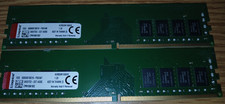
Lot of 2 Kingston 8GB 1Rx8 1G x 64-Bit PC4-2666 CL19 288-Pin DIMM (KVR26N19S8/8)
$59.99