

 Reply With Quote
have you tried 'apt-get update' first to update the packages that are available for you?


I am getting this error on the intall of package that i wanted. I dont under stand the error, how can i find out what it is and fix it (error code (1).
BTW, am using Koppix 3.3 installed on hard drive Any help would be appreciated. THANKS !
Also, as you can see i already tried apt-get -f install
root@Linuxbox:~# apt-get install kdetoys
Reading Package Lists... Done
Building Dependency Tree... Done
You might want to run `apt-get -f install' to correct these:
The following packages have unmet dependencies:
kdetoys: Depends: amor but it is not going to be installed
Depends: eyesapplet but it is not going to be installed
Depends: fifteenapplet but it is not going to be installed
Depends: kaphorism but it is not going to be installed
Depends: kmoon but it is not going to be installed
Depends: kodo but it is not going to be installed
Depends: ktux but it is not going to be installed
Depends: kweather but it is not going to be installed
Depends: kworldclock but it is not going to be installed
libqt3-mt-dev: Depends: libxcursor-dev but it is not going to be installed
E: Unmet dependencies. Try 'apt-get -f install' with no packages (or specify a solution).
root@Linuxbox:~# apt-get -f install
Reading Package Lists... Done
Building Dependency Tree... Done
Correcting dependencies... Done
The following extra packages will be installed:
libxcursor-dev
The following NEW packages will be installed:
libxcursor-dev
0 upgraded, 1 newly installed, 0 to remove and 733 not upgraded.
49 not fully installed or removed.
Need to get 0B/29.2kB of archives.
After unpacking 139kB of additional disk space will be used.
Do you want to continue? [Y/n] y
(Reading database ... 113569 files and directories currently installed.)
Unpacking libxcursor-dev (from .../libxcursor-dev_1.0.2-4_i386.deb) ...
dpkg: error processing /var/cache/apt/archives/libxcursor-dev_1.0.2-4_i386.deb (--unpack):
trying to overwrite `/usr/X11R6/include/X11/Xcursor/Xcursor.h', which is also in package xlibs-dev
Errors were encountered while processing:
/var/cache/apt/archives/libxcursor-dev_1.0.2-4_i386.deb
E: Sub-process /usr/bin/dpkg returned an error code (1)
root@Linuxbox:~#
have you tried 'apt-get update' first to update the packages that are available for you?
Hi, cyKeMatica
Yes I have updated apt-get on same night before tring to install some pakages
it updated ok.
Do as root:
dpkg -i --force-overwrite /var/cache/apt/archives/libxcursor-dev_1.0.2-4_i386.deb
Hi, Markus and thank you for the post.
Tried your sugestion but it did not work got this error this time. Any other suggestions?
root@Linuxbox:/home/knoppix# dpkg -i --force-overwrite /var/cache/apt/archives/libxcursor-dev_1.0.2-4_i386.deb
(Reading database ... 113569 files and directories currently installed.)
Unpacking libxcursor-dev (from .../libxcursor-dev_1.0.2-4_i386.deb) ...
dpkg - warning, overriding problem because --force enabled:
trying to overwrite `/usr/X11R6/include/X11/Xcursor/Xcursor.h', which is also in package xlibs-dev
dpkg: dependency problems prevent configuration of libxcursor-dev:
libxcursor-dev depends on libxcursor1 (= 1.0.2-4); however:
Package libxcursor1 is not configured yet.
libxcursor-dev depends on libc6-dev | libc-dev; however:
Package libc6-dev is not configured yet.
Package libc-dev is not installed.
Package libc6-dev which provides libc-dev is not configured yet.
dpkg: error processing libxcursor-dev (--install):
dependency problems - leaving unconfigured
Errors were encountered while processing:
libxcursor-dev
root@Linuxbox:/home/knoppix#
Try doing:If that fails, try:Code:apt-get install libc6-dev
Can't remember which I had to do when overwriting libxcursor-dev.Code:apt-get install libc6
Might as well try:
Sometimes it helps to do it a couple of times.Code:apt-get -f install
Markus,
I am trying the ( apt-get install libc6-dev) now
will let you know the results. as for the (apt-get -f install)
i aready tried it it didnt work
Make sure to use a dpkg --configure -a when you get this error you have unconfigured packages from the last action of apt which had an error in it.Originally Posted by efi360
Markus, you rock Amigo
The ( apt-get install libc6-dev) did the trick.
libc6 installed ok, then I apt-get install kdetoys and every thing installed fine with out a hitch.
just wish I understood the proccess more rather just putting in commands wich I dont realy understand, coming from working with Windose OS. for a long time it's defanetly a lerning curve, but learning something new is good for me. I think linux is really Cool I am glad I stumbled across it
Thanks for the Help.
efi360. from San antonio TX.
Stephen, Thanks for the post
although I See the console text print out I dont really understand it's meaning being fairly new to liunx, It's slowly starting to sink in a littile though. I will have to look a littile closer at what it's telling me but not really sure I will know what to do with info. Good thing for linux community you can allways ask for help no matter how dumb the questions sound. I guess every one starts at the bottom, and then its learn, learn, learn You cant shine if you dont put in the time.
 Posting Permissions


Netac DDR4 32GB 16GB DDR4 3200MHz UDIMM C16 Desktop Internal Memory RAM Kit
$99.99

Samsung 32GB DDR4-2666V-2Rx4-RB2-12 RAM M393A4K40CB2-CTD6Q
$169.00

Corsair Vengeance LPX 32GB(2 x 16GB) CMK32GX4M2A2400C16 DDR4 2400MHz RAM - C1730
$119.95

A-Tech 8GB DDR3 1600 PC3-12800 Laptop SODIMM 204-Pin Memory RAM PC3L DDR3L 1x 8G
$21.68

RAMAXEL Lenovo 32GB LPDDR5X CAMM2 7500MHz Laptop RAM | UNTESTED
$445.00

Major Brand 16GB (2x8GB) PC3-12800U DDR3-1600MHz DDR3-12800 DESKTOP RAM NON-ECC
$29.99

DDR4 Laptop RAM 4GB 8GB 16GB 32GB 2400 2666 3200 Samsung Hynix
$30.00

MINT Micron Cisco 32GB PC4-2400T DDR4 2Rx4 RDIMM RAM MTA36ASF4G72PZ-2G3 LOT
$159.99

Corsair Vengeance DDR3 8GB 16GB 32GB 1866MHz PC3-14900 Desktop RAM Memory DIMM
$85.00
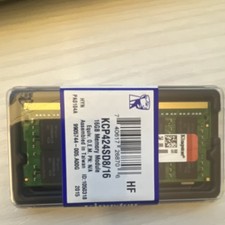
Kingston 16GB DDR4 SO-DIMM PC4-19200 2400MHz Memory Module KCP424SD8/16
$55.00