-
Junior Member
registered user
preferences on floppy?
Hi, all
I have been playing with KNOPPIX since 9AM this morning (it's 6PM now....LOL). I love this CD, moreso than even the morphix KDE offering (although I wish the adorable AMOR was included in KNOPPIX!). Thank you to the developers of KNOPPIX.
My question is this for the live CD:
I have my mouse speed and sensitivity set up, and a lot of other things in KDE all set up (like a different background for each desktop, size of the taskbar, clock, etc...). Can I save these preferences to a floppy? I noticed the mouse-over tool tip said that the KDE preferences were like 644 bytes, or something.
Can I reboot the cd, and start a floppy to get all these preferences back? It will take awhile to do so each time I boot. I hate how slow the mouse is by default (I use a trackball.....)
Thanks in advance. 
-
Senior Member
registered user
yes you can. You use the computer hardrive a usb keychain or just about anything else.
go to the knoppix menu. (second form the left with the knoppix icon) and mouse over configure then click save knoppix configuration and then selct what ever your saving it as. To start up a floppy config, when you come to the bott screen type in knoppix floppyconfig or knoppix config=scan. You could also put in what knoppix suggests but I find these two the easiest. However if you have a computer that has multiple configs saves ( like on the hardrive and another on a usb keychain) your going to want to type in where it is. for my usb keychain I use ether knoppix config=scan or knoppix config=/dev/sda1
-
Junior Member
registered user
firebyrd10,
Thank you LOADS!!
Your instructions, and the command at boot 'knoppix floppyconfig' worked perfectly. It remembered everything, right down to my clock settings and history in Konqueror. This really makes using Knoppix the best live distro I've seen yet. I'm not sure if morphix and the rest do this too, and quite frankly, I don't care. I really like Knoppix better than all the other live CD's I've downloaded and tried these last few weeks.
I'm glad somebody gave a d@mn enough to make something like this distro.
Thanks again
Similar Threads
-
By ix86i in forum Customising & Remastering
Replies: 1
Last Post: 11-03-2004, 04:17 AM
-
By Sago7 in forum Customising & Remastering
Replies: 1
Last Post: 07-23-2004, 11:20 PM
-
By SkyHawk in forum Hdd Install / Debian / Apt
Replies: 7
Last Post: 02-14-2004, 04:40 AM
-
By beforewisdom in forum Hdd Install / Debian / Apt
Replies: 1
Last Post: 06-22-2003, 01:49 PM
-
By boehmb in forum General Support
Replies: 17
Last Post: 06-03-2003, 08:40 PM
 Posting Permissions
- You may not post new threads
- You may not post replies
- You may not post attachments
- You may not edit your posts
-
Forum Rules


6 Vintage DEC Digital System Building Blocks - Flip Chips
$125.00

Vintage DEC VT100 Series Terminal (Powers On)
$499.99

Vintage DEC Digital Starion 200 Desktop PC Powers On Boots To BIOS NO HDD - DW
$299.99

Vintage DEC/Mostek memory systems MK 8015 AA-00 6805-08015 1100 REV C(B7)
$279.99

DEC Digital DECmate III PC238 PDP-8 6120 RX50 Dual Floppy Vintage Computer
$649.95

Vintage DEC Digital Equipment Flip-Chip Module Lot Parts
$59.99

Vintage DEC LK201 Digital Equipment Corporation (DEC) LK201-AA Computer Keyboard
$149.99
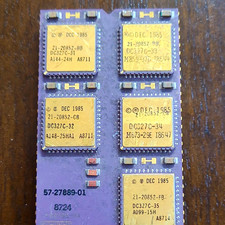
DEC Vintage Module/Board Collectable Vintage chip - 1 BROKEN LEG (BO)
$200.00

DEC T2053-DE MS65A-DA 128MB VAX 6000 Memory Board Gold Scrap Vintage
$74.99
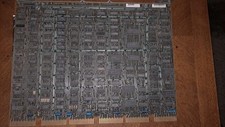
DEC DIGITAL VINTAGE M7544
$100.00



 Reply With Quote