-
Junior Member
registered user
anyone familiar with MAC?
I have an older powermac, and it has a 4 gig IDE HD. My current system also uses IDE.I only gave $20 for the mac, and I am curious.
Can I reformat that Mac drive, and install KNOPPIX to it, and have it work on my Windows PC? (yes, I'd take my HP's HD out, take the performa's HD out, and swap them.....reformatting the mac HD is the issue....will it work?)
Thanks in advance 
-
Senior Member
registered user
Re: anyone familiar with MAC?

Originally Posted by
fourtrackmind
I have an older powermac, and it has a 4 gig IDE HD. My current system also uses IDE.I only gave $20 for the mac, and I am curious.
Can I reformat that Mac drive, and install KNOPPIX to it, and have it work on my Windows PC? (yes, I'd take my HP's HD out, take the performa's HD out, and swap them.....reformatting the mac HD is the issue....will it work?)
Thanks in advance
Knoppix is not going to install on that it is for a x86 family of processors Mac's use different ones. Depending on the processor involved I believe that you still need the Mac OS installed to be able to boot the Linux install. I would say Google is your friend here with the keywords mac install linux.
-
Junior Member
registered user
Stephen,
Thanks for your reply.
I think you misunderstood. I want to take the harddisk out of the mac, and format it on my windows machine. I will do the formatting here, if the physical circuitboards match up. Or is the hard disk, although IDE, different from a windows-compatible HD?
Might reformatting a mac HD on a windows machine work? I mean the physical hardware. perhaps this is the wrong place to post. 
Sorry for any confusion.
Also, what is the final size of the KNOPPIX install? I realize it's compressed to beat all heck, so how much space do I need for the OS and packages?
-
Senior Member
registered user
Ah I see I misread the question , if it is a standard IDE drive then you can do anything you want if there is some kind of proprietary circuits on the controller then no you would not be able to use it. I think the Apple site could answer that question they should still have the specs of the machine laying around on a page somewhere. Now just to be sure here your goal is to use this drive in the x86 machine with knoppix installed on it not in a mac right. The final install size is 2.2GB so if the drive works in an x86 machine then you have more than enough room.
-
Senior Member
registered user
Non-scsi mac's such as performa's etc. use standard IDE drives, I just recently put a 30GB maxtor hd in an old performa for a friend whose son uses the mac for school stuff. So the 4GB IDE drive would work in a pc for a knoppix drive.
~rock
-
ya that'll work. I've used mac Hard drives in PC's and PC HDD's in Mac's for a while without problems.
Similar Threads
-
By eco2geek in forum Other Live CDs
Replies: 0
Last Post: 01-01-2005, 02:09 AM
 Posting Permissions
- You may not post new threads
- You may not post replies
- You may not post attachments
- You may not edit your posts
-
Forum Rules


Dell Poweredge R630 2x Xeon E5-2680 v3 2.5ghz 24-Cores / 64gb / Raid / 2x 1Tb
$374.99

Dell EMC PowerEdge R440 Xeon silver 4215 2.5GHz 16 GB ram 2x 550W PSU No HDD
$275.00

Dell PowerEdge R530 2x E5-2630v4 H330 iDRAC8 Port Card Riser No PSU/RAM/HDD
$99.99

Dell PowerEdge R730XD 28 Core Server 2X Xeon E5-2680 V4 H730 32GB RAM No HDD
$378.93

Dell Poweredge R630 2x Xeon E5-2680 v3 2.5ghz 24-Core | HBA330 | No RAM or HDD
$149.99

Dell PowerEdge C4130 1U AI GPU Server | 2x E5-2690 v3 | 64gb Ram | 2x 1600W
$524.99

Dell PowerEdge C4130 1U AI GPU Server | 2x E5-2680 v3 | 32gb Ram | 2x 1600W
$409.99

Dell PowerEdge R640 10SFF 2x Gold 6140 2.3GHz 36-Cores 64gb H730p 2x Trays
$599.99
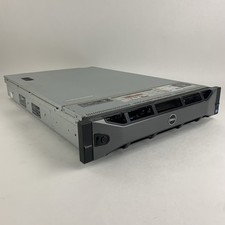
Dell PowerEdge R720 Server 2x Xeon E5-2670 2.6 GHz 64 GB RAM No OS No HDD Read-
$239.95

Dell PowerEdge FX2s + 8x FC430 Blades 16x E5-2630v4 160 Cores Rails No PSU/RAM
$699.00



 Reply With Quote