-
Junior Member
registered user
I need help closing ports
I was wondering how to close some ports on my box! I dont have a firewall so I figured it would be a good idea. also I am directly connected to the net, no server or anything. Is there a simple command like close port 21, or is it more difficult than that? I ran nmap and it says port 80 is closed how can this be when I am writing this online now? any advise would be appreciated. thanks
-
Junior Member
registered user
-
Senior Member
registered user
Re: I need help closing ports

Originally Posted by
jojo
I was wondering how to close some ports on my box! I dont have a firewall so I figured it would be a good idea. also I am directly connected to the net, no server or anything. Is there a simple command like close port 21, or is it more difficult than that? I ran nmap and it says port 80 is closed how can this be when I am writing this online now? any advise would be appreciated. thanks
The easiest method apt-get remove --purge name_of_whatever_ftp_server_is_running no server no open port. You can get online because you are being served the pages not serving them up therefore no web server running on port 80. If you want to scan your computer from the internet to see what is open the Sheild's up tools can do the job. Some other firewalls you may want to consider they are all available with apt-get.
http://www.simonzone.com/software/guarddog/
http://firestarter.sourceforge.net/
http://www.bastille-linux.org/
Or if you want to roll your own.
http://morizot.net/firewall/gen/
http://iptables-tutorial.frozentux.n...-tutorial.html
-
Junior Member
registered user
thanks stephen and dewd, you helped alot my system is almost secure I just have one more issue, when I run nmap it still says alot of ports are open but when I use the shields up that you suggested it says that they are all stealthed except port 67 which is open and port 68 wich is closed. 67 is bootstrap protocol server, 68 is bootstrap protocol client. I can't find any info on how to stealth them so if you could point me in the rite direction I would be greatful. thanks
Similar Threads
-
By Maverik in forum General Support
Replies: 0
Last Post: 04-02-2005, 07:31 AM
-
By Coffee-OD in forum Hardware & Booting
Replies: 6
Last Post: 03-31-2005, 10:43 PM
-
By Benox in forum General Support
Replies: 2
Last Post: 04-21-2004, 06:40 PM
-
By firebyrd10 in forum Networking
Replies: 2
Last Post: 04-02-2004, 10:58 PM
-
By cortechs in forum Networking
Replies: 2
Last Post: 03-04-2004, 09:06 AM
 Posting Permissions
- You may not post new threads
- You may not post replies
- You may not post attachments
- You may not edit your posts
-
Forum Rules

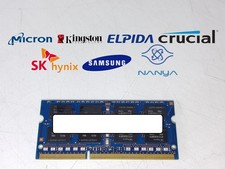
Major Brand 8 GB PC3L-12800 (DDR3-1600) 2Rx8 DDR3L Laptop Memory RAM
$10.99
![Corsair Dominator Platinum RAM DDR4 DIMM 128GB 2666MHz [8x16GB] picture](/store/img/g/vNcAAeSw0Mdqyoii/s-l225/Corsair-Dominator-Platinum-RAM-DDR4-DIMM-128GB-266.jpg)
Corsair Dominator Platinum RAM DDR4 DIMM 128GB 2666MHz [8x16GB]
$600.00

Corsair CMK32GX4M2B3000C15 Vengeance LPX DDR4 3000mhz Memory Kit - 32GB (2x16GB)
$164.95

Corsair Vengeance DDR3 8GB 16GB 32GB 1866MHz PC3-14900 Desktop RAM Memory DIMM
$43.00

RAMAXEL Lenovo 32GB LPDDR5X CAMM2 7500MHz Laptop RAM | UNTESTED
$445.00
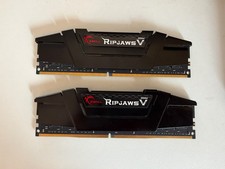
G.Skill Ripjaws V 32GB (2x16GB) RAM DDR4 3200MHz F4-3200C16D-32GVK
$135.00
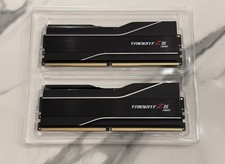
GSKILL Trident Z5 Neo RGB DDR5 32GB (2x 16GB) 6000MTs CL30 *AMD EXPO* RAM Kit
$499.99
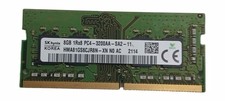
Sk Hynix 8GB PC4-3200AA PC4-3200 260-Pin SO-DIMM Laptop RAM
$37.99
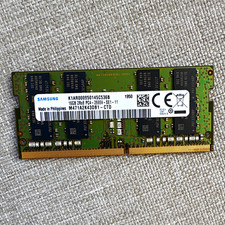
Samsung 16GB DDR4 SO-DIMM Laptop RAM PC4-2666V M471A2K43DB1-CTD
$65.00
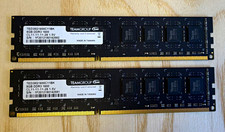
TEAMGROUP Team Elite 16GB (2x8GB) DDR3-1600 PC3-12800 240-Pin DIMM
$28.12



 Reply With Quote