-
Senior Member
registered user
What does the /etc/network/interfaces file look like that is where the IP for the card gets set and if auto eth0 is in there then it is brought up automatically on boot.
For static settings it should look similar to this you would need to replace the settings with yours.
Code:
>$ cat /etc/network/interfaces
# /etc/network/interfaces -- configuration file for ifup(8), ifdown(8)

# The loopback interface
auto lo
iface lo inet loopback

# The first network card - this entry was created during the Debian installation
# (network, broadcast and gateway are optional)
auto eth0
iface eth0 inet static
        address 192.168.0.1
        netmask 255.255.255.0
        network 192.168.0.0
        broadcast 192.168.0.255
        gateway 192.168.0.254
For DHCP
Code:
>$ cat /etc/network/interfaces
# /etc/network/interfaces -- configuration file for ifup(8), ifdown(8)

# The loopback interface
auto lo
iface lo inet loopback

# The first network card - this entry was created during the Debian installation
# (network, broadcast and gateway are optional)
auto eth0
iface eth0 inet dhcp
You can remove or put a # character in front of the lines that are still left over from the knoppix kernel like the bttv, tuner and emu10k1 if they are not needed anymore. The modules being loaded are for the new kernel if you did not compile the others that are in the modules file then they would never have a chance to be loaded they do not exist for that kernel.
Similar Threads
-
By andromeda in forum Hdd Install / Debian / Apt
Replies: 2
Last Post: 04-23-2004, 01:36 PM
-
By NerdIII in forum Hdd Install / Debian / Apt
Replies: 2
Last Post: 03-25-2004, 01:30 AM
-
By AKengineer in forum Hdd Install / Debian / Apt
Replies: 2
Last Post: 09-01-2003, 08:27 PM
-
By laffer in forum Hardware & Booting
Replies: 1
Last Post: 08-06-2003, 08:35 PM
-
By jonwood in forum Hardware & Booting
Replies: 4
Last Post: 03-24-2003, 04:37 PM
 Posting Permissions
- You may not post new threads
- You may not post replies
- You may not post attachments
- You may not edit your posts
-
Forum Rules


(New) AMD Ryzen 7 5700X 8 Core 16 Thread AM4 Unlocked 3.4 GHz CPU OEM Tray
$174.99
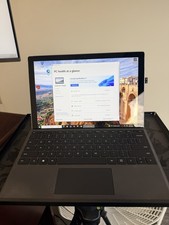
Microsoft Surface Pro 5 Silver 128GB SSD 4gb RAM
$97.97
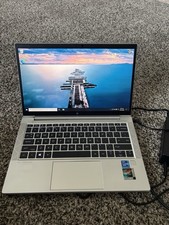
HP EliteBook 830 G8 Core I7-1185G7 3.00GHz Laptop 32GB RAM, 512GB SSD
$250.00

SGIN 17.3" Laptop Intel Quad-Core Up to 2.4 GHZ 8GB RAM 256GB SSD HD
$229.99

Apple Macbook Pro 13" M1 8-Core 16GB 512GB - Good
$464.99

Intel Xeon E5 - 2667V2 / SR19W 3.30GHz 25MB 8-Core CPU Socket LGA2011
$30.00

AMD FX 8350 8-CORE 4.00GHz CPU FD8350FRW8KHK SOCKET AM3+ *QTY
$39.99
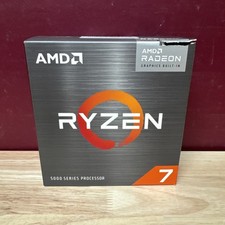
AMD Ryzen 7 5700G 8-Core 16-Thread 4.6GHz Max Boost, 3.8 GHz Base
$170.00
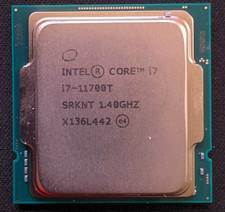
Intel Core i7-11700T 1.4GHz Processor 8-Core Socket LGA1200 SRKNT
$129.95
Lenovo IdeaPad S340-15IWL Laptop 15.6" Intel Core i3-8145U 8GB RAM 256GB SSD
$126.65



 Reply With Quote