-
Junior Member
registered user
point to add to Remastering HowTo ?
I saw a lack of info on an important point: how to customize your KDE desktop, menus, etc:
is it true that it should suffice to:
- boot knoppix at runlevel 3
- go to your /mnt/hda1/knx/source/KNOPPIX directory and chroot there
- launch X (startx maybe?)
- modify menus etc
???
I ask because it's a mess in KDE (and it's years I use it!) to find where menu stuff lies. This way you should just use Kmenueditor, with the added benefit that you can also modify any desktop related stuff (background, screensaver) and when you leave chroot it stays there, ready to be burned.
Or am I missing something?
Thanks for any info
Alessandro
-
Senior Member
registered user
Nope, sadly it's more complicated then that. For one thing, you have to create /home/knoppix if you boot in run level 2 or 3. You do this by copying the contents of /etc/skel, chowning and chmodding them.
Then you need to create a ~/.xinitrc file so you can start kde.
Then in kde, you can tweak the menu's and settings. Then you should remove the contents of /etc/skel, and replace them with the contents of /home/knoppix. Then you need to chmod and chown them back the way they were origincally, and delete the /home/knoppix you created.
Now however, when you hdd-install from the remastered CD, things will work great. When you run live from it there will still be various problems that need to be corrected in /usr/share/applnk (system-wide kmenu configs) and in /var/lib/kde/menu (kicker icons).
I think getting the kmenu and kicker just right are probably the most frustrating tasks in reasmtering a knoppix CD.
-
Junior Member
registered user
> Nope, sadly it's more complicated then that....
correct me if I understood you wrong, but this is just if you want the configuration to work for user knoppix, right? While if you do it while being root things are much easier?
I ask because I find that one of the many wonderful things of Knoppix seem to be that you can work as root without any fear - so I'd like to remaster a CD to use exclusively as root - what do you think?
alessandro
-
Senior Member
registered user
By replacing the contents of /etc/skel, you affect the settings all users who do not already have individual home directories. It would be easy enough to to all the KDE editing as root. BVut you'd need to alter the startup scripts so that when your modified knoppix boots, it launches KDE as root instead of as knoppix.
Similar Threads
-
By fulvioo in forum Customising & Remastering
Replies: 2
Last Post: 05-03-2005, 01:10 PM
-
By gazelle in forum Hardware & Booting
Replies: 5
Last Post: 03-07-2005, 07:15 PM
-
By xaviers2002 in forum Klik
Replies: 2
Last Post: 08-01-2004, 02:34 AM
-
By hanx in forum Customising & Remastering
Replies: 1
Last Post: 09-02-2003, 05:31 AM
-
By eadz in forum Customising & Remastering
Replies: 26
Last Post: 01-29-2003, 06:18 AM
 Posting Permissions
- You may not post new threads
- You may not post replies
- You may not post attachments
- You may not edit your posts
-
Forum Rules


Dell 6P85J 4TB ST4000NM0063 7.2k 6Gb/s 3.5” SAS SED Hard Drive with Tray
$39.99

Western Digital HUS726T4TAL5204 4TB 7.2K SAS 12Gb/s 3.5" 512e HDD NetApp X375A
$64.00
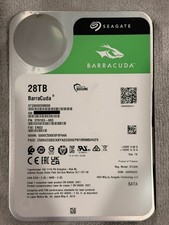
Seagate BarraCuda 28TB 7.2K SATA 6Gb/s 3.5in Internal HDD ST28000DM000 - Tested
$670.00

Seagate ST12000NM0127 12TB 256MB 7200RPM 3.5" SATA 6.0Gb/s Enterprise Hard Drive
$318.99

Seagate ST4000NM0034 Enterprise 4TB 7200RPM SAS 12Gb/s HDD v4
$39.00

Seagate ST500DM009 BarraCuda 500 GB 3.5" SATA III Desktop Hard Drive
$14.99

Dell ST6000NM0034 1HT27Z-150 NWCCG 6TB SAS 3.5 7.2K ENTERPRISE SERVER DRIVE
$68.99

HGST HUS724040ALA640 HDD 4TB SATA 6Gb/s 7.5K 3.5" 0F19459 512 b/s
$78.00

DELL 2TB Enterprise HDD (7200RPM, 3.5", SATA III, 128MB Cache) HUS722T2TALA600
$49.95

(ST8000NM0045) SEAGATE ENTERPRISE 8TB 7200RPM 4Kn SATA 6Gb/s 3.5" HARD DRIVE
$199.99



 Reply With Quote