


 Reply With Quote
do you have any machines connected to the lan acting as dhcp server?


Hi... been reading about linux for ages but was initially to shit scared to give it a try
downloaded knoppix and it looks fantastic and seems to run fantastically well too..
have got a few teethign problems but think once solved i am going to enjoy using this OS a lot and may abandon windows to a secondary boot optionwell we will see anyway

ok heres my problem:-
I have 4 pcs at home all connected to a switch...
all pcs are running win 2000 and al are on the internet thanks to one of pcs sharing it internet connection.
Now the knoopix install seems to be installing the ethernet card fine but is not seeing anything when i go into linnetwork neighbourhood
I go to the network card set up bit and do the dhcp setup thing but that doesnt seem to let me surf etc...
im a little confused about the manual ip set up...
my server pc ip settings are
ip: 192.168.0.1
subnet mask 255.255.255.0
so any idea how i get this to work for me?
ALL help will be much apreciated and will allow me to slowly convert myself to an avid linux fan!!!
thanks
mike
do you have any machines connected to the lan acting as dhcp server?
Run these three commands as root-
ifconfig eth0 192.168.0.200 netmask 255.255.255.0 up
route add default gw 192.168.0.1 eth0
echo nameserver 192.168.0.1 >> /etc/resolv.conf
192.168.0.200- this can be any IP so long as its in the same subnet as the rest of your LAN and is not taken by one of your other boxes.
How to mount a network share with samba-
Create a user knoppix on the windows box you want to connect to and set a password.
Run these two commands as knoppix-
mkdir /home/knoppix/Desktop/some_dir
smbmount //hostname/sharename /home/knoppix/Desktop/some_dir -o username=knoppix
You'll then get prompted to enter knoppix's password for access to the shared files.
hostname= the name of the winbdows box
sharename= the name of the shared folder/drive
some_dir- is an arbitrary name and will become a folder on your desktop through which you can access the remote files.
Ok.. I really hope you get this reply!
I saw your reply to my thread a long time ago Arkaine23... but have been very busy and I for some reason had half given up...
but thought I would give it another bash this morning!
WOW it worked straight away!
thank you very much!
pls add me on msn if you can !!!
[email protected]
cheers mate
really really big THANKS!
mike
I really appreciate this post, the directions work like a charm for me. Now if I can just figure out how print from client to the windows box printer...@$*@$*%@(@*%.
 Posting Permissions


HP 2x 10GB OPNsense Quad Core i5-8500 8GB RAM 3Port Gigabit Firewall AES-NI SSD
$199.95

Zero Trace Pen: All-in-one Tor Network Anonymous Drive + Cryptocurrency Wallet
$147.00

OPNsense Firewall 16-Core Atom C3958 16GB DDR4 RAM 64GB SSD 8x 1Gbe QAT AES-NI
$195.00

Barracuda NextGen CloudGen Cloud Based Firewall F280 BNGF280a w/ 8.3.1 Firmware
$89.99

OPNsense pfSense 8-Core Atom C3758 2.2GHz 8GB DDR4 64GB SSD 8x NIC QAT AES VPN
$115.00
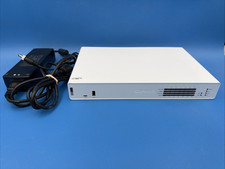
Sophos XGS 136 Next Generation Firewall Security Appliance with Power Adapter
$99.99

Fortinet FortiGate 60F FG-60F UTM UTP License Until 2027 Network Security FW VPN
$229.99
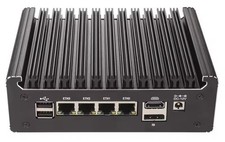
Complete Firewall - Opnsense - PFSense - N150 (N100 Upgrade) 4-port - US Seller
$439.99

SonicWall TZ280 Firewall 03-SSC-6933 Advanced Edition 3YR NEW SEALED
$999.99

Check Point 1590 Firewall & w builtin WiFI and builtin LTE sim slot
$95.99