


 Reply With Quote
do you have any machines connected to the lan acting as dhcp server?


Hi... been reading about linux for ages but was initially to shit scared to give it a try
downloaded knoppix and it looks fantastic and seems to run fantastically well too..
have got a few teethign problems but think once solved i am going to enjoy using this OS a lot and may abandon windows to a secondary boot optionwell we will see anyway

ok heres my problem:-
I have 4 pcs at home all connected to a switch...
all pcs are running win 2000 and al are on the internet thanks to one of pcs sharing it internet connection.
Now the knoopix install seems to be installing the ethernet card fine but is not seeing anything when i go into linnetwork neighbourhood
I go to the network card set up bit and do the dhcp setup thing but that doesnt seem to let me surf etc...
im a little confused about the manual ip set up...
my server pc ip settings are
ip: 192.168.0.1
subnet mask 255.255.255.0
so any idea how i get this to work for me?
ALL help will be much apreciated and will allow me to slowly convert myself to an avid linux fan!!!
thanks
mike
do you have any machines connected to the lan acting as dhcp server?
Run these three commands as root-
ifconfig eth0 192.168.0.200 netmask 255.255.255.0 up
route add default gw 192.168.0.1 eth0
echo nameserver 192.168.0.1 >> /etc/resolv.conf
192.168.0.200- this can be any IP so long as its in the same subnet as the rest of your LAN and is not taken by one of your other boxes.
How to mount a network share with samba-
Create a user knoppix on the windows box you want to connect to and set a password.
Run these two commands as knoppix-
mkdir /home/knoppix/Desktop/some_dir
smbmount //hostname/sharename /home/knoppix/Desktop/some_dir -o username=knoppix
You'll then get prompted to enter knoppix's password for access to the shared files.
hostname= the name of the winbdows box
sharename= the name of the shared folder/drive
some_dir- is an arbitrary name and will become a folder on your desktop through which you can access the remote files.
Ok.. I really hope you get this reply!
I saw your reply to my thread a long time ago Arkaine23... but have been very busy and I for some reason had half given up...
but thought I would give it another bash this morning!
WOW it worked straight away!
thank you very much!
pls add me on msn if you can !!!
[email protected]
cheers mate
really really big THANKS!
mike
I really appreciate this post, the directions work like a charm for me. Now if I can just figure out how print from client to the windows box printer...@$*@$*%@(@*%.
 Posting Permissions


Fujinet 1.7.1 Atari 400 800 800XL 130XE 65XE XEGS Assembled, Tested, Working
$99.99

Atari 130 XE/Atari 1050 Bundle W/ Cords And Extras (Powered On)
$300.00

DEFECTIVE Atari 810 Vintage Computer Disk Drive powers on Unit Only Boo G3D
$49.29

UNOCART-2600 SD card Multi Rom Cartridge for ATARI 2600 with CASE
$34.25

ATARI Mouse with Adapter for ST, STE, Mega STE, TT Optical - USA Seller
$29.99

GRAPHIC SHOP - Atari 400/800 XL/XE - Antic
$36.00
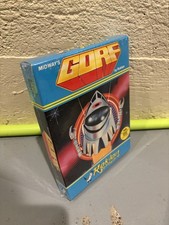
GORF Atari/Roklan 400/800 Cartridge Brand New In Box
$48.00

Antic Software - BBCS II - Atari 400/800 XL/XE Floppy DIsk
$20.00

Atari 800 8-bit Computer System Fully Tested Great Condition 48k READ
$350.00

Atari 1200xl Original ROM And MMU set
$20.00