

 Reply With Quote
To save current file in vim. In command mode (press ESC first) then :wq or ZZ (that's 2 cap Z's)


can anyone tell me how to save with vim? i know how to insert text, and how to leave insert text more (esc) but not how to permanently save the changes that i make to a file, can anyone help me with this....
i know its basic question, but everywhere i look jsut tells me to hit zz, which i havent been able to get working.
To save current file in vim. In command mode (press ESC first) then :wq or ZZ (that's 2 cap Z's)
I am brand new to Knoppix.
When I go into knoppix and start vim or vi or gvim,
I can't seem to use ex commands (pressing "colon").
For example, when I type a few lines in insert mode, hit escape,
then press :q to quit, the "q" shows up in the middle of the bottom
of the screen and has no effect.
Has anyone else had this problem?
Thanks in advance,
Terry Michaels
I found this solution:
At boot, I typed:
knoppix keyboard=us xkeyboard=us
and this did the trick.
Anybody know how I can make this a permanent
configuration?
T. Michaels
 Posting Permissions


Yealink T48S VoIP/SIP Phone, 2 x Gigabit Ports PoE 7" Color SIP-T48S | TESTED
$34.95
Cisco IP Phone CP-8821 No Battery C2-F3
$185.00

NEW Cisco Mitel 6930 IP Phone VoIP Business Phone Black Sealed
$89.99

SIM Bank 32 SIM Card Slots Ethernet SIM Server for GoIP
$400.00

Yealink SIP-T44W VoIP Phone 12-Line Gigabit Speakerphone RJ-45 Gray/Black
$44.00

Yealink SIP-T33G IP Phone 4-LineSpeakerphone VoIP Desk Phone Black w/ Power Sply
$25.00

5 Allworx Verge 9312 VoIP IP Phone 12-Line Speakerphone Black RJ-45 MPN 8113120
$999.00
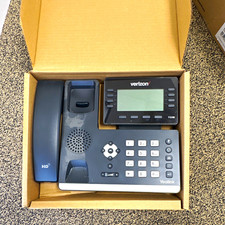
Yealink T53W Black IP Phone Verizon VoIP LOT OF 4 Business Desk Phone
$150.00

Poly CCX 400 Desktop Business Media Phone VoIP 2200-49700-019
$49.99

Grandstream WP810 Portable Cordless Wi-Fi IP Phone
$49.28