-
Senior Member
registered user
Boot from your cd not your hd install, use:
knoppix 2
at your boot prompt. Then (as root) mount your hd install read/write, (let's assume your knoppix hd install is at /dev/hda1) so:
mount /dev/hda1 /mnt/hda1
mount -o remount,rw /mnt/hda1
then:
cd /mnt/hda1/etc
and using a console editor (vi, nano etc.) or mc and edit your inittab file and in the id :initdefault: line substitute: 2 for 5
# The default runlevel.
id:5:initdefault:
Change to:
# The default runlevel.
id:2:initdefault:
Editing your ininttab file should fix your startup problem, but if you want to (or need to) edit your lilo.conf file you will need to chroot to your hd partition:
cd /mnt/hda1
chroot /mnt/hda1
cd etc
then again use a console editor and edit your lilo.conf file, save it and the run lilo:
/sbin/lilo -v
Pay attention to any error messages lilo give you.
HTH
~rock
Similar Threads
-
By E-Buzz in forum Hdd Install / Debian / Apt
Replies: 3
Last Post: 07-16-2005, 07:04 PM
-
By Particle in forum Hdd Install / Debian / Apt
Replies: 1
Last Post: 01-19-2005, 03:25 PM
-
By edlsoft in forum General Support
Replies: 3
Last Post: 04-30-2004, 01:42 AM
-
By Bam in forum Hdd Install / Debian / Apt
Replies: 2
Last Post: 11-19-2003, 04:40 AM
-
By bhelmes in forum Networking
Replies: 1
Last Post: 10-26-2003, 11:59 PM
 Posting Permissions
- You may not post new threads
- You may not post replies
- You may not post attachments
- You may not edit your posts
-
Forum Rules


Macintosh Platinum Mouse - Apple 128K 512K 512Ke Mac Plus Lisa IIe M0100 - NEW
$49.99

1984 APPLE MACINTOSH 128K MATCHING # BOX Set Original Mac Model M0001 WORKS RARE
$6299.00

1984 APPLE MACINTOSH 128K FIRST MAC Model M0001 PICASSO KIT Discs Harvard Rare
$1800.00
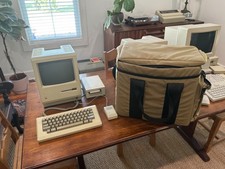
Apple Macintosh 512K 1MB MacSnap SCSI 128K ROM 800K + 400K Drive Keyboard Mouse
$995.00
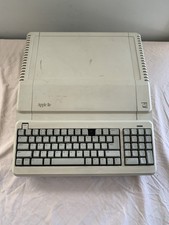
Vintage Apple IIe Platinum A2S2128 128K Computer - Powers On - Missing Key
$249.99
Macintosh Platinum Mouse - Apple 128K 512K 512Ke Mac Plus Lisa IIe M0100 - NEW
$59.99

Vintage Apple Macintosh 128K 512K Carrying Case Rainbow Logo Excellent Cond
$140.00

Keyboard Cable Cord - Apple Macintosh Mac 128K 512K 512Ke Plus
$12.99

Apple Macintosh Mac 128k - 512k Boot / Diagnostics 2 Disk Set for Classic Macs
$14.99

Apple Macintosh 128k Desktop computer. Upgraded to 512k
$300.00



 Reply With Quote