

 Reply With Quote
You can either:
- edit your /etc/lilo.conf file, and add "2" at the end of your append=xxx line
- edit your /etc/inittab file and change 5 to 2 in the initdefault line


how can I boot to console, I have lilo that starts whith a "splashscreen" and 3 options : linux, failsafe and windows.
I want to boot to a console and I don't want the windowmanager to start.
( when windowmanager wdm starts it totaly locks my keyboard)
Which key at what time should I push to get a prompt before lilo starts booting?
You can either:
- edit your /etc/lilo.conf file, and add "2" at the end of your append=xxx line
- edit your /etc/inittab file and change 5 to 2 in the initdefault line
At the lilo prompt, you should be able to typeto boot up in runlevel 2.Code:linux 2
linux 2 doesn't boot at lilo prompt, it only excepts the 3 lilo entrys from
lilo.config : linux,failsafe and windows
How can I stop the boot proces just before it starts the windowmanager?
edit your /etc/lilo.conf file, and add "2" at the end of your append=xxx line
- edit your /etc/inittab file and change 5 to 2 in the initdefault line
how can I edit these files and run lilo if I can't boot to consolemode?
Boot from your cd not your hd install, use:
knoppix 2
at your boot prompt. Then (as root) mount your hd install read/write, (let's assume your knoppix hd install is at /dev/hda1) so:
mount /dev/hda1 /mnt/hda1
mount -o remount,rw /mnt/hda1
then:
cd /mnt/hda1/etc
and using a console editor (vi, nano etc.) or mc and edit your inittab file and in the id:initdefault: line substitute: 2 for 5
# The default runlevel.
id:5:initdefault:
Change to:
# The default runlevel.
id:2:initdefault:
Editing your ininttab file should fix your startup problem, but if you want to (or need to) edit your lilo.conf file you will need to chroot to your hd partition:
cd /mnt/hda1
chroot /mnt/hda1
cd etc
then again use a console editor and edit your lilo.conf file, save it and the run lilo:
/sbin/lilo -v
Pay attention to any error messages lilo give you.
HTH
~rock
thanks Rockmumbles, for your clear advice, it worked.
Only one thing, I had so switch it to 1 (inittab) runlevel 1 was singleuser mode it said in inittab.
The run levels 2-5 are all the same in Debian unless you change them, if you had wanted at your Lilo screen you could have typed in Linux single and had the same effect.Originally Posted by jackren
 Posting Permissions


Dell ST6000NM0034 1HT27Z-150 NWCCG 6TB SAS 3.5 7.2K ENTERPRISE SERVER DRIVE
$68.99

Western Digital HUS726T4TAL5204 4TB 7.2K SAS 12Gb/s 3.5" 512e HDD NetApp X375A
$64.00

HDD 3.5" SATA Hard Drive with Windows 10/Win 11 64x Installed Legacy
$35.00
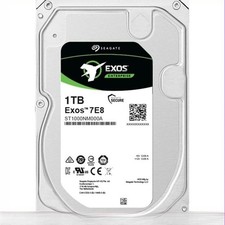
ST1000NM000A Seagate Exos 7E8 Hard drive TB internal 3.5" SATA 6Gb/s 7200 rpm
$115.56

HGST HUA723030ALA640 3TB SATA 7200 RPM 3.5 in Enterprise HDD | 0F14044 (100%)
$45.00

Seagate ST6000NM0115 6TB 256MB 7200RPM 3.5" SATA 6.0Gb/s Enterprise Hard Drive
$159.99

HGST HUS724040ALA640 4TB 7200 RPM SATA 3.5" Internal Desktop Drive 100% Health
$78.00

Hitachi / HGST Travelstar HTS541010B7E610 1TB 2.5" SATA III HDD
$29.99

New Western Digital WD40EFPX 68C6CN0 4TB 3.5" SATA III Internal NAS Red Plus HDD
$137.59
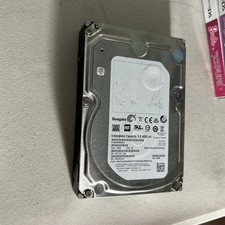
6TB Seagate Enterprise Capacity 3.5 HDD v4 ST6000NM0024
$70.00