

 Reply With Quote
For mounted partitions use "df" (on the command line in a Konsole window), for all partitions use "fdisk -l". Note that the output of fdisk is in blocks, which may or may not be 1KB (sometimes just 512B)


I am looking to figure out how big my partitions are. When I tried the windows style attemp, properties, I get no luck. Any one know how I can find this out.
For mounted partitions use "df" (on the command line in a Konsole window), for all partitions use "fdisk -l". Note that the output of fdisk is in blocks, which may or may not be 1KB (sometimes just 512B)
I use cfdisk instead of fdisk as it lists sizes in MB & it easier to understand. use df -h to make is display human readable file sizes.
One more thing: fdisk and cfdisk both require you to be root when running them.
What exactly do I type in the command line of a Konsole window to run cfdisk? Also, what does "fdisk and cfdisk both require you to be root when running them" mean? and how do I do it?
On any multi-user system someone must be able to kill hanging/crashed programs, create user accounts and/or reset passwords, install new programs, and many other system administrative tasks.
In Windows NT/2K/XP/2K3 this special user is typically known as Administrator. In Linux or UNIX this special user is known as superuser or root. Root can do almost anything that root wants to do on the system.
It is not good practice to always logon as root. It is too easy to make a command or mouse mistake and damage the system such as deleting files from an important directory. This is why in Knoppix we are logged on as the user knoppix. You can get root or superuser access by going to the KMenu -> Knoppix Menu->Root Shell. This Root Shell, if I remember correctly, is green & will let you run fdisk or cfdisk.
 Posting Permissions


Retro Vintage Apple M0110A Compact Wired Mechanical keyboard for Macintosh Plus
$64.95

Vintage 1998 iMac G3 M4984 Mac OS + Keyboard Working but Needs Some Repair Read
$295.00
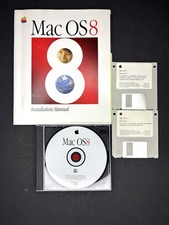
Apple Mac OS 8 CD-ROM Installation Disc 1997 Mint Condition Vintage
$99.00

Apple Power Macintosh PowerPC 7300/200 VTG w Keyboard Mouse Storage Drive Read
$199.99
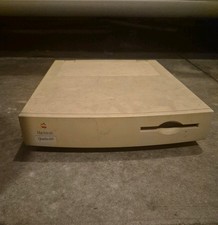
Apple Macintosh Quadra 605 Vintage Desktop Computer, Model M1476 Untested
$299.00

Vintage Apple Macintosh LC M0350 Desktop No Harddrive No Power Supply - Parts
$71.95

LARGE LOT Vintage Apple Macintosh Mouse Cables Accessories SCSI etc - UNTESTED
$80.00

185--Sonnet Crescendo G3 PPCG3-375-5-K-06 G3 Add-On Card for Vintage Mac
$99.00

Apple Macintosh DuoDock Duo Dock M7779 & Powerbook 230 Vintage Mac RARE Vintage
$249.00

Vintage Apple iMac G4 15" Lamp 700MHz 512MB Mac OS X 10.4.6 W/ Pro Speakers
$300.00