-
Dell Latitude CPi , but no sound

Knoppix 3.3 works great except for there being no sound.
My laptop is a Dell Latitude CPi D233ST w/ 128 megs of ram.
The Audio Controller is a Crystal 4237B.
When I try to use sndconfig I get an error message after choosing,
Crystal CS423x sound chip.
The error message is Segmentation fault
I've tried the alsa cheatcode but it didn't help.
Any advice would greatly be appreciated.
Thanks.
-
Senior Member
registered user
Same problem here. However, I DO have a modules.conf from an old version of Knoppix (3.3 v6-6-3 as i recall) where sound worked. Not much help though. I manually updated modules.conf (after making the symlink on the CD a "real" file) with the desired configuration as follows:
### update-modules: start processing /etc/modutils/sndconfig
alias sound-slot-0 cs4232
post-install sound-slot-0 /usr/bin/aumix -f /etc/aumixrc -L >/dev/null 2>&1 || :
pre-remove sound-slot-0 /usr/bin/aumix -f /etc/aumixrc -S >/dev/null 2>&1 || :
options sound dmabuf=1
alias synth0 opl3
options opl3 io=0x388
options cs4232 io=0x530 irq=5 dma=0 dma2=1 mpuio=0x330 mpuirq=5
### update-modules: end processing /etc/modutils/sndconfig
But when I run update-modules I get the error "depmod: Can't open /lib/modules/2.4.27/modules.dep for writing"
It appears that modules.dep is a real file on the read only file system (not a symlink) so I can't do a work around like I did with modules.conf.
Sound would really be nice on this old beast. Any suggestions greatly appreciated.
~pau1
-
Senior Member
registered user
Also tried running from the insmod command (as root) using:
insmod cs4232.o io=0x530 irq=5 dma=0 dma2=1 mpuio=0x330 mpuirq=5
and receive the following error messages:
cs4232.o: cs4232.o: unresolved symbol ad1848_detect
cs4232.o: cs4232.o: unresolved symbol ad1848_init
cs4232.o: cs4232.o: unresolved symbol probe_uart401
cs4232.o: cs4232.o: unresolved symbol ad1848_control
cs4232.o: cs4232.o: unresolved symbol ad1848_unload
cs4232.o: cs4232.o: unresolved symbol unload_uart401
cs4232.o: cs4232.o: unresolved symbol audio_devs
cs4232.o: cs4232.o: unresolved symbol sound_unload_audiodev
Any help greatly appreciated.
~pau1
-
Senior Member
registered user
Fixed... almost...
These commands load the appropriate drivers
modprobe sound
insmod ad1848
insmod uart401
insmod cs4232 io=220 irq=5 dma=1
And things like sound from KsCD and MPlayer will work. However, KDE system sounds and XMMS do not work. KDE just "acts" like its playing the sound (with all kmix / aumix settings turned up) but no sound comes out. XMMS says that the sound card is not configured properly.
I have tried starting knoppix in text only mode (knoppix 2), loading the drivers as root, and then starting KDE as knoppix. That did not work.
I also tried starting the sound service in KDE, hitting control-alt-backspace to start KDE again, but no success.
Any suggestions on how to get the sound working within KDE (and presumable XMMS)?
Thanks in advance,
~pau1
-
Senior Member
registered user
okay, here's the fix... a LOT of trial and error. with knoppix 3.4 (5-17-4) and 3.6 (8-17) i just run these commands (as root)...
modprobe sound
insmod ad1848
insmod uart401
insmod cs4232 io=0x530 irq=5 dma=1
rm -rf /dev/dsp
mknod /dev/dsp c 14 3
chown knoppix.knoppix /dev/dsp
all works well after this.
-
Hey i have the same laptop and im tryin todo this with a HD install of Knoppix 3.6 (because is has ndiswrapper).... i cannot make your steps work it says the moudles arnt there and im abit of a newbie so could you explaim on how todo it? or what i have missed out  ?
?
-

Originally Posted by
pau1knopp
okay, here's the fix... a LOT of trial and error. with knoppix 3.4 (5-17-4) and 3.6 (8-17) i just run these commands (as root)...
modprobe sound
insmod ad1848
insmod uart401
insmod cs4232 io=0x530 irq=5 dma=1
rm -rf /dev/dsp
mknod /dev/dsp c 14 3
chown knoppix.knoppix /dev/dsp
all works well after this.
Ok, I ran thu this on my fresh HD install, XMMS no longer gives me the error window, but stil will not play music. When I type:
chown knoppix.knoppix /dev/dsp
I get:
chown: 'knoppix.knoppix' invalid user
I assume this is because I ran it as a different user. So I typed:
chown <valid username> /dev/dsp
And now it looks to try and load, but XMMS will not play the song. It will load it without errors, but won't play anything. I can even scroll the position cursor and it wil display the current position within the song, but still won't play it. I'm using a Dell Latitude CPi D300XT, should be the same sound chip, no?
Any thoughts?
-
Sound is not working with Knoppix running off CD
Hello, I have been living under a rock for the past 24 years and am completly new to Linux. I have been trying a series of Linux OS's to see what I would like to start with. Haven't found out yet but I really like how Knoppix runs right off the CD. Ngenious. As it seems I cannot get the sound working. If someone can assist me in getting the right driver for it, that would be great. I have a Dell Dimension 2400 with a PCI aftermarket Sound Blaster Live, which I threw in to try and see if that would fix the problem. It didn't. Not too familiar with the command line as of yet. So please consider me a noob. I am a quick learner and if someone tells me once it is implanted into the sixth membrane and I will never forget.
Cheers.
Similar Threads
-
By JimH00 in forum Laptops
Replies: 0
Last Post: 06-08-2005, 05:22 PM
-
By konik in forum Laptops
Replies: 2
Last Post: 03-29-2005, 12:23 AM
-
By anotherulrich in forum Laptops
Replies: 2
Last Post: 09-28-2004, 07:26 PM
-
By mubz in forum General Support
Replies: 0
Last Post: 11-23-2003, 02:33 AM
-
By Phredd in forum General Support
Replies: 15
Last Post: 10-10-2003, 02:03 AM
 Posting Permissions
- You may not post new threads
- You may not post replies
- You may not post attachments
- You may not edit your posts
-
Forum Rules


Intel Core i7-3770K 3.5 GHz Processor
$39.00

Intel Core i7-9700 3.0 GHz Octo-Core (SRG13) Processor
$79.00
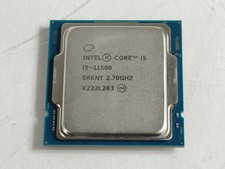
Intel Core i5-11500 2.70 GHz LGA 1200 Desktop CPU Processor SRKNY
$94.99

Corsair RM750e 750W Fully Modular 80 Plus Gold ATX 3.1 PSU Certified Refurbished
$44.99

Intel 4th Gen Core i7-4790 SR1QF 3.60GHz (Turbo 4.00GHz) 8M 4-Core LGA-1150 CPU
$39.99

Intel i7-8700 Coffee Lake 3.2GHz 6-Core Max Turbo 4.6GHz Processor
$69.99

Intel Core i7-7700T 2.9GHz 8MB Socket LGA1151 Quad Core Processor SR339
$39.99
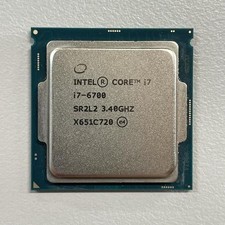
Intel Core i7-6700 3.40 GHz QUAD Core (4 Core) Desktop Processor 8MB LGA 1151
$29.99

OEM Dell Optiplex 3080 5080 7080 MFF Fan ONLY JV47V 0JV47V
$11.40
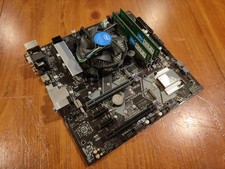
COMBO: ASUS Prime H370M-PLUS MOTHERBOARD + i5-9400F CPU /w Heatsink + 16GB DDR4
$169.95



 Reply With Quote