

 Reply With Quote
For goodness sakes DON'T use WD-40! I heard of a person that stuck the nozzle in a hole and blasted the inside of his PC until it made a loud snap and started to smoke! The guy that fixed it said it was dripping when he opened the case!


I have a VAIO 1ghz desktop. Normally when it boots up, the fan revs up during boot, and once Windows starts loading, it calms down to a slower speed. When I try to boot Knoppix, the fan revs up and STAYS like that (really fast and really loud). I dont want to risk damaging the fan while using Knoppix (that, and it is annoying working with a super loud fan). Any help?
For goodness sakes DON'T use WD-40! I heard of a person that stuck the nozzle in a hole and blasted the inside of his PC until it made a loud snap and started to smoke! The guy that fixed it said it was dripping when he opened the case!
Actually he just opened the case and didn't bother fixing it.
Well, Im a Linux noob so I was basically wondering if I can go into the command promt and input something to rev down the fan, make it run at a normal level? Are there any tools that come with knoppix that do that?
First of all, Hunkah, I heard of someone using WD-40 on a Swamp Cooler water pump (aka Evaporative Cooler) - the pump runs on 120 volt, and when they sprayed the pump motor with the lubricant, it burst into flames - it states right on the can - FLAMABLE - so, unless a fan motor is "cooled down" - don't attempt a flamable lubricant on one...
Second of all, RoamZero, are you running Knoppix from the CD, or have you installed it on the hard drive (i.e. you don't need to load the CD to boot Knoppix) ???
Are you sure the fan you are hearing is coming from the CPU? Or the Power Supply? Or it might be coming from the CDROM motor...
Those newer CDROM's can "spin-up" to some serious revolutions per minute, and what you might be hearing is the cdrom motor...
I think their is a setting (somewhere) on setting revs "max" on the cdrom speed, as for any of the "other" fans (your guess is as good as mine, I haven't heard of any settings)
Cuddles
I am running it from the CD. However, the CD drive motor only contributes a small amount of noise. I hear the fans "rev" up evertime I boot, regardless of whether there is a cd in the drive or not. I think this has to do with the fact that my PC is a small form factor one, and it probably does that because upon boot, alot of power is drawn into a small space, so the fans are somehow set to go faster because of that. The thing is that the fans die down immediatly when Windows starts running, but not with Knoppix, they just continue blowing really fast.
I am not an expert on this type of thing, but your system somewhat new?
I know there is a new fan system that goes faster when your system is hotter. I don't know if it is a BIOS setting or an OS setting, but the fact that it slows down in windows leads me to believe that it is an OS setting, or that your OS is over-ridding the BIOS settings.
Could be that Knoppix doesn't yet support that type of function.
Then again I could be wrong. I was waiting to see if anyone that has ever installed one would jump in with a comment first.
IIRC, the fan and the batteries on recent laptops are controlled via ACPI which isn't fully implemented on the 2.4 kernel. And since you are running knoppix from cd, there's no way of toying around with different kernels/patches.. So you might want to try disabling ACPI in the BIOS setup menu and enabling APM instead if possible.
 Posting Permissions


(New) AMD Ryzen 7 5700X 8 Core 16 Thread AM4 Unlocked 3.4 GHz CPU OEM Tray
$174.99

AMD Ryzen 7 PRO 8700GE 8-Core/16-Thread Up to 5.1GHz AM5 (FL1)
$175.00

Clear Touch Interactive Module CTI PCMOD PC55 ST i5 6core,8GB DDR4,256GB SSD NEW
$225.00
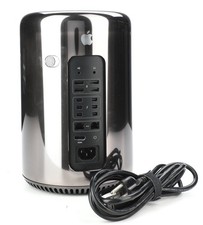
Apple Mac Pro Model A1481 Computer 8core Intel Xeon E5 64 GB Storage 500 G2U
$189.99
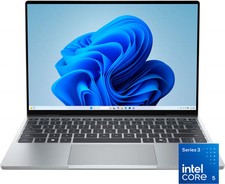
Dell - XPS 13.4" 3K Touchscreen Laptop - Intel Core 5 Series 3 320 2026 - 8GB...
$599.99

AMD Ryzen 7 9850X3D 8-Core 16-Thread 5.6GHz 120W AM5 CPU 100-100001973WOF
$435.99

AMD Ryzen Threadripper PRO 3945WX 12-Core 4.0GHz sWRX8 CPU NEW Tray Unlocked
$69.99

AMD Ryzen 7 9800X3D 8-Core 16-Thread AM5 Zen 5 Desktop Processor NEW
$398.00
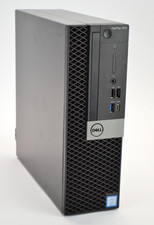
Dell Optiplex 7070 SFF i7-9700 8-Core 3.0GHz 16B Ram NO HDD NO OS
$199.99
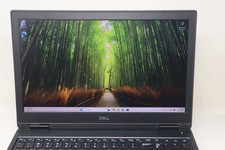
Dell Precision 7530 Laptop Intel Core i7 8th Gen 32GB RAM 512GB NVMe Win 11 Pro
$249.99