-
Got knoppix from a frien and i am a changed man
Ok i have been using win98 since it first came out and well i am really sick of the blue screen of death.So a friend gave me one of these knoppix cd's and i am not a genuis but muddling threw it with no l;inux knowledge at all i found it pretty easy touse.So now i am a changed man and instead of upgrding to XP  and giving the devil his due i am goin to linux,but not sure what linux i need to do what i want.so here is what i got and what i want to do maybe some suggestions:
computer is a:ICECUBE PC 2.4 P4,samsung 120gb hdd,samsung 52x cd-r,Visionplus 1020a dvb pci card,1gb ddr ram,I have no floppy drive either
what i want todo:,Watch my tv thru my dvb card,play my mame games,ftp my xbox which uses gentoo linux i believe,and surf the net(by the way do any ISP'S support the use of linux or would it be better to just go with cable or dsl?
What ever assistence you can give would be greatly appreciated
-
Senior Member
registered user
Re: Got knoppix from a frien and i am a changed man

Originally Posted by
leq75
computer is a:ICECUBE PC 2.4 P4,samsung 120gb hdd,samsung 52x cd-r,Visionplus 1020a dvb pci card,1gb ddr ram,I have no floppy drive either
Knoppix is a great way to test a machine for Linux compatibility.
surf the net(by the way do any ISP'S support the use of linux or would it be better to just go with cable or dsl?
Usually your ISP could care less what OS you have. Net zero reportedly has some software that you need and AFAIK there isn't a Linux verison of that software. My ISP (Adelphia) likes to tell its customers that you need to install their software but they don't make a Linux version and I don't run windows at home. 
I have no idea what a mame game is. You can ftp to anything that runs an ftp server. There are apps for watching tv under Linux as well although I'm not overly familiar with any of them.
-
Senior Member
registered user
If you are trying to watch TV with your tv card, you can use xawtv, but you probably need to do some configuration first. There are some scripts written by Fabian to walk you through this process. You can find them in the Knoppix folder in the K menu.
Similar Threads
-
By wtrenker in forum General Support
Replies: 3
Last Post: 03-05-2005, 03:29 PM
-
By honigbaer in forum Hdd Install / Debian / Apt
Replies: 3
Last Post: 01-16-2005, 01:31 PM
-
By bob58 in forum Hardware & Booting
Replies: 0
Last Post: 10-01-2004, 12:36 PM
-
By kclawson in forum General Support
Replies: 1
Last Post: 12-03-2003, 02:18 AM
-
By tralfaz in forum Networking
Replies: 0
Last Post: 11-25-2003, 12:16 AM
 Posting Permissions
- You may not post new threads
- You may not post replies
- You may not post attachments
- You may not edit your posts
-
Forum Rules


Yealink T48S VoIP/SIP Phone, 2 x Gigabit Ports PoE 7" Color SIP-T48S | TESTED
$34.95

Grandstream VoIP Phone Adapter ATA 1-Line Black Ethernet (RJ-45) Micro USB
$27.07
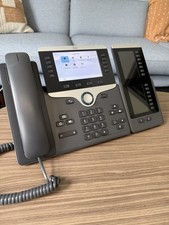
Cisco VoIP Phone CP-8851 with 8800 Key Expansion Modules
$69.00

Poly CCX 400 Desktop Business Media Phone VoIP 2200-49700-019
$49.99

Yealink SIP-T33G IP Phone 4-LineSpeakerphone VoIP Desk Phone Black w/ Power Sply
$25.00
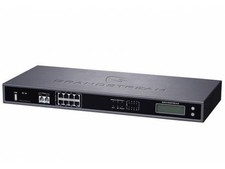
Complete Office VoIP System: Grandstream UCM6208 IP PBX + (14) GRP2614 Wi-Fi IP
$800.00
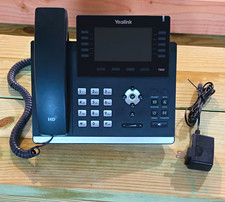
Yealink SIP-T46S Black IP Phone 16-Line Gigabit Ethernet PoE
$211.75

Grandstream WP810 Portable Cordless Wi-Fi IP Phone
$49.28

Yealink MP54 - VoIP Phone - Black Teams phone Android POE WIFI Bluetooth
$49.95

Cisco CP-8841 IP Phone Charcoal Handset And Stand Included
$27.99



 Reply With Quote