-
cant leave network
hey hey everyone, i cant seem to configure my knoppix to let any out of lan data transmition go on.... heres my config
address 192.168.0.2
netmask 255.255.255.0
network 192.168.0.0
broadcast 192.168.0.255
gateway 192.168.0.1
now, i have the router setup, and the lan is working fine.. i can ping both the router and the xp box, but i cant get any packts to remote networks
**network unavailible**
this really sucks, and i would like to know what i can do to get this to work, please help me out asap
-
Administrator
Site Admin-
Re: cant leave network

Originally Posted by
punk000
.... heres my config
network 192.168.0.0
The rest looks right, assuming that the xp box is at a different ip address in the same group, like 192.168.0.3. Be sure it's not also 192.168.0.2.
You didn't say if you got this setup by dhcp or if you made the settings manually, that might be helpful to know. Also, what is the router?
I'n not sure about the "network" setting above. It doesn't look right. AFAIK such an address would be a talk-to-myself address, but then I don't know what you are trying to tell us with this "setting".
And you didn't say so, but I'm assuming that you have a typical star configuration with the router at 192.68.0.1 and 1 nic in all computers, all connected to the router.
Can you log into the web interface on the router from Knoppix? If you can, be sure to confirm that the router shows a connected status to your ISP. While you're at it go to the xp box and see if it can conect to the router web interface and if it can connect to the Internet.
The ping test was a good step in the right direction. You're close and this should not be too hard to resolve.
-
Senior Member
registered user
Can you ping an address outside the network by IP eg. ping 64.236.24.12 (CNN) if so then you need a line for your nameserver (DNS or Domain Name Server) in the /file /etc/resolv.conf an example of the file.
Code:
HappyTux:/home/stephen# cat /etc/resolv.conf
search wolf
nameserver 192.168.1.10
nameserver 192.168.1.34
You only need the one nameserver line that you get from your ISP (in XP use ipconfig IIRC to find it, winipcfg in 95/98/ME) and the search line for your domain is optional.
-
no, ive tried to ping ip adresses outside of my network, no luck, it sais network unreachable. and yeah i can get on the net with xp-box (192.168.0.100), but i cant get outside with knoppix(192.168.0.2).
i have a d-link 604 ethernet broadband router(19.168.0.1), and my two other boxes are connected via nic's to it. howver only my xp box can reach outside. as for dhcp, im not sure.
please ask me for any prevalent files to this networking problem and i will be happy to give them to you. i am very eager to find the solution to my problem.
heres the info from my router config page
LAN
MAC Address
00-0D-88-A9-9A-F1
IP Address
192.168.0.1
Subnet Mask
255.255.255.0
DHCP Server
Enabled
WAN
MAC Address
00-0D-88-A9-9A-F2
Connection
PPPoE Connected
IP Address
67.68.85.170
Subnet Mask
255.255.255.255
Default Gateway
67.68.85.170
DNS
198.235.216.111 206.47.244.61
-
Senior Member
registered user
Originally Posted by
punk000
LAN
MAC Address
00-0D-88-A9-9A-F1
IP Address
192.168.0.1
Subnet Mask
255.255.255.0
DHCP Server
Enabled
Well here you have the DHCP server enabled on the router box you may want to either disable it for using static settings or use netcardconfig in knoppix to choose DHCP and see if you can get an IP that way although it should pick it up automatically when booting.
WAN
MAC Address
00-0D-88-A9-9A-F2
Connection
PPPoE Connected
IP Address
67.68.85.170
Subnet Mask
255.255.255.255
Default Gateway
67.68.85.170
DNS
198.235.216.111 206.47.244.61
Here I can not see how you ever get a connection your gateway is the same as your IP this should not work the gateway should be the IP of the machine that you connect to on the network after your IP address and unless the subnet mask works differently for 67..... addresses that does not look correct as well. Where are you getting these settings from are they the ones your ISP told you to use?
Similar Threads
-
By johnsmith01 in forum Networking
Replies: 1
Last Post: 06-28-2005, 02:37 AM
-
Replies: 7
Last Post: 12-21-2003, 12:58 AM
-
By gill1109 in forum Networking
Replies: 2
Last Post: 07-28-2003, 05:20 AM
-
By Anssi in forum Networking
Replies: 2
Last Post: 04-29-2003, 06:38 AM
-
By david in forum Hardware & Booting
Replies: 0
Last Post: 01-09-2003, 02:11 PM
 Posting Permissions
- You may not post new threads
- You may not post replies
- You may not post attachments
- You may not edit your posts
-
Forum Rules


185--Sonnet Crescendo G3 PPCG3-375-5-K-06 G3 Add-On Card for Vintage Mac
$90.00

VINTAGE Apple Mac OS X Computer Monitor
$250.00

Vintage 1998 iMac G3 M4984 Mac OS + Keyboard Working but Needs Some Repair Read
$295.00

Vintage Apple Mac OS X 10.1 Puma Upgrade CD Box M8621LL/A (2001) Factory Sealed
$22.00
Kineses PS/2 Keyboard to Macintosh Adapter Converter Vintage Interface Apple
$60.00
Vintage 90s Mac & PC Software CD Lot of 14 Apple Macworld AOL Mac OS 8 3 Sealed
$35.99
Vintage Apple Macintosh Computer w/Keyboard and Mouse - Working
$259.00
Vintage Apple Power Macintosh 7600/132 Desktop Computer Parts Repair Untested
$52.00
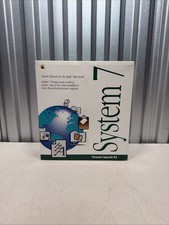
Vintage Mac System 7 Personal Upgrade Kit Apple Software 3.5” Floppy 1991 NEW
$142.45

Apple Power Macintosh PowerPC 7300/200 VTG w Keyboard Mouse Storage Drive Read
$199.99



 Reply With Quote