-
Maxtor 160GB ATA IDE problem
I have a new 160GB Maxtor disk, my bios reports it as 137GB, presumably because of the LBA limitations. There isn't a bios upgrade for my K7AMA mobo. Windoze XP sees the full size of the disk and can partiton with NTFS and/or FAT32 but whatever I do with Knoppix (3.3 rel 2004-02-16) I can't seem to make it happy with my hard drive. Has anyone any suggestions please? I would ideally like to HD install and then setup my Alcatel Speedtouch330 DSL modem. I've been searching for help with both these problems, I've found a lot of suggestions to get the modem working but obviously I'd like to get the HDD problem sorted first. Any clues would be greatly appreciated, "H"
-
You might want to look at:
http://www.dewassoc.com/kbase/hard_d...e_barriers.htm
Seems like the Maxtor 160 used to ship with a controller card for old systems, but nowadays they probably charge extra for it 
-

Originally Posted by
Markus
Thanks for the above, a very useful and interesting link.
I read what they have about size limitations and it lead me to Maxtors own info. on the topic. Basically it seems there are 3 solutions (unless Knoppix or Linux offers an alternative? PLEASE!).
1) Use WindozeXP with Maxtors "Big Drive Enabler" - yes this fixes the problem in Windoze - but not Knoppix.
2) Download and Install: The Intel Application Accelerator which provides 48-Bit LBA compliant ATA/ATAPI controller drivers (IntelATA.mpd) BUT only if you have an Intel chipset (guess what... mines ALI M1645!)
3) Buy an Ultra ATA adapter card OR a new mobo - if only I had the money, unfortunately I just spent my savings on a new 160Gb hard drive!
Maybe Knoppix3.4 with the latest Linux Kernel will provide the solution?
I wait in hope for a solution, meanwhile I can still use 128GiB or 137GB of my disk.
Regards "H"
P.S. Scan had a Highpoint Rocket Accelerator on their "Today Only" page at the weekend, so I dug deep and bought one (only £14.68 ) I now have a much faster and complete 160Gb+ disk. I've decide to use my original 45Gb disk just for Linux so I'm now going to set it up to dual-boot.
Similar Threads
-
By usaramblinman69 in forum Hardware & Booting
Replies: 0
Last Post: 03-15-2005, 02:02 AM
-
By hotrodedmonds in forum Hardware & Booting
Replies: 1
Last Post: 02-12-2005, 09:42 PM
-
By hotrodedmonds in forum Hardware & Booting
Replies: 0
Last Post: 02-10-2005, 02:42 PM
-
By e.newed in forum Hdd Install / Debian / Apt
Replies: 2
Last Post: 04-11-2004, 05:20 AM
-
By Breakout42 in forum Hardware & Booting
Replies: 2
Last Post: 03-18-2004, 11:10 AM
 Posting Permissions
- You may not post new threads
- You may not post replies
- You may not post attachments
- You may not edit your posts
-
Forum Rules

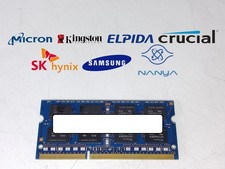
Major Brand 8 GB PC3L-12800 (DDR3-1600) 2Rx8 DDR3L Laptop Memory RAM
$10.99
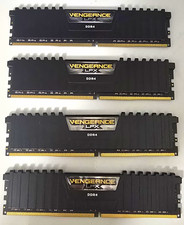
128GB Corsair Vengeance LPX DDR4 3200MHz CL16 Desktop RAM (4x32GB) Tested
$500.00

Corsair CMK32GX4M2B3000C15 Vengeance LPX DDR4 3000mhz Memory Kit - 32GB (2x16GB)
$164.95
Sk Hynix 8GB PC4-3200AA PC4-3200 260-Pin SO-DIMM Laptop RAM
$37.99

Corsair Vengeance DDR3 8GB 16GB 32GB 1866MHz PC3-14900 Desktop RAM Memory DIMM
$43.00

RAMAXEL Lenovo 32GB LPDDR5X CAMM2 7500MHz Laptop RAM | UNTESTED
$445.00
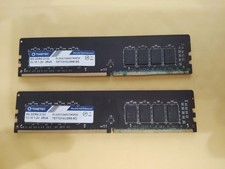
Timetec 16GB KIT (2x8GB) DDR4 2133MHz KIT(2x8GB) Single Rank, Gold
$120.00
Micron MTC4C10163S1UC48BA1 8GB RAM DDR5 4800MHz
$87.00

LOT OF 23 Ram Sticks-Corsair Vengeance CMZ8GX3M2A1600C9 4GB (4GBx23=92GB Total)
$129.99

P43330-0A1 HPE 32GB 2RX8 PC5-4800B DDR5 SERVER RAM P43328-B21 / HMCG88MEBRA107N
$1100.00



 Reply With Quote