

 Reply With Quote
Solution: physically cut power vs. just power switch. This resets it. (I'm software, not hardware.)
Still, what the hell? Why does this happen at all?


I am a programmer and an experienced Linux user. I have used Knoppix successfully and happily on other systems without incident. Now, I try on two Dells in the office, and both run fine with Knoppix. But when I'm finished, I get absolutely *no* boot. Press power, lights on the monitor flash as if getting no signal, gentle whir from the box, nothing more.
Quite a shock after trusting absolutely nothing would happen to my machine. Now what?
My only guess is that it has to do with the boot device. To boot to Knoppix, I pressed F12 to get the boot device list and selected the CD. Now, powering on the system with the CD in also does nothing, and as mentioned above, there appears to be no signal going to the monitor.
Ideas greatly appreciated.
Solution: physically cut power vs. just power switch. This resets it. (I'm software, not hardware.)
Still, what the hell? Why does this happen at all?
Extremely buggy BIOS's happens on some machines and others of the same model will run Knoppix no problem goto love the gremlins.Originally Posted by colwellj
Happened with two different Dells in the office, not just one.
Yeah so both of them have it do a search here on Dell and see the breakdown in the posts some work some don't and the main thing that always comes up Knoppix killed my Dell (and I have never seen it with any other make/model) followed by the solution you discovered sometimes followed by someone saying works fine on mine there's no logic to it at all just buggy machines.
from http://www.knoppix.net/docs/index.php/FaqUsing:
Hope it helpsQ: After using KNOPPIX, my Dell computer does not start!
A: This is an issue with the Dell BIOS. Simply pull out the power cord from your computer for a few seconds, and your computer should start again. You can also try passing "apm=off" or "apm=real-mode-poweroff" to the kernel during startup. apm=real-mode-poweroff is better because it keeps other apm-features (advanced power managment) turned on.
Alessandro
 Posting Permissions


1969 EAI TR-20 Analog Computer Programming PACE Philbrick Electronic Associates
$35.00

VINTAGE 1970s SKIT Scientific Kit for Computer & Electronics SEALED INSIDE Rare
$249.00

Vintage Donner Scientific Analog Computer Patch Cords Banana Plugs & Resistor
$100.00

Vintage 1970’s Analogic MP2110 10-Bit A/D Converter Computer Circuit Board
$24.99

Vintage Analog Computing Magazines For Atari Computer Owners No 11-20 Acceptable
$75.00
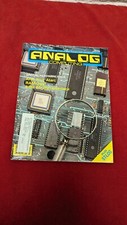
Analog Computing Atari Magazine No. 44 RAM Copy & 8 Bit July 1986
$22.00
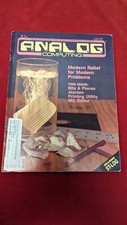
ANALOG COMPUTING MAGAZINE No. 42 May 1986, Modern Relief for Modern Problems
$11.01
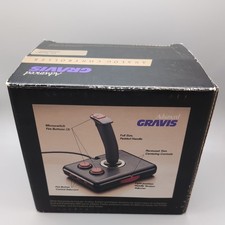
Advanced Gravis Analog Controller Joystics For Tandy Computers complete in box
$90.98

RARE VINTAGE Kontron 80 Psi Compact Microcomputer Computer Germany Early 1980s
$399.99

Rare Vintage CH Product Mach III Analog Joystick for Apple Mac
$65.00