-
live cd
I downloaded the iso and burned as a boot disc,when I boot up I get dr dos loading ,it then stops at the dos prompt.
any help appreciated
mark
-
Junior Member
registered user
Re: live cd

Originally Posted by
mak468
I downloaded the iso and burned as a boot disc,when I boot up I get dr dos loading ,it then stops at the dos prompt.
First off, what do you mean: Burned as boot disk? All you do is 'burn as image'. It will have the autoboot built in because you have made a boot image by default. Also, do you have your computers bios (Setup program at boot time) set to boot from CD first? It sounds like that is probably the problem. Either that or you somehow 'made' a boot disk (DOS) and then added the image (ISO) as a seperate file. (Wrong) As I said you select 'burn image' and that is all.
-Brady

-
just burn as image
I will try this I have the same issue.
I added at the end to burn ms-dos file to MAKE bootable... so you say If I just burn as image it will boot.
TO clerify I am KNOPPIX CD OS I want to run Linux from a cd.
correct...
Jeff
-
Re: live cd
Originally Posted by
mak468
I downloaded the iso and burned as a boot disc,when I boot up I get dr dos loading ,it then stops at the dos prompt.
any help appreciated
mark
did not work for me either even an image to CD
-
Senior Member
registered user
it should work. could you desribe HOW you burned it? and what you used to burn it (nero, easycd...).
oh btw what do you see in windows when you try to open the disc?
-
ok :) ready
To clerify.
I want to boot from Just cd to os on cd.
Tried Make bootable CD. and then tried make data then add bootable image to CD but the size is only 1kb. go figure.
I have tried Nero 5.5 to . FYI I am force to create put in a floppy before I burn to get windows sysem files off.. I guess. I did last night and it booted right from good but to a fake A:drive.
Nero reads this: PLease insert bootalbe dics into selected drive.. yad aya yada ... click next to make sure your medium bootable the same way your floppy is.
To create a bootbl dics for your os R>click you floppy disk (that I dont have here .. but I do have on another PC. floppy that is.) select format in the popup menu. Copy system files is checked... ......... ... . and go ahead and make a bootable cd for dos. <- sarcaim.... sy.
says next read boot device in drive
A;\ unknown size
I read nothing about a floppy in any documentation i have read yet.
click next .. and an error out.
tried
1.just burn the IOS package raw... lol nothing. (cancled by A
2.tried burning bootable Image of ISO (cancled by A got a file 1kb. so really nothing.
3 I can create a file call Image in widows that is 717mg file type Nero cd image.
just not a bootable one.
I am worndering do i get a linux boot loader and put in on the CD as well or will that not work ...
I can use the ISO in virtual machine just fine..
thank for your help ..
jeff
-
With Nero you can burn an iso image with:
- Cancel all wizards
- Select: File -> Burn Image (or some such)
- Browse to the ....iso file and select it
- Press burn (or write)
-
this is the file I am seding to burn
KNOPPIX_V3.3-2003-11-19-EN
716,728kb ISO file
feel like a newbie.. again man..
Ok I will let you know if the BIOS lets it boot in 5 min.
-
Junior Member
registered user
Re: ok :) ready (Apparently not...) BURN IMAGE yes IMAGE
Originally Posted by
jarmstrong
To clerify.
I want to boot from Just cd to os on cd.
Tried Make bootable CD. and then tried make data then add bootable image to CD but the size is only 1kb. go figure.
I have tried Nero 5.5 to . FYI I am force to create put in a floppy before I burn to get windows sysem files off.. I guess. I did last night and it booted right from good but to a fake A:drive.
Nero reads this: PLease insert bootalbe dics into selected drive.. yad aya yada ... click next to make sure your medium bootable the same way your floppy is.
To create a bootbl dics for your os R>click you floppy disk (that I dont have here .. but I do have on another PC. floppy that is.) select format in the popup menu. Copy system files is checked... ......... ... . and go ahead and make a bootable cd for dos. <- sarcaim.... sy.
For the LAST TIME:
YOU ARE NOT MAKING A BOOT DISK!
Sorry didn't mean to yell. But please follow the posts here. You burn an image (DO N O T make a 'boot disk then burn image or make a boot disk and add files or whatever. JUST BURN AN IMAGE. that is all and only all......
you will :
do what?
lets all repeat:
BURN an IMAGE
Yes, an IMAGE !
only an image
not a boot disk.
not a boot disk and a file and an image.,
just
BURN IMAGE
that is ALL
OKAY. sorry. But I really do hope you got it this time.
By the way you would probably be better off using Alcohol 120% to burn your image. (It doesn't even give you an option to make a boot disk(HA) so you wouldn't have that problem at least. ) I have heard that Nero may give some ppl probs when burning images (but that isn't what your problem was...)
To get this (and please do!) go to:
http://www.alcohol-software.com/download.php
or just click this if you trust me:
http://downloads.alcohol-software.co...1_4_8_1222.exe
if ya want the shareware anyway.
good luck..sounds like you'll need it.
-b
-
Junior Member
registered user
Re: ok :) ready
Originally Posted by
jarmstrong
1.just burn the IOS package raw... lol nothing. (cancled by A
2.tried burning bootable Image of ISO (cancled by A
got a file 1kb. so really nothing.
3 I can create a file call Image in widows that is 717mg file type Nero cd image.
just not a bootable one.
I am worndering do i get a linux boot loader and put in on the CD as well or will that not work ...
KNOPPIX_V3.3-2003-11-19-EN
716,728kb ISO file
feel like a newbie.. again man..
Ok I will let you know if the BIOS lets it boot in 5 min.
What the hell are you talking about?
You BURN IMAGE
Maybe practice up on the English a little?
Markus
Posted: Wed Mar 10, 2004 2:32 pm Post subject:
With Nero you can burn an iso image with:
- Cancel all wizards
- Select: File -> Burn Image (or some such)
- Browse to the ....iso file and select it
- Press burn (or write)
Yes, Markus, thats it. Like I said, Nero may not be the way to go, but I have used it before with good results. Try alcohol 120 if your still having problems (That is when you finally burn an image and not make a dos boot disk.) then turn off your computer with the cd in the drive and then turn it back on and presto if you did it right you are booting knoppix.
if not, well, you didn't read these posts or your cd isn't set to boot before the harddrive. This isn't rocket science. read through these posts again, and go burn your cd. and then? have fun cuz you should have a image burned.
PS: Stop taking 717mg files, they will make you OD 
-b
Similar Threads
-
By adamherb in forum Other Live CDs
Replies: 5
Last Post: 08-24-2005, 08:38 PM
-
By dhough in forum The Lounge
Replies: 0
Last Post: 11-16-2004, 09:48 PM
-
By oiic in forum The Lounge
Replies: 3
Last Post: 05-10-2004, 12:49 PM
-
By b_rimes in forum General Support
Replies: 0
Last Post: 02-21-2004, 05:28 PM
-
By EPS in forum Tips and Tricks
Replies: 0
Last Post: 10-17-2003, 09:36 PM
 Posting Permissions
- You may not post new threads
- You may not post replies
- You may not post attachments
- You may not edit your posts
-
Forum Rules


Gigabyte 4U AI Server 10x Nvidia GPU 2x Xeon Gold 6150 36 Core 2.7GHz DDR4 RAM
$1625.00

Dell EMC PowerEdge R440 Xeon silver 4215 2.5GHz 16 GB ram 2x 550W PSU No HDD
$275.00

867959-B21 HPE ProLiant DL360 G10 CTO Server W/ 2x 865414-B21 1x 840140-001
$245.00

Dell PowerEdge R240 Intel Xeon E-2224 3.50GHz 8GB DDR4 ECC NO HDD 250W
$285.97
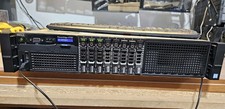
Dell PowerEdge R730 8Bay 64Gb 1x80Gb SSD 4x900Gb SAS 2x12c v4CPU 1100ws, 2GPUCbl
$660.00

Dell PowerEdge R730XD 28 Core Server 2X Xeon E5-2680 V4 H730 32GB RAM No HDD
$378.93

Dell PowerEdge C4130 1U AI GPU Server | 2x E5-2690 v3 | 64gb Ram | 2x 1600W
$524.99

Dell PowerEdge C4130 1U AI GPU Server | 2x E5-2680 v3 | 32gb Ram | 2x 1600W
$409.99

Dell PowerEdge FX2s + 8x FC430 Blades 16x E5-2630v4 160 Cores Rails No PSU/RAM
$699.00

Dell PowerEdge R530 2x E5-2630v4 H330 iDRAC8 Port Card Riser No PSU/RAM/HDD
$99.99



 Reply With Quote