-
Senior Member
registered user
How do you disable APM after a Knoppix hd install?
Subject pretty much says it all.
I have knx-hdinstall 'ed Knoppix v3.3 onto my hard drive, and even though I disable apm, and any other "laptop" type shutdowns from within the BIOS, as soon as Debian/Knoppix begins to boot off the hard drive, I can see it saying: "APM disabled in BIOS, re-enabling..."
The problem I am having is, no matter what I change, in any settings, or configs, after "who knows how long" of minutes, my screen goes BLACK for a few seconds, and then comes back to its original. It appears that whatever is causing this to happen, still keeps the system up and running, if I click on something, just before this happens, after the screen comes back, the "something" is either being started, has started, or possibly even completed, during this BLACK OUT...
My assumptions have me thinking it has something to do with Power Management, and I HATE power management - If I cared how many "milliwatts" I could save by shutting down my monitor, or spinning down my hard drives, when "something" thinks I don't need them anymore, I might have a few pennies saved. But I don't care - when I have something ON, it should stay ON - If I want it OFF, I will turn it OFF. If I was running on a laptop, I would care about conservating energy, but I'm connected to a POWER PLANT, with a 90 minute UPS atop of that, "I don't need no stinkin' energy conservation" [giggle]
Someone have the answer? Who can be first to post to this simple question? [the clock is ticking]
Cuddles
-
You could try adding noapm to the append line in lilo.conf
Don't forget to run lilo afterwards!
-
Senior Member
registered user
Ok Markus, you get the prize for having a response in 10 minutes...
Here, I think, is the line you want me to change - it doesn't "read" the way I thought changing it would be though - (see)
append="hda=scsi hdb=scsi hdc=scsi hdd=scsi hde=scsi hdf=scsi hdg=scsi hdh=scsi apm=power-off nomce"
Do I yank out the apm=power-off and replace it with noapm -=- or would it be apm=no -=- or apm-noapm ...
Thanks in advance...
Cuddles
PS - and HOW DO YOU ensure running LILO ? reboot????
-
Do I yank out the apm=power-off and replace it with noapm
That's what I'd do, but I've got your current version in my lilo.conf so can't say for sure.
PS - and HOW DO YOU ensure running LILO ? reboot????
NO- Run lilo by typing "lilo" or "/sbin/lilo" as root and be sure it says things like "added linux".
If you don't run lilo this way after changing the configuration, your machine might not boot.
PS: You could want to have a bootdisk at hand when playing with lilo, or a Knoppix Live-CD 
-
Senior Member
registered user
Thanks Markus - did the lilo.conf change, did the root lilo command, did say "Adding Linux...", and did the reboot - everything is perfect.
Thanks a million - hopefully this resolves my BLANK/BLACK screen issue...
Cuddles
Similar Threads
-
By hcdunlap in forum Hdd Install / Debian / Apt
Replies: 4
Last Post: 02-15-2005, 03:50 AM
-
By metavoid in forum Hdd Install / Debian / Apt
Replies: 0
Last Post: 09-08-2004, 09:43 AM
-
By ckassab in forum Hdd Install / Debian / Apt
Replies: 0
Last Post: 02-05-2004, 03:24 AM
-
By MaTh2k in forum Networking
Replies: 0
Last Post: 09-04-2003, 10:28 AM
-
By garyng in forum General Support
Replies: 2
Last Post: 04-03-2003, 02:21 PM
 Posting Permissions
- You may not post new threads
- You may not post replies
- You may not post attachments
- You may not edit your posts
-
Forum Rules


128GB (4x32GB) SK hynix DDR4 PC4-2666V RDIMM ECC Server Ram HMA84GR7CJR4N-VK
$799.00

Microsoft Office 2021 Pro Plus USB for 1PC Windows 10 & 11
$62.50
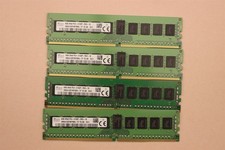
lOT OF 4 SKhynix 8GB (4 x 8GB =32GB) HMA41GR7MFR8N-TF 2R8 PC4-2133P DDR4 MEMORY
$89.00

TF/SD Card Adapter Camera Reader Android Type-c For iPhone17 Pro Max Plusm lot
$573.98

Kingston 32GB 64GB 128GB 256GB USB 3.0 Flash Drive Thumb Memory Stick Pen lot
$285.90

USB 3.0 Flash Drive 32GB 64GB 128GB Memory Stick Thumb Stick Lot Pack
$826.09
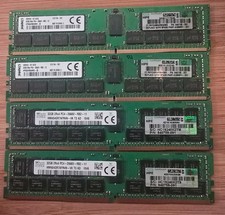
LOT OF 4 HP 840758-091 32GB DDR4 PC4-2666 Registered Server Memory 128GB Total
$1000.00

USB 3.0 Micro SD SDHC TF Card Reader Memory Adapter for PC Laptop Camera lot
$3.75
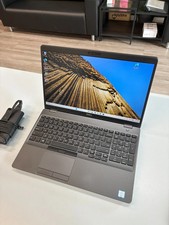
Dell Precision 3541 Laptop i5-9300H 2.4GHz 256GB SSD 16GB RAM Win 11 Pro
$189.99
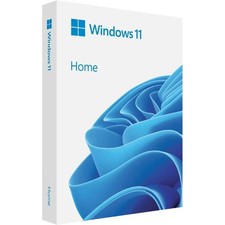
Microsoft Windows 11 Home 64-Bit USB Flash Drive + Key Retail Box - Original
$39.88



 Reply With Quote