-
CD burning in knoppix
I am a tech support slave at school, and one of the drafting machines crashed. I have to reinstall the OS, but before that, i have to back up all the people's work. Its about 90 MB, and i tried to do it to floppies, but A) i dont have enough floppies, and B)I dont feel like saving data to like 80 floppies.I booted into knoppix fine from the CD, but now i need to burn the directory with all the data from the hard drive to the CDRW. If anyone can help with burning in knoppix, i would really appreceate it, hopefully before theses people start getting violent
-
Senior Member
registered user
Have you tried using K3B? If you have the 1-20 release of Knoppix (or maybe even the one before that) K3B should be on your CD. If you have only one directory to back up, it should be as easy as right clicking on the directory and chosing "Create Data CD with K3B" If you have more than one directory, just copy the data you need into one folder. If you have problems, you probably just need to make sure that your burner was detected properly by K3B.Try doing this to burn your cdrw. If you have problems, report back exactly what went wrong and I'm sure people will be glad to lend some help.
-
I'm using the 12-10-10 release and cdbakeoven (KDE Menu...Utilities...cdbakeoven) appears to work well. It is quite simple to use and detected by CD-RW. Of course as a last resort you can physically take the drive out and stick it in another compatable box as a slave drive and copy the files to a network or another drive.
Good Luck!
-
Junior Member
registered user
I presume this is a networked box, so another option, which I have already experimented for exactly this situation, is to use FTP.
Get an FTP server up on another network machine, then simply config Knoppix on the network FTP everything and anything to it.
Nick
-
i got k3b to work, but when i tell it to burn, i cant get the knoppix cd out of the drive in order to put in a blank cdr.
I tried ejecting manually(pushing the eject button on the drive) and by right clicking on the drive icon and going to eject. neither worked.
It gives me the option of erasing the knoppix cdrw and writing over that, but i dont wanna do that.
any sugestions?
-
Senior Member
registered user
Whops. I was operating on the erroneous assumption that you had a cd reader and writer. You would probably do well to follow the FTP suggestion earlier in this discussion. I have a external usb CDRW and Knoppix detects it fine. If you have something like that or a usb hard drive you could try that also. These are just a few choices.
-
Senior Member
registered user
The problem with FTP...
--The problem with FTP is, you lose the original dates+times on all the files that are uploaded. I've taken to running ssh with a tar command tacked onto it.
As root, WITH the single-quotes (') - /mnt/hda1 is drive C:
" cd /mnt/hda1; tar cvf - . |ssh -2 -C -l knoppix 10.0.0.2 '(cd destdir; cat >yourbackupfilename.tar)' "
--Of course this assumes that the 10.0.0.2 box is running Linux, ssh and an ftp daemon, and that your userid (knoppix or whatever) has write-access to destdir...

Originally Posted by
Nick
I presume this is a networked box, so another option, which I have already experimented for exactly this situation, is to use FTP.
Get an FTP server up on another network machine, then simply config Knoppix on the network FTP everything and anything to it.
Nick
-
Senior Member
registered user
Re: The problem with FTP...
Originally Posted by
Dave_Bechtel
As root, WITH the single-quotes (') - /mnt/hda1 is drive C:
" cd /mnt/hda1; tar cvf - . |ssh -2 -C -l knoppix 10.0.0.2 '(cd destdir; cat >yourbackupfilename.tar)' "
Nice trick. I'm going to stick it in my tool box. 
-
Senior Member
registered user
Re: The problem with FTP...
--Another nice trick, if the destination box is faster than the one you're on AND you want to save disk space:
" cd /mnt/hda1; tar cvf - . |ssh -2 -C -l knoppix 10.0.0.2 '(cd destdir; cat |gzip -9 >yourbackupfilename.tar.gz)' " == This creates the tar file, passes it over the network, and compresses it on the DESTINATION box as a tar.gz.
--Always remember to ' tar tvf ' or ' tar tzvf ' the resulting tar / tar.gz file (preferably to another file) to make sure you have a backup listing, and that the file was created Ok.
Originally Posted by
aay
Originally Posted by
Dave_Bechtel
As root, WITH the single-quotes (') - /mnt/hda1 is drive C:
" cd /mnt/hda1; tar cvf - . |ssh -2 -C -l knoppix 10.0.0.2 '(cd destdir; cat >yourbackupfilename.tar)' "
Nice trick. I'm going to stick it in my tool box.
-
instead of useing k3b to burn, i used xcdroast. that worked with one drive fine. thanks for the help guys. 
Similar Threads
-
By downdogWoof in forum General Support
Replies: 2
Last Post: 02-19-2005, 07:24 PM
-
By raindrop in forum General Support
Replies: 5
Last Post: 12-08-2003, 07:06 AM
-
By crazysniper22 in forum General Support
Replies: 6
Last Post: 10-18-2003, 09:48 PM
-
By E-Compagnie in forum General Support
Replies: 11
Last Post: 10-14-2003, 07:01 PM
-
By Havoc in forum General Support
Replies: 3
Last Post: 09-28-2003, 10:25 PM
 Posting Permissions
- You may not post new threads
- You may not post replies
- You may not post attachments
- You may not edit your posts
-
Forum Rules


Western Digital HUS726T4TAL5204 4TB 7.2K SAS 12Gb/s 3.5" 512e HDD NetApp X375A
$64.00
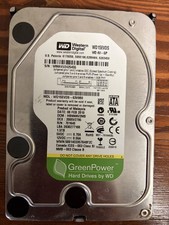
Western Digital WD15EVDS-63V9B0 1.5TB
$79.90
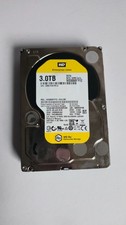
WD Re 3TB Enterprise 3.5" HDD SATA 6Gb/s 7200RPM 64MB Cache
$70.00

Seagate ST8000NM0075 Enterprise Capacity 3.5 HDD 8TB SAS Hard Drive 8TB EXOS
$184.99

Dell ST6000NM0034 1HT27Z-150 NWCCG 6TB SAS 3.5 7.2K ENTERPRISE SERVER DRIVE
$68.99
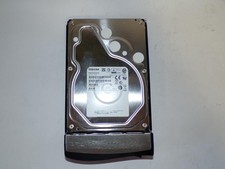
Toshiba MG03ACA400 4TB 7200 RPM SATA 6.0Gb/s 3.5" Enterprise HDD (V6313)
$61.56

Seagate Barracuda ST1000DM003 1 TB SATA III 3.5 in Desktop Hard Drive
$23.99
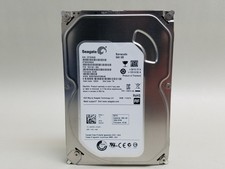
Seagate Barracuda ST500DM002 500 GB SATA III 3.5 in Desktop Hard Drive
$14.99

HGST Ultrastar HUS726040AL5210 4TB 7200RPM SAS 12Gb/s Enterprise HDD
$41.00

HDD 3.5" SATA Hard Drive with Windows 10/Win 11 64x Installed Legacy
$35.00



 Reply With Quote