-
What to do after creating a partition
I typed: sudo knx-hdinstall
I created a partition with 4500mb, then I did "Write" on it on the disk.
Now I have no clue what to do, I pressed enter on Quit, and it asked me about Swap Partitions. I pressed enter and it said it couldn't find any.
I need instructions after writing the partion onto the disk.
Thanks.
-
Senior Member
registered user
First I would suggest using knoppix-installer as knx-hdinstall is depracated. Secondly you might want to reboot just to make sure your new partition table is written to hdd. You don't have to use a swap partition but if you have less than 1G of system RAM it might be a good idea to do so. Simply mark your swap partition as type82 (if using cfdisk) and type83 for Linux. The installer should see them just fine.
-
what do I do after writing the partition? and how do I create a linux swap?
I'm basicly stuck in the menu that creates partition. I write the table to the disc and i have no clue whatever else you are talking about.
-
Senior Member
registered user
Create at least two partitions. One should be a Linux partition (type83), the other a Linux Swap partition (type 82) make the type 83 bootable. Then write the partitions to disk.
A little later the dialogue will pop up asking you which partition (the default will be the one you created) you want as swap.
-
Junior Member
registered user
hi,
you might wish to have a look at the hdd installation proecedure discussed on <a href="http://www.knoppix.net/forum/viewtopic.php?t=6597">
the simplest versatile hddinstall procedure ever  </a>, or go directly to my home page: http://www.esat.kuleuven.ac.be/~decockd, click on the penguin...
cu, g.
Similar Threads
-
By yukichigai in forum Laptops
Replies: 1
Last Post: 07-14-2005, 04:27 AM
-
By neil c in forum General Support
Replies: 1
Last Post: 01-14-2005, 01:00 PM
-
By fester13 in forum General Support
Replies: 0
Last Post: 12-01-2004, 01:16 AM
-
By TLis in forum General Support
Replies: 2
Last Post: 05-12-2004, 09:49 PM
-
By jdong in forum Hdd Install / Debian / Apt
Replies: 3
Last Post: 08-13-2003, 06:57 PM
 Posting Permissions
- You may not post new threads
- You may not post replies
- You may not post attachments
- You may not edit your posts
-
Forum Rules


USB 3.0 Flash Drive 32GB 64GB 128GB Memory Stick Thumb Stick Lot Pack
$826.09

Samsung 32GB (1x32GB) PC4-17000 (DDR4-2133) LRDIMM Memory (M386A4G40DM0-CPB0Q)
$120.00

2 in 1 USB 3.0 Card Reader Micro TF card Reader usb adapter High Speed Cardreder
$3.99
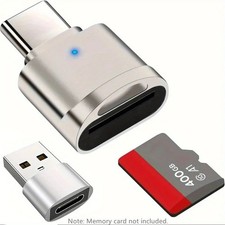
2 Pack USB C SD TF Card Reader Adapter Zinc Alloy USB-C to USB for iPhone 15-17
$3.35
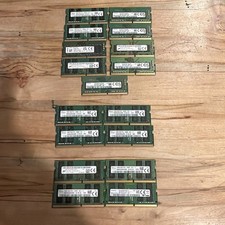
LOT OF 17/ Micron/Hynix/Sam/ 16GB PC4- 3200 /2666V /2400/ DDR4 Laptop Memory
$980.00

Kingston 32GB 64GB 128GB 256GB USB 3.0 Flash Drive Thumb Memory Stick Pen lot
$285.90

Samsung 96GB LPCAMM2 PC5 9600 FE1 E1 LPDDR5X CAMM2 M561K6LC3CL1-CCV DDR5 Memory
$2150.00
Samsung (21x16GB) 336GB 1Rx8 PC4-3200AA, PC4-2666V Laptop Memory DDR4
$1499.00
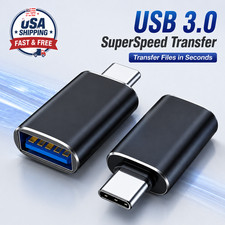
4 Pack Type C OTG Micro SD TF Card Reader Adapter USB-C Memory Card Converter US
$3.95

1/ 10/ 100pcs USB 2.0 2GB, 4GB ,8GB ,16GB ,32GB ,64GB 128GB USB Flash Drives Lot
$297.00



 Reply With Quote