

 Reply With Quote
Remove all your partitions out your hard disk or use Partion Magic to create new partitions for Knoppix (don't forget to erase windows partiton):
- Ext3 (i use this for knoppix);
- Linux Swap.
Bye


I am doing my install using the knoppix-installer script and my nephew is doing the same on his computer. I see all 6 options in the install menu but my nephew, doing his, sees only two: Partition and Quit in the install choices menu. After going through the partition routine, he is told "Opened disk read-only, you have no permission to write."
He is doing a fresh install of Knoppix only on a hard drive that has no OS installed at all although it was formatted, likely with windows, to wipe out what had been on it before.
Can someone give me a hint where we are getting off track?
Thanks.
Remove all your partitions out your hard disk or use Partion Magic to create new partitions for Knoppix (don't forget to erase windows partiton):
- Ext3 (i use this for knoppix);
- Linux Swap.
Bye
Use QTparted instead of Partition Magic suggested above it is included on the disc and create and then format the partitions you will use for knoppix make sure you reboot after partitioning to have the partition table re-read. Once rebooted use sudo mkswap /dev/hd?? for the swap and sudo mkfs.?????? /dev/hd?? for the partitions to be formated for the install. Replace the ?? on the hd with the drive letter and partition number and the ?????? on the mkfs with the file system that you want to use typing in mkfs. and hitting the TAB key twice will show you your choices. Once the partitions are formated start the installer and you should see the normal options.Originally Posted by kgw
I ran into the same problem.
The only to choices are to partition or quit. I partitioned and it just kept asking me to to partition or quit over and over again.
My solution is to partition like it asks and restart the computer. Bring up the shell again and type "sudo knoppix-installer".
It will say partion or quit again. Select partition. This time you should be able to see the HD in the QTparted (the first time I got a very basic partition program....looked like an old DOS program). You should also be able to see the partitions.
Delete the partions that you just created. You will see the HD unpartitioned with free space. Now you should get an Icon by the trash or delete Icon that will create the new partiotions.
Once you see the HD unpartitioned, you can also right click the HD free space and select "create". Remeber to create two partitions. I choose ext3 and Linux swap(600MB).
After you partition and format the drive close out QTparted and restart to be safe. Return to the shell after boot and type "sudo knoppix-installer" again and you should get all of the choices, including Install.
I am guessing this problem occurs when using a new or unformatted hard drive. This worked for me although it took several hours to figure out. I hope it saves you some time. I was installing only Knoppix on the hard drive.
TL
 Posting Permissions


Vintage DEC VT100 Series Terminal (Powers On)
$499.99

Vintage DEC Digital Starion 200 Desktop PC Powers On Boots To BIOS NO HDD - DW
$269.99
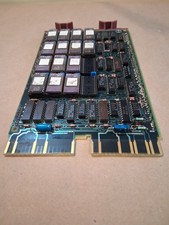
Vintage DEC Digital M8048 5013995C PDP-11 LSI 11 ROM (B3)
$149.99

Vintage DEC/Mostek memory systems MK 8015 AA-00 6805-08015 1100 REV C(B7)
$279.99

VINTAGE DEC LA34/ LA100 SERIES KEYBOARD W/NUMERIC PAD 70-17864-01C
$140.00

6 Vintage DEC Digital System Building Blocks - Flip Chips
$125.00

Vintage DEC LK201 Digital Equipment Corporation (DEC) LK201-AA Computer Keyboard
$149.99

Vintage DEC Digital Equipment Flip-Chip Module Lot Parts
$59.99
$100.00

Vintage DEC LR150-11 Power Supply 70-0464-01 Rev S Sun Shoebox Server PSU Used
$160.00