

 Reply With Quote
Try hitting Ctrl+Alt+- (That's the minus key) or Ctrl+Alt+F2.


Got it installed to hd and can dual boot (using the knoppix boot manager) knoppix or xp. since i've run knoppix from cd, i knowthe pc can handle it. but now with it installed to the hd, after it boots knoppix and all the stuff loads, i get a monitor out of frequency range type message. the screen goes black and stays black, but I can see the hd being accessed. of course with nothing on the screen, kind of hard to guess what it's doing. what i think i need is for it to boot 800x600, so how do i get it to do that? i say that because on some other live cds if i didn't select that, i got the blank screen. help!!
Try hitting Ctrl+Alt+- (That's the minus key) or Ctrl+Alt+F2.
you could copy the /etc/X11/XF86Config from knoppix to your /etc/X11... and remove everything larger than 800x600... that might work well.
 Posting Permissions


Original Vintage Old Style STANDARD Black CD Jewel Case (Heavy Duty) 90g Lot
$316.95

🔥 RARE VINTAGE HP 2112A 21MX M-SERIES 16-BIT MINICOMPUTER HP
$299.99

🔥 RARE VINTAGE HP 2113A 21MX 1000 E-SERIES MINICOMPUTER CHASSIS BACKPLANE
$249.00

Vintage Jetway J-620BF Socket 370 Celeron AT Motherboard SiS 620 Brand New
$75.00

Vintage 2006 Juicy Couture House of Juicy Velour Laptop Sleeve Y2K NWT Rare
$199.99

Huge Lot of Vintage Computer Brochures, Catalogs, etc. - 1980's - SEE PICS
$100.00
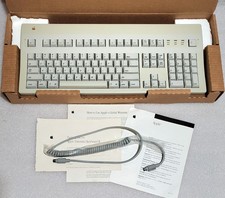
Apple Extended Keyboard II Vintage Keyboard with Original Box & Cable
$110.00
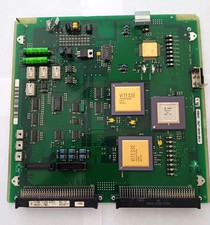
Vintage Fujitsu Scrap Board with 4 CPU's for Gold Recovery
$89.95

Lot of 2 Vintage Plextor PX-43CS SCSI CD-ROM Caddy Drives + 4 Caddies Used
$55.99

Vintage Microsoft Visual Studio.NET Professional Software suite Version 2002 New
$82.00