-
shutdown...kind of basic :-/
hey! I'm a brand-newbie around here  (just downloaded my Knoppix CD yesterday =) so far I love it but I've had 1 problem with it. This might be a dumb question, but after i shut down Knoppix...i get the black screen and it tells me that shutdown is starting and then says shutdown complete. Am i supposed to shut off my computer manually at this point? because i figured i was supposed to, but my computer power button didn't respond, so i had to unplug it from the wall which i didnt like doing:-/ i know this is probably not neccesary but i didnt know what else to do! lol! if anyone could help i'd greatly appreciate it!
(also the only other problem i had was that my mouse just stopped workin about 20 min. into using Knoppix...even though nothing else froze, i just couldnt move the mouse, if anyone might know anything about that too it'd help too! 
Thanx guys!
-
Senior Member
registered user
chazllor,
I'll take a poke at the shutdown issue, not sure on the other, the mouse issue, maybe some more info on your mouse, or system, or even version of Knoppix, or how your mouse is connected to your system, will assist in resolving that...
Some BIOS and computer systems will "power off" on their own, if they get the signal to, some settings in your BIOS, like something along the ranges of "Power Button State", if the power button is set to on/off, you just press the power button and it will work just like a switch. If the setting is set to automatic (i think) the OS can actually tell the system to power off on its own, for protection, another setting for this is a "delay action" type of setting - in which, just pressing the power switch will do nothing - you must press, and hold, the power switch in for at least 5 to 10 seconds before the power is turned off. This last setting is good for kids who play around a computer, because they can't "accidently" press the power, and the system just drops power on you.
I will take a guess that this setting in your BIOS is set to delay. Next time you drop the system, try holding the power switch for about ten seconds, or until the power goes off. If you get the chance, take a look in your BIOS for this setting, you can set it so that Knoppix turns off your computer when you "Shutdown" your system.
Hope this helps,
Cuddles
Similar Threads
-
By dr_s99 in forum Customising & Remastering
Replies: 0
Last Post: 03-08-2005, 12:54 AM
-
By bigjohn in forum General Support
Replies: 3
Last Post: 11-16-2004, 12:17 AM
-
By newknoppixguy in forum Hdd Install / Debian / Apt
Replies: 2
Last Post: 08-29-2004, 09:08 PM
-
By Bl4ckm0r3 in forum Hdd Install / Debian / Apt
Replies: 4
Last Post: 04-18-2003, 02:39 AM
-
By dvessey in forum Customising & Remastering
Replies: 14
Last Post: 02-18-2003, 01:31 PM
 Posting Permissions
- You may not post new threads
- You may not post replies
- You may not post attachments
- You may not edit your posts
-
Forum Rules


Broadcom LSI 9305-16i 12Gbps SAS-3 PCIe x8 HBA 16-Ports Raid Controller
$64.99

Broadcom 9600-24i Tri-Mode RAID Controller 4.0 NVMe SAS SATA NEW 05-50111-01003
$639.69

EMC KTN-SL3 15-Bay Disk Array Enclosure w/2x 303-108-000E Cards, Dual PSU,No HDD
$239.99

Broadcom MegaRAID 9480-8e Fujitsu PRAID EP540e SAS RAID Card (Replac 9380-8e) 8i
$228.00

OWC Mercury Elite Pro 2 Bay RAID Enclosure with USB 3.2 for Dual 3.5 inch HDDs
$87.99

Dell PERC H740p Mini Mono RAID Controller 8GB 0878M 5FMY4 GP6RN
$55.00

WAVLINK RAID 2 Bay Hard Drive Docking Station SATA 2.5/3.5'' SSD HDD Enclosure
$119.99

LSI 9260-8i 512MB SAS SATA 8-port PCI-E 6Gb RAID Controller Card US
$29.88
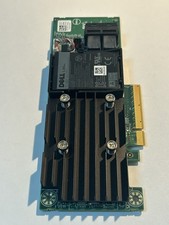
Dell 01M71J PERC H740P 12Gbps PCI-E SAS RAID Controller 1M71J
$70.00
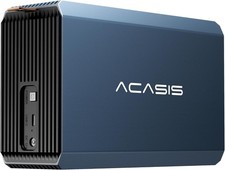
2-Bay RAID Enclosure for 2.5/3.5" SATA HDD/SSD External Hard Drive, USB 3
$59.99



 Reply With Quote