-
problem to conect to a Router ZyXEL prestige 650H/HW series
Hi to everybody!
I have a problem connecting to internet... I have a Ethernet 3COM 3C905C-TX PCI 10/100 and Knoppix detect it perfectly, but don't detect the router...
Maybe I can put the Gateway of my router (192.168.1.1) and the IP of my PC in the LAN (192.168.1.2) and Maybe the Name? (Paskalina) manually, but I'm a user from Windows and Linux is a world to explore :P
Do I need to burn the CD again with the Changes I made?
Thanks for the help... I have a lot of interest in Linux... and it's my first step to evolutionate to a better OS 
-
Senior Member
registered user
Re: problem to conect to a Router ZyXEL prestige 650H/HW ser

Originally Posted by
Ninjasuperk
Hi to everybody!
I have a problem connecting to internet... I have a Ethernet 3COM 3C905C-TX PCI 10/100 and Knoppix detect it perfectly, but don't detect the router...
Maybe I can put the Gateway of my router (192.168.1.1) and the IP of my PC in the LAN (192.168.1.2) and Maybe the Name? (Paskalina) manually, but I'm a user from Windows and Linux is a world to explore :P
Do I need to burn the CD again with the Changes I made?
Thanks for the help... I have a lot of interest in Linux... and it's my first step to evolutionate to a better OS
In the knoppix menu choose netcardconfig or similar (not sure of menu name) decline the offer for DHCP and use static settings then enter in your information.
Code:
address 192.168.1.2
netmask 255.255.255.0
network 192.168.1.0
broadcast 192.168.1.255
gateway 192.168.1.1
Then you need to know the DNS or nameserver(s) for your ISP that will be the last dialog if you have more than one enter them both on the only line available and separate them by a space and a ; eg. 192.168.1.10 ; 192.168.1.34. If you want the hostname set then you should open a console window (clam shell icon on the taskbar) and type in sudo gvim /etc/hostname and put it on a single line in the empty file and save do this first then enter in your network settings.
Similar Threads
-
By CapNemo in forum Networking
Replies: 22
Last Post: 03-13-2005, 09:58 PM
-
By \/\/inblowz in forum Hardware & Booting
Replies: 0
Last Post: 01-30-2005, 07:50 PM
-
By el_hefe in forum Networking
Replies: 19
Last Post: 01-27-2005, 07:48 AM
-
By lupo in forum Networking
Replies: 0
Last Post: 01-17-2005, 11:27 AM
-
By subTiTan in forum Hardware & Booting
Replies: 0
Last Post: 12-13-2004, 10:15 PM
 Posting Permissions
- You may not post new threads
- You may not post replies
- You may not post attachments
- You may not edit your posts
-
Forum Rules


Vintage Apple II Avant-Garde Creations Super Shape Draw And Animate 1981
$295.00

Apple Macintosh Classic M1420 Vintage Desktop Computer Model Macintosh Classic
$100.00

Vintage Apple Macintosh Plus Desktop Computer - M0001A
$150.00

LARGE LOT Vintage Apple Macintosh Mouse Cables Accessories SCSI etc - UNTESTED
$80.00

Lot of 3 VIntage Apple Computer Rainbow Logo Sticker Decal Macintosh 1980s NOS
$7.00
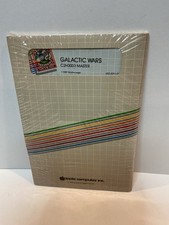
Vintage Apple II Arcade Game Galactic Wars Apple Computer NOS Sealed
$125.00
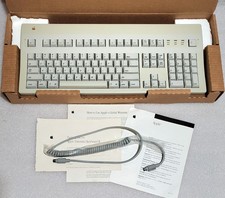
Apple Extended Keyboard II Vintage Keyboard with Original Box & Cable
$110.00

Vintage Apple Macintosh LC M0350 Desktop No Harddrive No Power Supply - Parts
$71.95
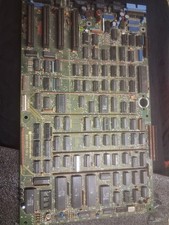
Vintage Apple III Motherboard Logic Board 820-0043-00 E Fully Populated Tested
$210.00

Vintage Apple Multiple Scan 15av Display Monitor M4681
$299.99



 Reply With Quote