-
shutdown...kind of basic :-/
hey! I'm a brand-newbie around here  (just downloaded my Knoppix CD yesterday =) so far I love it but I've had 1 problem with it. This might be a dumb question, but after i shut down Knoppix...i get the black screen and it tells me that shutdown is starting and then says shutdown complete. Am i supposed to shut off my computer manually at this point? because i figured i was supposed to, but my computer power button didn't respond, so i had to unplug it from the wall which i didnt like doing:-/ i know this is probably not neccesary but i didnt know what else to do! lol! if anyone could help i'd greatly appreciate it!
(also the only other problem i had was that my mouse just stopped workin about 20 min. into using Knoppix...even though nothing else froze, i just couldnt move the mouse, if anyone might know anything about that too it'd help too! 
Thanx guys!
-
Senior Member
registered user
chazllor,
I'll take a poke at the shutdown issue, not sure on the other, the mouse issue, maybe some more info on your mouse, or system, or even version of Knoppix, or how your mouse is connected to your system, will assist in resolving that...
Some BIOS and computer systems will "power off" on their own, if they get the signal to, some settings in your BIOS, like something along the ranges of "Power Button State", if the power button is set to on/off, you just press the power button and it will work just like a switch. If the setting is set to automatic (i think) the OS can actually tell the system to power off on its own, for protection, another setting for this is a "delay action" type of setting - in which, just pressing the power switch will do nothing - you must press, and hold, the power switch in for at least 5 to 10 seconds before the power is turned off. This last setting is good for kids who play around a computer, because they can't "accidently" press the power, and the system just drops power on you.
I will take a guess that this setting in your BIOS is set to delay. Next time you drop the system, try holding the power switch for about ten seconds, or until the power goes off. If you get the chance, take a look in your BIOS for this setting, you can set it so that Knoppix turns off your computer when you "Shutdown" your system.
Hope this helps,
Cuddles
Similar Threads
-
By dr_s99 in forum Customising & Remastering
Replies: 0
Last Post: 03-08-2005, 12:54 AM
-
By bigjohn in forum General Support
Replies: 3
Last Post: 11-16-2004, 12:17 AM
-
By newknoppixguy in forum Hdd Install / Debian / Apt
Replies: 2
Last Post: 08-29-2004, 09:08 PM
-
By Bl4ckm0r3 in forum Hdd Install / Debian / Apt
Replies: 4
Last Post: 04-18-2003, 02:39 AM
-
By dvessey in forum Customising & Remastering
Replies: 14
Last Post: 02-18-2003, 01:31 PM
 Posting Permissions
- You may not post new threads
- You may not post replies
- You may not post attachments
- You may not edit your posts
-
Forum Rules


🔀 Juniper Networks EX2300-C-12P 12× Gigabit PoE+ • 2× 10G SFP+ Compact Switch ⚡
$119.00

Juniper EX2300 12-Port Gigabit PoE+ Managed Network Switch P/N: EX2300-C-12P
$149.99

JUNIPER NETWORKS MIST AI AP63-US HIGH PERFORMANCE OUTDOOR ACCESS POINT - WHITE
$59.99

New Juniper Networks EX3400-48P 48-Port PoE+ 4-Port SFP+ Ethernet Switch Sealed
$466.65
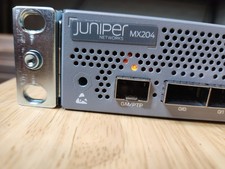
Juniper Networks JNP204/MX204 Universal Edge Router
$8500.00
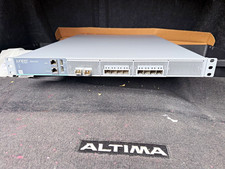
Juniper Networks SRX4100 SRX4100-AC Firewall/VPN Security Gateway 1U Rackmount
$600.00
Juniper JPSU-1600-C-AC-AFO 1600W AC Power Supply EX4400 AFO Airflow
$155.00

Juniper AP47 Mist Wi-Fi 7 802.11 6GHz 4x4 Wireless Access Point (NEW)
$999.99

Juniper QFX5100-48S-3AFI 48-Port SFP+ 6 QSFP+ 2x SFP/RJ-45 Management
$249.97

Juniper Networks EX2300-48P 48-Port PoE Gigabit Switch (Renewed)
$345.97



 Reply With Quote