-
Senior Member
registered user
Also, I'm wondering why you would need to type startx? Once you're in enlightenment, you should see a greenish background (brushed metal theme, I think) and there is an iconbox in the lower right-hand corner, and your standard virtual desktops in the lower left-hand corner. If you don't see this, you're missing some other items related to enlightenment. To get the complete list, this is what I did:
Open a terminal window, and type su + password.
Type apt-cache search enlightenment >enlightenment.txt (this outputs a list of packages you need for enlightenment).
Apt-get install most of the packages in the list. Some you don't need, like the wmbutton stuff. Some will suggest additional packages not covered in the list, so watch out for those. The one other package I recommend you don't install is eeyes. It's huge, and it would take out half of kde to install it, but it's your decision.
Exit the terminal
Log out
At the login screen, enter your password for your account and scroll down to enlightenment in the list of window managers.
Press enter and you're in enlightenment.
Now wasn't that easy as pie?
Similar Threads
-
By Javier Belanche in forum Customising & Remastering
Replies: 2
Last Post: 10-04-2003, 10:40 PM
-
By yohanman in forum General Support
Replies: 4
Last Post: 04-06-2003, 12:19 PM
-
By yohanman in forum General Support
Replies: 2
Last Post: 03-16-2003, 07:01 AM
-
By yohanman in forum General Support
Replies: 1
Last Post: 03-16-2003, 06:46 AM
-
By Guest in forum Customising & Remastering
Replies: 1
Last Post: 12-22-2002, 04:49 PM
 Posting Permissions
- You may not post new threads
- You may not post replies
- You may not post attachments
- You may not edit your posts
-
Forum Rules


Apple Macintosh Classic M1420 Vintage Desktop Computer Model Macintosh Classic
$100.00

Vintage Edmark TouchWindow for Macintosh DeskTop Computer Touch Window Never Usd
$63.99

Vintage 1998 iMac G3 M4984 Mac OS + Keyboard Working but Needs Some Repair Read
$295.00

Mixed Lot Vintage Mac Windows media / Graphics / Sound Software - CDs 37 Pieces
$40.99

Vintage Apple Macintosh Plus Desktop Computer - M0001A
$150.00
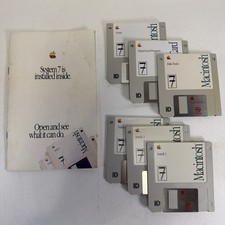
Vintage Mac System 7 Personal Upgrade Kit Apple Software 3.5” Floppy
$29.99

185--Sonnet Crescendo G3 PPCG3-375-5-K-06 G3 Add-On Card for Vintage Mac
$99.00

LARGE LOT Vintage Apple Macintosh Mouse Cables Accessories SCSI etc - UNTESTED
$80.00
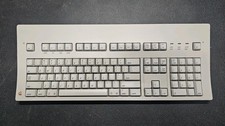
Vintage Apple Macintosh Keyboard M0115
$120.00

Apple Macintosh DuoDock Duo Dock M7779 & Powerbook 230 Vintage Mac RARE Vintage
$249.00



 Reply With Quote