
I tried booting from a CD, and it seems to have gone well, BUT the screen looks like I four interlaced screens. How do I adjust the refresh rate at boot?
This is my first Linux try.
v/r,
Bob


I tried booting from a CD, and it seems to have gone well, BUT the screen looks like I four interlaced screens. How do I adjust the refresh rate at boot?
This is my first Linux try.
v/r,
Bob
When the Knoppix screen loads type in knoppix xvrefresh=60 you will see it being entered in the lower left when done hit the enter key, other cheat codes you may want to try you can use more than one on the same command line eg.knoppix xvrefresh=60 xmodule=nv.Originally Posted by rehorne
 Posting Permissions

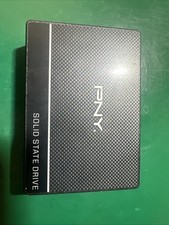
PNY 500GB |SSD7CS900-500-RB| Internal 2.5 Inch Solid State Drive
$29.99

SSD 880EVO SATA III 2.5 4TB INTERNAL STATE DRIVE
$214.99

Samsung 860 EVO 250GB SSD MZ-76E250 2.5" SATA III Solid State Drive
$39.99

M2 2280 PCIe 4.0 solid-state drive high-speed storage device 1080P RO 2TB NGFF
$99.00

M.2 SATA SSD 2280 128GB 256GB 512GB major brands | Very Good health
$35.99

Crucial BX500 1TB SATA III 2.5" Internal SSD (CT1000BX500SSD1)
$79.00

Crucial MX500 500GB 2.5" SATA III Internal SSD CT500MX500SSD1
$59.99

Western Digital WD Blue 3D NAND 500GB 2.5in SATA III Internal SSD WDS500G2B0A
$41.99

Samsung 850 EVO 250GB SATA III 2.5" Internal SSD (MZ7LN250HMJP) dell Lenovo hp
$32.99
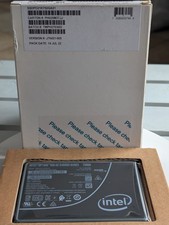
Intel Optane D4800X 750GB U.2 NVMe SSD SSDPD21K750GA Low Wear Tested
$199.99

 Reply With Quote