

 Reply With Quote
The problem seems to have gone away with the latest Knoppix (03-30-03)... if anyone had been holding off until the issue was resolved, it is now.


I've posted on this subject before, but never really got my issue resolved. Is there any way, *without* doing a hard-drive install that I can get my ATI Radeon 8500DV video card working?
Right now, it will work only in vesa modes, which appear to be 256 colors with a 60Hz refresh rate, which isn't very useful.
I'd really really really appreciate any help on the matter. I know there are certain lines I could add to some configuration file, but, since I haven't done (and don't really want to do) a hard-drive install, I can't do this, can I?
Please help!
The problem seems to have gone away with the latest Knoppix (03-30-03)... if anyone had been holding off until the issue was resolved, it is now.
That's because of the new XFree86 version supporting ATI, because ATI has problems supporting itself
Did you try booting with the parameters xmodule=radeon? That normally forces XFree86 for use the Radeon driver, not the standard vesa one. However, this driver has some issues with DRI, which are used in 3D games....Originally Posted by donkthemagicllama
I did try that with ver 3.1. When I used xmodule=ati or xmodule=radeon, knoppix wouldn't start successfully. If I didn't use any cheat code, it would work, but only in vesa modes, which was 256 colors and a terrible refresh rate.
Try that with the latest version of Knoppix. v3.1 came with XFree 4.2, which had very lousy Radeon support. The current version comes with XFree86 4.3, which has better Radeon support, eventhough it isn't perfect.
Quoting myself... "The problem seems to have gone away with the latest Knoppix (03-30-03)... if anyone had been holding off until the issue was resolved, it is now."
I don't need any cheatcodes to get the latest version of knoppix working. It automatically detects my card properly (which the old version did too), but now loads X in high (not sure what depth) color mode, 1024x768 and a vertical refresh of 76Hz, which is acceptable. I can't seem to get it to do 80Hz using xvrefresh=80, but I think my monitor may be reporting that it doesn't support it (although 80Hz works fine in XP). Haven't tried higher resolutions (couldn't remember the numbers to use in the cheatcode at the time), but ctrl-alt-+ didn't seem to get me a higher resolution, only lower ones.
Overall, I'm happy. I notice sometimes that dropdown menus (I think ones that are supposed to be alpha-blended) don't appear quite right, but it's pretty minor.
Now, if only there was a safe way to let knoppix write to my ntfs drive
You could always create a fat partition that XP (or whatever you are using) and Knoppix could share.
[quote="donkthemagicllama"]Quoting myself... "The problem seems to have gone away with the latest Knoppix (03-30-03)... if anyone had been holding off until the issue was resolved, it is now."
quote]
My bad. I should read more carefully.
 Posting Permissions


Dell Poweredge R630 2x Xeon E5-2680 v3 2.5ghz 24-Cores / 64gb / Raid / 2x 1Tb
$374.99

Dell EMC PowerEdge R440 Xeon silver 4215 2.5GHz 16 GB ram 2x 550W PSU No HDD
$275.00

Dell PowerEdge R730 Server 2x Xeon E5-2630 V4 64GB DDR4 2TB HDD Rackmount
$489.99

Dell Poweredge R630 2x Xeon E5-2680 v3 2.5ghz 24-Cores | 32gb | HBA330 | 2x 1...
$324.99

Dell Poweredge R630 2x Xeon E5-2680 v3 2.5ghz 24-Core | HBA330 | No RAM or HDD
$149.99

Dell PowerEdge C4130 1U AI GPU Server | 2x E5-2690 v3 | 64gb Ram | 2x 1600W
$524.99

Dell PowerEdge C4130 1U AI GPU Server | 2x E5-2680 v3 | 32gb Ram | 2x 1600W
$409.99
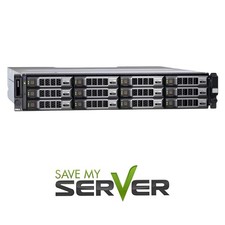
Dell PowerEdge R730XD 2x E5-2650 V4=24 Cores H730P 64GB 2x 960 SSD + 4x 4TB SAS
$3217.99

Dell PowerEdge R530 2x E5-2630v4 H330 iDRAC8 Port Card Riser No PSU/RAM/HDD
$99.99

Dell PowerEdge FC430 Blade Server 2x Xeon E5-2630v4 20 Cores FX2 FX2s No RAM/HDD
$119.99