

I get to the part where you chroot and mount proc... then use apt-get update.
I get the following:
Hit http://ftp.us.debian.org unstable/main Packages
.
.
.
Hit http://ftp.us.debian.org unstable/non-free Release
E: Could not open lock file /var/lib/dpkg/lock - open (2: No such file or directory)
E: Unable to lock the administration directory (/var/lib/dpkg/), are you root?
I am root. I followed the Remastering howto to the letter. I cd to /var/lib
and there is no dpkg dir. Any ideas?
####################
EDIT
I was using a feather linux iso to remaster and they have their own howto
http://featherlinux.berlios.de/remastering.html
where it says you need toto rebuild the dpkg structure. now Im on my merry apt-get way.Code:dpkg-get
Rick S.
 Posting Permissions


TP-Link TL-SG105 5-Port Gigabit Ethernet Unmanaged Metal Desktop Network Switch
$19.99

NETGEAR GS308EP Essential Series 8-Port Gigabit PoE+ Unmanaged Switch
$39.99

TP-Link TL-SX105 10GB 5-Port Switch - Unopened
$195.00

NETGEAR 5-Port Gigabit Ethernet Unmanaged Switch (Gs305) - Desktop Quiet Fanless
$25.99

TP-Link TL-SG105, 5 Port Gigabit Unmanaged Ethernet Switch, Network Hub, Ethern
$15.25

10-Port Gigabit PoE Network Switch with 8 PoE+ Ports with 2 Combo SFP Slots 125W
$39.99
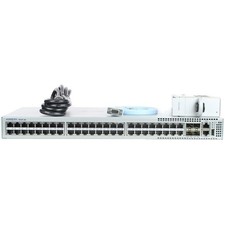
Arista DCS-7010T-48-R 48P 1GbE 4P 10GbE SFP+ RA Switch with rack mounts
$69.00

Cisco Catalyst 2960-48TT-L 48-Port Fast Ethernet Managed Rackmount Switch
$46.99

Cisco WS-C3650-12X48UR-L 48-Port Stackable Layer 3 8x10G SFP+ Port Switch
$129.99

Extreme Networks 10GE X440-G2-24P-10GE4 16533 24Plus-Ports POE+ Switch UP
$127.00


 Reply With Quote