-
As root, I changed the time zone with tzconfig to PST.
But the change cannot be saved because KNOPPIX tells
me that /etc/timezone is on the READ-ONLY filesystem.
As long as my system is running my time zone stays at PST.
But after a reboot, it goes back to the CET time zone.
(And I have to update the time zone again.)
How do I make the PST time zone permanent?
-
Senior Member
registered user
--Since you are running from the live-cd, you can do this:
' la /etc/timezone ' == List it
' cd /etc '
' rm timezone ' == Remove symlink
' cp /KNOPPIX/etc/timezone . ' == Copy original file over
' tzconfig ' == Change timezone
--I haven't tested it with persistent home, but it *should* keep the changes if you update your saved-config.

Originally Posted by
lothario
As root, I changed the time zone with tzconfig to PST.
But the change cannot be saved because KNOPPIX tells
me that /etc/timezone is on the READ-ONLY filesystem.
As long as my system is running my time zone stays at PST.
But after a reboot, it goes back to the CET time zone.
(And I have to update the time zone again.)
How do I make the PST time zone permanent?
-
Originally Posted by
Dave_Bechtel
--Since you are running from the live-cd, you can do this:
' la /etc/timezone ' == List it
' cd /etc '
' rm timezone ' == Remove symlink
' cp /KNOPPIX/etc/timezone . ' == Copy original file over
' tzconfig ' == Change timezone
--I haven't tested it with persistent home, but it *should* keep the changes if you update your saved-config.
That does change /etc/timezone and preserve it across reboots, but it doesn't seem to effect anything. I performed the change above, did a save-config, rebooted, and here's what I get:
root@0[knoppix]# cat /etc/timezone
US/Central
root@0[knoppix]# /usr/sbin/tzconfig
Your current time zone is set to US/Central
Do you want to change that? [n]: n
Your time zone will not be changed
root@0[knoppix]# date
Thu Apr 1 18:51:12 EST 2004
Notice that 'date' is still displaying EST (so does 'ls', the desktop clock, and everything else I've tried).
Since changing /etc/timezone doesn't seem to change the timezone, what does?
-
I agree with grante.
I experienced the same thing.
I have the same question:
Since changing /etc/timezone doesn't seem to change the timezone, what does?
-
Have a look at the symlink /etc/localtime and see where it points to. If it's incorrect delete it and make a new one with:
ln -s /usr/share/zoneinfo/whereeveryouare /etc/localtime
-
Senior Member
registered user
--Also have a look at /etc/init.d/hwclock.sh ; you might try running it again as root after updating the time, altho I haven't tested this.
Originally Posted by
Markus
Have a look at the symlink /etc/localtime and see where it points to. If it's incorrect delete it and make a new one with:
ln -s /usr/share/zoneinfo/whereeveryouare /etc/localtime
Similar Threads
-
By riechert in forum General Support
Replies: 0
Last Post: 06-24-2004, 07:43 PM
-
By riechert in forum Hdd Install / Debian / Apt
Replies: 0
Last Post: 06-24-2004, 06:41 AM
-
By evirus in forum General Support
Replies: 7
Last Post: 05-07-2004, 10:46 PM
-
By lmd in forum General Support
Replies: 0
Last Post: 02-13-2004, 12:18 AM
-
By LordHarshmage in forum General Support
Replies: 1
Last Post: 05-06-2003, 08:28 PM
 Posting Permissions
- You may not post new threads
- You may not post replies
- You may not post attachments
- You may not edit your posts
-
Forum Rules


🔀 Juniper Networks EX2300-C-12P 12× Gigabit PoE+ • 2× 10G SFP+ Compact Switch ⚡
$119.00

Juniper EX2300 12-Port Gigabit PoE+ Managed Network Switch P/N: EX2300-C-12P
$149.99

JUNIPER NETWORKS MIST AI AP63-US HIGH PERFORMANCE OUTDOOR ACCESS POINT - WHITE
$59.99

Juniper Networks EX2300-48P 48-Port Gigabit PoE Managed Ethernet Switch
$79.99

Juniper SRX320 8-Port Security Services Gateway Appliance w/ AC Adapter
$59.99

Juniper EX2300-C-12P POE+ Switch 12 x 1GbE & 2 SFP+ 10G uplinks
$124.99
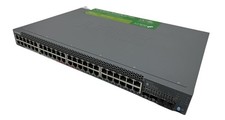
Juniper Networks EX2300 (EX2300-48P) 48 Ports Ethernet Switch
$249.99

Juniper EX3400-48T-AFI Ethernet Network Switch 48x1GbE 4x10GbE SFP+ 2x40GbE QSFP
$139.00

Juniper QFX5100-48S-3AFI 48-Port SFP+ 6 QSFP+ 2x SFP/RJ-45 Management
$249.97
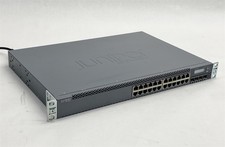
Juniper Networks EX3300-24T EX Series 24-Port Gigabit 4-Port SFP+ Switch
$79.99



 Reply With Quote