-
Senior Member
registered user

Originally Posted by
Silver_Seagull
sounds like a plan stephen....
um, how do I do that? I got an error message from hdparm that looks like there's no device on hdc...but how do I do what you were saying about changing it to hdc? fstab? and if so, what do I change?
You do not have to change the /etc/fstab setting just use what is already there. You should make sure the link for the /dev/dvd points to the /dev/scd0. Can we see the output of the command here is what it looks like on my system.
Code:
>$ su
Password:
HappyTux:/home/stephen# hdparm /dev/hdc

/dev/hdc:
 HDIO_GET_MULTCOUNT failed: Invalid argument
 IO_support   =  1 (32-bit)
 unmaskirq    =  1 (on)
 using_dma    =  1 (on)
 keepsettings =  0 (off)
 readonly     =  0 (off)
 readahead    = 256 (on)
 HDIO_GETGEO failed: Invalid argument

HappyTux:/home/stephen# hdparm -d1 /dev/hdc

/dev/hdc:
 setting using_dma to 1 (on)
 using_dma    =  1 (on)

HappyTux:/home/stephen# hdparm -d1 /dev/cdrom

/dev/cdrom:
 operation not supported on SCSI disks

HappyTux:/home/stephen# hdparm -d1 /dev/dvd

/dev/dvd:
 operation not supported on SCSI disks


HappyTux:/home/stephen# cdrecord --scanbus
Cdrecord-Clone 2.01a25 (i686-pc-linux-gnu) Copyright (C) 1995-2004 Jörg Schilling
Linux sg driver version: 3.5.30
Using libscg version 'schily-0.8'.
scsibus0:
        0,0,0     0) 'HL-DT-ST' 'DVDRAM GSA-4040B' 'A104' Removable CD-ROM
        0,1,0     1) *

HappyTux:/home/stephen# cat /etc/fstab
# /etc/fstab: static file system information.
#
# <file system> <mount point>   <type>  <options>               <dump>  <pass>

/dev/scd0       /cdrom          iso9660 ro,user,noauto          0       0

HappyTux:/home/stephen# ls -l /dev/dvd
lrwxrwxrwx    1 root     root            9 2004-03-06 23:41 /dev/dvd -> /dev/scd0
If you need to set the dma you should make the changes in the file /etc/hdparm.conf with something like this.
Code:
/dev/hdc {
       dma = on
       interrupt_unmask = on
}
At the bottom of the file.
Similar Threads
-
By tsitras in forum Hardware & Booting
Replies: 7
Last Post: 07-04-2004, 02:39 PM
-
By Eradicator in forum General Support
Replies: 1
Last Post: 06-18-2003, 04:01 AM
-
By milne in forum General Support
Replies: 3
Last Post: 06-14-2003, 01:26 AM
-
By smiley in forum Hardware & Booting
Replies: 1
Last Post: 05-24-2003, 08:09 AM
-
By Koga in forum General Support
Replies: 3
Last Post: 01-11-2003, 12:07 PM
 Posting Permissions
- You may not post new threads
- You may not post replies
- You may not post attachments
- You may not edit your posts
-
Forum Rules


Vintage Apple II Avant-Garde Creations Super Shape Draw And Animate 1981
$295.00

Apple Macintosh Classic M1420 Vintage Desktop Computer Model Macintosh Classic
$100.00
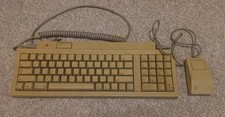
Vintage Apple Keyboard II Model M0487 & G5431 Mouse UNTESTED AS-IS
$59.99

Vintage Apple Macintosh Plus Desktop Computer - M0001A
$150.00
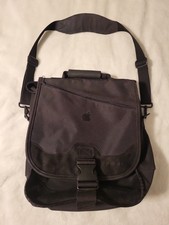
Vintage Apple Kensington SaddleBag Convertible Laptop Backpack Messenger Bag Y2K
$49.95

LARGE LOT Vintage Apple Macintosh Mouse Cables Accessories SCSI etc - UNTESTED
$80.00

Retro Vintage Apple M0110A Compact Wired Mechanical keyboard for Macintosh Plus
$64.95
Lot of 64 Apple II IIe IIc 5.25” Floppy Disk Games Software Utilities Vintage
$39.00

Vintage Apple Multiple Scan 15av Display Monitor M4681
$299.99

Vintage Apple Monitor IIc 9" Green Monochrome 06/1985 A2M4090 October 1984 Stand
$275.00



 Reply With Quote