

 Reply With Quote
I'm really sorry. I wrote the dvd howto and I made a spelling error. You should make the additions not to /etc/initab but to /etc/inittab.
I've fixed the howto. Hopefully this should work. Thanks for finding the mistake!


I found on http://www.knoppix.net/docs/index.php/FaqUsing
how to turn on the DMA so that the DVD could playback faster.
it works incredibly pretty smooth.
However I dont want to have to type in
/sbin/hdparm -d 1 /dev/hdc
as root every time I want to watch a DVD.
the article mentions putting the command into a startup
/etc/initab
....I don't have /etc/initab on my system
Can someone walk me through the steps.
1. Exactly which start up script should I put this command into
2. What command should I put in? ( the article says to use /sbin/hdparm -d 1
but that doesn't seem right, wouldnt using /sbin/hdparm -d 1 /dev/hdc
in the script be correct?
please help.
Luis
PS Ive found this forum to be definitly one of the better ones for help. Keep up the great work!!![/b]
I'm really sorry. I wrote the dvd howto and I made a spelling error. You should make the additions not to /etc/initab but to /etc/inittab.
I've fixed the howto. Hopefully this should work. Thanks for finding the mistake!
Thank you for the update,
what about the actual command?
should it be
/sbin/hdparm -d 1 /dev/hdc
or
/sbin/hdparm -d 1
It should be the first one:
/sbin/hdparm -d 1 /dev/hdc
When you reboot use /sbin/hdparm -d /dev/hdc to check make sure it enabled dma.
This should work. Please post back results.
Thanks
Nope it didnt work
here are the first lines of my /etc/inittab
-----------------------------------------------------------------------
# /etc/inittab: init(8) configuration.
# $Id: inittab,v 1.9 2001/05/31 10:37:50 knopper Exp $
# The default runlevel.
id:5:initdefault:
/sbin/hdparm -d 1 /dev/hdc
# Boot-time system configuration/initialization script.
# This is run first except when booting in emergency (-b) mode.
si::sysinit:/etc/init.d/rcS
-----------------------------------------------------------------------
Also on boot up I notice there is a message saying something that
line 7 in etc/inittab is too long only 4 characters are allowed.
Line 7 is the /sbin/hdparm -d 1 /dev/hdc command.
After I logged in I did /sbin/hdparm -d /dev/hdc
here are the results
luis@Sphinux:~$ /sbin/hdparm -d /dev/hdc
/dev/hdc:
using_dma = 0 (off)
but if I type in the command in root it makes the changes
any other ideas?
I found this on a page about debian on thinkpads
In order to get decent playback performance out of the DVD drive, I ran: hdparm -d 1
/dev/hdc and also put this in a startup script:
#!/bin/sh
#
# dmadvd - enable dma transfer on cd/dvd
#
# 2002-12-30,jtk
case $1 in
start)
echo "Enabling DMA on CD/DVD drive..."
hdparm -d 1 /dev/hdc
;;
stop)
echo "Disabling DMA on CD/DVD drive..."
hdparm -d 0 /dev/hdc
;;
*)
echo "Usage: $0 {start|stop}"
exit 1
;;
esac
exit 0
any idea which startup script I should put this into?
luis
I take it you're running a hd install. Save the DVD startup script in /etc/init.d as DVD.sh (or ???) then chmod it executable, then make a startup link in rc5.d to the DVD script in /etc/init.d:
ln -s /etc/init.d/DVD.sh /etc/rc5.d/S99DVD
then the DVD hdparm script will be loaded when you start in runlevel 5 near the end of the startup.
(Make sure to use the proper device, that your DVD is /dev/hdc)
HTH
rock
The settings for turning on DMA are at the bottom of the /etc/init.d/bootmisc.sh script at least on my system just uncomment the line for the DVD device or add a new one if is not there. BTW the proper syntax is hdparm -d1 no space between.
Thank you so much,
your suggestion about /etc/init.d/bootmisc.sh worked perfectly!!!
dma is autoloaded now.
thanks again
Luis
Thanks for the feedback. I've changed the howto and given /etc/init.d/bootmisc.sh as an example of where to enable dma for one's dvd.
 Posting Permissions

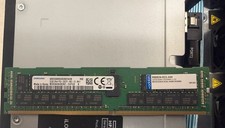
2x SAMSUNG 32GB DDR4 2RX4 PC4-2933Y SERVER MEMORY M393A4K40CB2-CVFC0 64GB TOTAL
$300.00
Micron MTA36ASF2G72PZ-2G1B1 16GB DDR4 2RX4 PC4-2133P-RBB-11 Server Memory RAM
$70.00
Samsung 32GBX2 1Rx4 PC4-3200AA DDR4 ECC Server Memory M393A4G40AB3-CWEBQ 64GB EC
$370.00
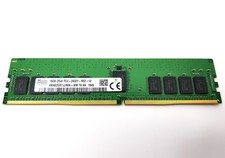
Hynix 16GB PC4-2933Y 288pin DDR4 SDRAM ECC Reg Server Memory HMA82GR7JJR8N-WM
$79.95

Kingston 32GB 64GB 128GB 256GB USB 3.0 Flash Drive Thumb Memory Stick Pen lot
$285.90

USB 3.0 Flash Drive 32GB 64GB 128GB Memory Stick Thumb Stick Lot Pack
$826.09
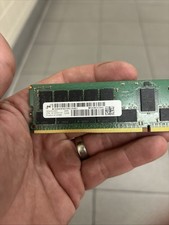
32GB Micron MTA36ASF4G72PZ-2G6E1RK PC4-2666V DDR4 RDIMM Server Memory
$118.00

A-Tech 8GB DDR3 1600 PC3-12800 Laptop SODIMM 204-Pin Memory RAM PC3L DDR3L 1x 8G
$21.68
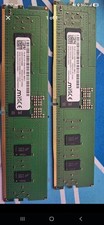
RDIMM MICRON DDR5 SERVER MEMORY 1x16 Sticks 5600 RAM
$449.00

SMART(Micron)SafeStor 32GB(1X32GB) 1RX4 NN4-3200AA(DDR4) HPE Server Memory
$159.98