-
Senior Member
registered user

Originally Posted by
Sukrillux
As I stated above, I am very new to linux. I opened konsole and typed modprobe 8139cp and it said it couldn't locate module 8139cp. I then typed modprobe 8139too and it said nothing this time and brought up another prompt. What do I do next? How can I make knoppix use this module? With the ati video card, I had to edit the XF86Config-4 file. Do I need to edit another file for the network card? It is probably still using the driver from the old onboard NIC from the other box.
That means the module loaded without errors and should be in use. If you use lsmod in a console window you should output similar to this.
Code:
stephen@BashfulTux:~$ lsmod
Module                  Size  Used by    Tainted: P
nvidia               1968160  14 (autoclean)
apm                     9256   2 (autoclean)
via82cxxx_audio        19224   0
ac97_codec             12236   0 [via82cxxx_audio]
uart401                 6116   0 [via82cxxx_audio]
usb-uhci               21708   0 (unused)
usbcore                57504   1 [usb-uhci]
ne2k-pci                4448   0 (unused)
8390                    6192   0 [ne2k-pci]
ide-scsi                9008   0
agpgart                15464   0
8139too                11368   1
mii                     2416   0 [8139too]
crc32                   2848   0 [8390 8139too]
[snip ...]
With the network already setup before then it should be a matter of as root /etc/init.d/networking restart to restart the network with the already existing settings with the module loaded and getting your connection. Edit the file /etc/modules as root and put the 8139too on a line by itself and it will be loaded every time you boot.
Similar Threads
-
By AngelFch in forum Hardware & Booting
Replies: 2
Last Post: 07-09-2005, 07:53 PM
-
By darkhack in forum Hardware & Booting
Replies: 1
Last Post: 01-26-2004, 05:51 AM
-
By AKengineer in forum Hdd Install / Debian / Apt
Replies: 2
Last Post: 09-01-2003, 08:27 PM
-
By laffer in forum Hardware & Booting
Replies: 1
Last Post: 08-06-2003, 08:35 PM
-
By corwinspyre in forum Hardware & Booting
Replies: 0
Last Post: 07-26-2003, 03:46 AM
 Posting Permissions
- You may not post new threads
- You may not post replies
- You may not post attachments
- You may not edit your posts
-
Forum Rules


NEW Kingston 8GB DDR4 2666MHz Desktop RAM KCP426NS8/8 PC4-21300
$30.00
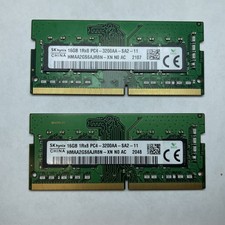
Lot of 2 SK Hynix HMAA2GS6AJR8N-XN 16GB DDR4 PC4-3200AA 1Rx8 Laptop SODIMM RAM
$354.99
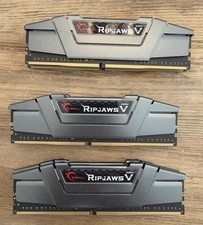
G.Skill PC RAM kit Ripjaws V F4-3200C16D-16GVGB 16 GB 2 x 8 GB DDR4 RAM 3200 MHz
$65.00

16GB (2x8GB) Kingston HyperX blu KHX1600C10D3B1/8G PC3-12800U DDR3 1600
$27.99

DDR4 Laptop RAM 4GB 8GB 16GB 32GB 2400 2666 3200 Samsung Hynix
$66.00

Samsung W03J0009150379F87A 64GB (2x32GB) RAM DDR4 2400MHz CRC0Y
$179.99

A-Tech 8GB DDR3 1600 PC3-12800 Laptop SODIMM 204-Pin Memory RAM PC3L DDR3L 1x 8G
$21.68

RAMAXEL Lenovo 32GB LPDDR5X CAMM2 7500MHz Laptop RAM | UNTESTED
$445.00
Lot 5 Samsung 8GB 2Rx8 DDR3-1600 PC3-12800U Desktop RAM M378B1G73QH0-CK0 (5x8GB)
$60.00
BRAND NEW - PNY XRL8 Gaming 32GB (2x16GB) 3200MHz DDR4 260-PIN (MN32GK2D43200X)
$149.99



 Reply With Quote