-
Senior Member
registered user
you should mount a knoppix iso -o loop and chroot to the image, that is:
Code:
mount -t iso9660 /search/path/to/knoppix.iso -o loop /mnt/iso
then
now you are working in the iso image just as it was your regular install.
that is, you can remove packages, edit files..., i would remove unwanted/non-essentials first, at least enough to give room for your things.
you terminate the session with exit.
for more info man chroot man mount, man apt and man dpkg.
there is more in the customising section. look around there. http://www.knoppix.net/forum/viewforum.php?f=2
Similar Threads
-
By ryhder in forum The Lounge
Replies: 6
Last Post: 08-28-2005, 03:17 AM
-
By robbiw in forum Networking
Replies: 3
Last Post: 09-20-2004, 07:17 PM
-
By santaklaws in forum Hdd Install / Debian / Apt
Replies: 1
Last Post: 08-06-2003, 06:07 AM
-
By Tortoise in forum Hdd Install / Debian / Apt
Replies: 2
Last Post: 05-29-2003, 12:38 AM
-
By in forum General Support
Replies: 7
Last Post: 01-13-2003, 06:31 PM
 Posting Permissions
- You may not post new threads
- You may not post replies
- You may not post attachments
- You may not edit your posts
-
Forum Rules


Intel Core i5-12500T SRL5W 2GHz 18MB 6 Core Socket LGA1700 Desktop CPU Processor
$114.99

INTEL CORE I9-10940X X-SERIES PROCESSOR | 3.30GHZ | SRGSH
$179.99

Lenovo ThinkCentre M920s SFF Barebones PC Motherboard PSU DVD No CPU RAM SSD
$27.99

LAST BATCH *Brand New-Sealed* AMD Ryzen 9 9950X3D2 Dual Ed. 4.3GHz 16Core AM5
$768.00

Intel Core i7-9700 Octa-Core 3 GHz Desktop Processor LGA 1151
$79.99
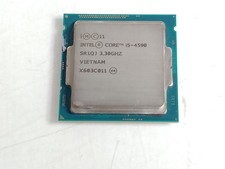
Intel Core i5-4590 3.3 GHz 5 GT/s LGA 1150 Desktop Processor CPU SR1QJ
$10.99

Intel Core i7-3770K 3.5 GHz Processor
$39.00

Intel Xeon E3-1230 v3 SR153 3.3GHz Quad Core LGA 1150 CPU Processor
$14.49

Intel 6th Gen Core i7-6700K 4.0GHz (Turbo 4.2GHz) 4-Core LGA1151 CPU SR2L0
$38.00

AMD - Ryzen 7 5800X3D 8-Core - 16-Thread 3.4 GHz (4.5 GHz Max Boost) w/ Ice Pad
$355.99



 Reply With Quote