

Ok. Here's what I ended up doing to get Sound working reliably under Knoppix 3.3 on my Thinkpad 600, and why.
But what should I have done?
The module needed is the cs4232 (and opl3 for midi).
This seems to get loaded, but without any options, at boot, sound doesn't work, reporting an error with /dev/dsp.
Adding the correct options to modules.conf, via /etc/modutils/sound had no effect (this is how I thought it should work... Weird).
So I've ended up with the following script symlinked to rc5.d as S98 (prior to kde loading).
I didn't bother with midi, but that would beCode:#!/bin/bash rmmod cs4232 rmmod ad1848 rmmod uart401 rmmod opl3 rmmod sound rmmod soundcore modprobe cs4232 io=0x530 irq=5 dma=1 dma2=0 mpuio=0x330 mpuirq=5 synthio=-1 synthirq=-1
I found that this has to be loaded prior to the gui starting as kde attempts to initalise sound and then you can't rmmod the modules.Code:modprobe opl3 io=0x388
Does anyone have a more elegant solution, or advice as to how to do this properly?
Cheers
 Posting Permissions


Lenovo ThinkPad L13 Yoga Touch Laptop 13.3” Core i5 8GB RAM 256GB SSD Win 11 Pro
$239.99

Lenovo ThinkPad T495 14” Laptop AMD Ryzen 5 PRO 16GB RAM 256GB SSD Windows 11
$229.99

Lenovo ThinkPad L15 Gen 3 15.6" 16GB, Thunder Black
$241.50

Lenovo ThinkPad E14 Gen 2 Laptop 14” HD Ryzen 5 16GB RAM 512GB SSD Win 11 Pro
$319.99

Lenovo ThinkPad T14 Gen 1 14" AMD Ryzen 5 16GB 256GB SSD
$219.99

Lenovo ThinkPad E14 Gen 3 Laptop 14” FHD AMD Ryzen 5 16GB RAM 512GB SSD Win 11
$374.99

Lenovo Thinkpad T14 Gen 2i 14" 16GB 512GB, Black
$313.00
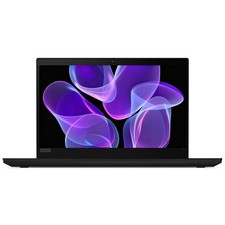
Lenovo Thinkpad T14 Gen 2 14" 16GB, Thunder Black
$387.46

Lenovo ThinkPad L15 Gen 3 15.6" 16GB, Thunder Black
$241.50

Windows 11 PRO Laptop Notebook PC Computer, 8GB Ram, Webcam, Wifi, and HDMI
$144.00


 Reply With Quote