

 Reply With Quote
the word sudo in front of the mount will give you ability to do that.
sudo umount /XYZ...
sudo mount -t...


Sorry, if I sound a bit frustrated.
I hav read that there is no pwd for root, for security reasons or something. But this means that I can't mount my HDD OR Flash disk, and cannot save to it either, and so I have to rely on many volatile Stiffy's!
Recently I had to hand in a project. As usaul I would make two copy's on two disks, and so as fate would have it, both went corrupt.
So please if any one can tell me how to mount or access my "Windows" harddrive from a CD-bootable knoppix, I would appreciate it very much. Because I can't go on like this.
Thnx. D
the word sudo in front of the mount will give you ability to do that.
sudo umount /XYZ...
sudo mount -t...
...and you can always do sudo su and then set the password with passwdOriginally Posted by OErjan

true, but doing that on a dist running from a cd is somewhat of an overkill, at least it feels like overkill to me.
--Knoppix has (4) root terminals running by default, in addition to X. Hit Ctrl-Alt-F1 to get to a textmode root prompt from the live-cd. To get back to X, it's either Ctrl-alt-F5 or F7.
--It's advisable to switch entirely away from floppies to USB Thumbdrive, CDR, or the like. Floppy construction quality has gone *way* down in the past few years; the only thing I trust them for anymore, is LILO.
--Anyhow, to mount your Win drive:
' fdisk -l ' == Figure out which partition is Win, as well as detect any other peripheral disks
' mount /mnt/hda1 ' == Checks /etc/fstab for mountpoint and mounts it R/W
--To mount it R/O:
' mount /mnt/hda1 -oro '
--To mount your Flash drive:
' mkdir /mnt/flash '
' mount /dev/sda1 /mnt/flash ' == This is where the ' fdisk -l ' comes in handy, to determine what partition scheme the Flash disk has
I'm new to Linux and Knoppix, but all I have to do to mount the partitions or hard drives is to first right click the drive then select unmount.
Next right click it again and select properties then click the 'DEVICE' tab.
Uncheck the 'READ ONLY' box and then just click the disk to mount it.
It should now be writable.
 Posting Permissions


GIGABYTE A520M DS3H AC AMD AM4 Motherboard mATX
$59.99
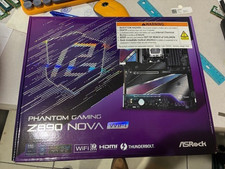
ASRock Z890 Nova WiFi LGA 1851 Intel Z890 ATX Motherboard
$184.99
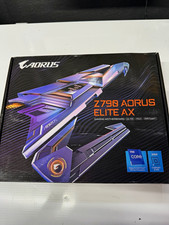
GIGABYTE Z790 AORUS ELITE AX ATX Intel LGA1700 DDR5 Wi-Fi 6E Gaming
$125.00

Intel H310 LGA1151 8-9th Gen DDR4 M.2 NVMe mATX Motherboard IO Shield Battery
$54.99

GIGABYTE B365 HD3 LGA1151 Intel 9th Gen motherboard
$59.99
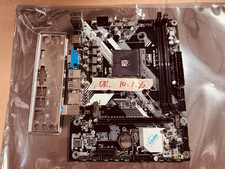
JINSHA B450M B450 AM4 MicroATX Motherboard DDR4 2DIMM M.2 W/ IO SHIELD
$49.99

ASRock B550M PRO4 AM4 AMD B550 SATA 6Gb/s Micro ATX AMD Motherboard
$76.49

ASUS PRIME Z370-A II LGA 1151 Intel Z370 DDR4 DIMM USB3.1 DVI ATX RGB
$69.99

ASUS PRIME Z490-P LGA 1200 Intel Z490 SATA 6Gb/s ATX Intel Motherboard NEW
$121.45
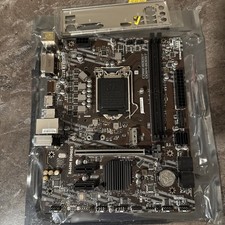
MSI B460m-Bomber LGA 1200 Intel 10th Gen B460 M-ATX Intel Motherboard
$59.99