

 Reply With Quote
Is there any more information that you need for the above question? Do you think it's maybe a compatibility problem with the card?
I'd really like to get this up and running!


This is my first post on this forum...so, really, I have absolutely no idea where to begin!
Therefore, I'll just start at what I think is the begining:
I am a complete Linux newbie, as in I downloaded the Knoppix image today and just booted my laptop about an hour ago. A complete newbie.
I'm booting from disk on a Gateway Solo 2500, Celeron 400mhz, 288MB RAM, Linksys EtherFast 10/100 PC card, originally running Windows98se.
The bootup process seemed to go without a hitch. The interface is up, and I can explore around the OS. It's really nice...games, tools, browsers...looks like I'll be wasting a bit of time with it!
However, how do I connect to the internet? I tried the "ADSL/PPPOE configuration" tool. It asked for my user name and password for my internet service provider, but it didn't connect (i.e. when I tried to use the browser, any page i typed brought up the "page not found" error). So, how do I connect? Please remember I'm a newbie, so I don't yet understand shells and commands and such. But, I'm not stupid (or at least I'm not completely stupid
Thanks for your help, folks!
Is there any more information that you need for the above question? Do you think it's maybe a compatibility problem with the card?
I'd really like to get this up and running!
How about telling us about your ISP and what kind of connection you have ?Originally Posted by mwdowns
My ISP is NTT/DION internet in Japan. I'm running an ADSL connection through my PC card (Linksys Etherfast 10/100) to a switching hub.
Is that enough info?
Thanks for the reply!
It might be enough for someone else who also uses the same ISP
I guess you have an ADSL modem hooked up to the switch/hub ? (or perhaps integrated into the same device)
If the modem is supposed to run in bridged mode (anyone else using NTT/DION reading this and able to say if that is the case ?) and knoppix recognizes your ethernet card things should work automatically.
What do you get in /var/log/messages ?
You need to use either in the Knoppix menu netcard configuration and select static settings since it does not seem like you use dhcp on your internal network and put in the same settings that you would normally use or you can do the same from the command line by opening a console window (clam shell icon on taskbar) and type in netcardconfig and then enter key. If this is not the case then we will need more information on the setup of your network.
Hey guys.
I typed in "/var/log/messages" in the command line. I got this message: "bash: /var/log/message: Permission denied."
When I typed "netconfig" into the command line, I got this message: "Sending DHCP broadcast from device eth0 OK. auto lo eth0."
I can figure out the "permission denied" message
To be honest, I don't really have any network settings that I know of. I just bought the Switching Hub so that I could connect both my desktop and laptop to the internet. I have an ADSL modem hooked into the incoming DSL line. From the modem (which was provided by the phone company), I have a line running to the hub (port 1). From ports 2 and 3, I have lines running to my desktop (running Windows XP Home) and my laptop (usually running Windows98se). The laptop has the Linksys Etherfast 10/100 pc card. I never could connect the two computers in a network (and I've just been too lazy to post on other boards to figure out how to do that
What do you think I should do now?
Also, you guys have gotta help me through this...I just discovered KAtomic. If I don't get Knoppix running on my laptop, I might go into withdrawal!!!
Don't try to run it but look at it and paste the stuff related to networking here.
For instance like this:
Code:less /var/log/messages
I don't really understand what you mean. "Don't try to run it but look at it"...so just look at what I typed? What's that going to do? I don't understand. If I do type "less /var/log/messages" and hit enter, I get the same "Permission denied" message.
Also, what stuff should I paste about networking? Was the information I gave not what you needed?
I'm sorry to be such a dumbass...I really appreciate your help, though!
 Posting Permissions


GIGABYTE A520M DS3H AC AMD AM4 Motherboard mATX
$59.99

Corsair RMe RM850e 850W 80 Plus Gold Fully Modular Low Noise Certified Refurb
$58.99

Gigabyte GA-B85M-D3H Motherboard
$54.99

ASUS PRIME Z890-P WIFI Z890 LGA 1851 ATX motherboard, Intel® Core™ Ultra Series
$235.99

Asus Prime B660M-A AC D4 Motherboard Intel LGA 1700 14th 13th 12th Gen DDR4
$79.99

GIGABYTE B365 HD3 LGA1151 Intel 9th Gen motherboard
$59.99

Intel H81 Motherboard M.2 NVMe LGA 1150 mATX w/ IO Shield (Random Slot Color)
$29.90

ASUS PRIME H410M-K LGA 1200 Intel 10th Gen H410 DDR4 USB3.2 Motherboard M-ATX
$59.99
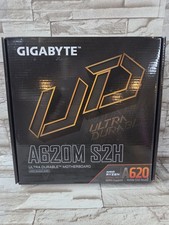
GIGABYTE - A620M S2H AM5 DDR5 M-ATX Motherboard
$65.00

HP Z440 WorkStation LGA 2011-3 DDR4 Desktop Motherboard 710324-002
$39.99