


 Reply With Quote
I did double check, I was using the description not the pc name.. I tried running the command smb://MattsPC (thats the actual name of the xp box) and it just came back saying it couldn't find it..Originally Posted by kellinjar
is there any hope?


uhm..hrm
Good question on all of that. All I did was run the knoppix HD install (After partitioning the drive using qtparted) its hda7 I believe. I was just trying to access it through the desktop icon same as I did for the other drive.
I used qtparted to format hda5 as reiserfs (it supports ext2, ext3, reiserfs, xfs..or xtfs whichever that other one is)I was only using the gui..but I also tried going through the shell (using CD) and I could get there but not change anything on the drive.
I did double check, I was using the description not the pc name.. I tried running the command smb://MattsPC (thats the actual name of the xp box) and it just came back saying it couldn't find it..
is there any hope?
Tey typeing all CAPS for hte name. For me that would be smb://HOMEONE for my first PC
nada no such directory. I even booted into root user and changed the smb.conf file to set it to the right work group (saw that on another website somewhere) and then tried running the samba server but that doesn't seem to help/work
when I run it it sits there about 20 seconds saying starting samba server then disappers.
I just rebooted into her knoppix profile and used the konsole to type in all caps no good. Tried the root shell, typed in the root password and the window pops up and closes right away (any idea why that would have happened?)
1. You don't need the samba server running, thats for sharing your files.
2. You shouldn't need to change the workgroup. I didn't.
3. Try typing smb into knoquer (how do you spell it?)
smb:/ gives me a grey page then the result: unable to find any workgroups in your local network (as an error box)
I know the network works (that pC used to ahve win 2k pro on it and it worked fine)
it MIGHt be my firewall.. I just saw a blocked ocnnection from the PCs ip address on the traffic log..one sec..
changed it to allow all and I get:
internal error
please send a full bu report to....
unknown error condition in stat: success
Don't type smb:/ jsut type smb://computername in Konqueror
Also try restarting the windows PC, sometimes tey have an annoying habit of not presenting them selvs to the network.
well its late for me, if you have any more ideas, please leave them, I'll check them in the morning and let you know if they worked here's a current summary of the issues i'm having.
My PC
xp home
sygate personal firewall
ICS
network printer
backed up files for fiance
her PC
knoppix on the HD, gets net through my PC as well as printer
issues (in order of importance)
1) Printer sharing - SMB does not seem to be working
2) Root window no longer functions - rebooted as root user and then made some changes to smb.conf file (as per another websites instructions for file and printer sharing with samba and xp)attempted to configure the lisa daemon using the guide, got it configured but it never seemed to work, also changed the permissions of the etc directory to include write permissions for 'group' (as I could not edit the smb.conf file as the knoppix user) returned to knoppix user account to find the root window closing as soon as I open it, and I still can't save files in the etc group (I applied to permissions to all sub directories and files)
3)File sharing - need to retrieve her backed up files off my xp box and put them on her linux box.
4)Desktop woes. Screen at 1024x768. WHen resized using ctrl-alt and either + or -(only method that seems to work) the screen resizes but desktop remains large, effect is similar to panning around an image that is larger then your viewing area (when you reach the edges the desktop scrolls in that direction, to the limit of 1024x76
any help is always appreciated..working or not I learn something, thanx again!
Didn't catch that before I wrote that last message
I'll try that and let you know
Just woke up and tried that and I can get in!!
now that just leaves teh other 3 problems and I'm all set!
thank you! (of course I can't get the files trasnferred over till I change the write permissions on hda5 and had7 so the knoppix user can write to those drives.. where can I change the permissions of those 2 mounted drives?
 Posting Permissions


Macintosh Platinum Mouse - Apple 128K 512K 512Ke Mac Plus Lisa IIe M0100 - NEW
$49.99

1984 APPLE MACINTOSH 128K FIRST MAC Model M0001 PICASSO KIT Discs Harvard Rare
$1800.00

Apple Macintosh 128k Desktop computer. Upgraded to 512k
$300.00

1984 APPLE MACINTOSH 128K MATCHING # BOX Set Original Mac Model M0001 WORKS RARE
$6299.00

Vintage Apple Macintosh 128K 512K Carrying Case Rainbow Logo Excellent Cond
$140.00
Macintosh Platinum Mouse - Apple 128K 512K 512Ke Mac Plus Lisa IIe M0100 - NEW
$59.99

Keyboard Cable Cord - Apple Macintosh Mac 128K 512K 512Ke Plus
$12.99
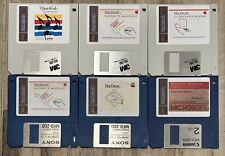
Vintage Apple Macintosh Classic 128K Application On New 400K Double Density Disk
$26.99

Apple Macintosh Mac 128k - 512k Boot / Diagnostics 2 Disk Set for Classic Macs
$14.99

Apple Keyboard for Macintosh 128k 512k Mac Plus RARE Vintage M0110 (010)
$149.00
