

 Reply With Quote
I'm not to sure it would work because windows xp uses a NTFS filesystem. if your useing the offical knoppix then there is no safe way to write a ntfs file (thats more of a problem when restoring really.)


I just started using the Knoppix CD yesterday. (It's actually the first deb-based distro I've tried.)
I'd like to use to it back up a WinXP machine. My intent is to just boot and dd the whole HDD to an NFS share on a mirrored Sun machine. That way I get the whole MBR and everything. I don't care much about how long it takes, just as long as it works. I figure I finally have the XP install all tweaked and tuned the way I want it and have all the apps I need installed and registered, so I should grab an entire image while it's still good. Over time, the system will probably get broken, distorted, or infected, and restoring an image using Knoppix is a lot simpler than reinstalling. It'll even let me keep my XP activation that way.
Is this a good idea? Is it a bad idea? I've never heard of anyone doing anything similar. Is there anything I should take into consideration (besides needing a HUGE storage volume)?
I'm not to sure it would work because windows xp uses a NTFS filesystem. if your useing the offical knoppix then there is no safe way to write a ntfs file (thats more of a problem when restoring really.)
That's why I'm thinking the dd utility would be a good way to do it. dd is like rawrite.exe for windows. It records a raw bit-by-bit copy of the device without looking at blocks and filesystems. You don't even need to mount the desired volume to copy it.
--Instead of dd, see:
' apt-cache show partimage '
' man partimage '
Originally Posted by mwer
I use a utility from www.novastor.com called instant recovery. It is based off some type of Linux and I use it to back up ANY type of OS. It will let you back up to almost any type of media as well as backup up across the network.
Unless someone else can show me that DD works the same, I won't use anything else.
Just a little FYI.

oH DD is a raw writing utility? thats exactly what I have been looking for!
I had no idea. Now I can finally move my hardrive info to another bigger hardrive. (needed this because I'm useing a HP which has a recovery partition)
I have been using dd successfully, backing up a complete HD to an image file. It does not check any file sstem, just copies theraw data!
or cleaning out unused space and compressing itCode:dd if=/dev/hda of=/mnt/hdb1/hda.img bs=1M
I have also moved partitions from one HD to another this way, but it only works if the head count is the same![/code]Code:# For every partition x mount /dev/hdax dd if=/dev/zero of=/mnt/test/null.txt bs=1M ; rm -f /mnt/hda1/null.txt umount /mnt/test # Backup with compression dd if=/dev/hda bs=1M | gzip -9 -c > /mnt/hdb1/hda.img
Well, I finally found someone in this forum who backs up to an image file.
That is what I tried last week and NOW thanks to my own INCREDIBLE STUPIDITY
I need to restore my Knoppix partition from that file. (Long story. Let's not go there)
When I backed up the Knoppix partition I did:
dd if=/dev/hdb2 of=/mnt/hda6/hdb2.img
To get restore Knoppix to /dev/hdb2 I assume I need to
mount -t /dev/hda6/hdb2.img
first and then
"dd" back to the original /dev/hdb2 partition.
Any tips/tricks/caveats/advice before I attempt this?
Oh, I assume I should format the /dev/hdb2 partition first to start clean, right?
Thanks,
sakiZ
--You're on the right track, but you don't even need to mount the image file; just:
' time dd if=/mnt/hda6/hdb2.img of=/dev/hdb2 bs=10M '
--MAKE SURE /dev/hdb2 is unmounted **before** you do this!!
And there is no need to reformat 1st, because DD will return it to the exact same state it was in at the time of backup.
--Good luck, and keep backing up regularly.
 Posting Permissions


Seagate ST6000NM0115 6TB 256MB 7200RPM 3.5" SATA 6.0Gb/s Enterprise Hard Drive
$159.99
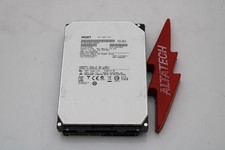
Hitachi HUS726060ALA640 6TB 7.2K SATA 3.5 6G HDD Hard Disc Drive
$109.99

Seagate 14TB Exos X14 7200RPM SATA 6Gb/s 256MB 3.5" Enterprise HDD ST14000NM0408
$354.99
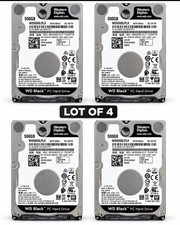
Western Digital WD Black 500GB WD5000LPLX 7200RPM 2.5” SATA HDD Lot of 4 Tested
$64.00

Hitachi / HGST Travelstar HTS541010B7E610 1TB 2.5" SATA III HDD
$29.99

HGST HUS724040ALA640 4TB 7200 RPM SATA 3.5" Internal Desktop Drive 100% Health
$78.00
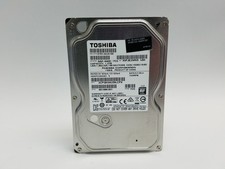
Toshiba DT01ACA100 1 TB 3.5" SATA III 3.5 in Desktop Hard Drive
$24.99
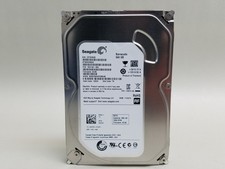
Seagate Barracuda ST500DM002 500 GB SATA III 3.5 in Desktop Hard Drive
$14.99

HUS726060ALA640 HGST Ultrastar 6TB SATA 6Gbps 7.2K 3.5" Hard Drive OF21860
$129.99

Seagate Exos X16 ST10000NM010G 10TB 7200RPM SAS 12Gb/s 3.5" 512e/4Kn HDD
$199.00