

 Reply With Quote
use apt-get install dc...
or get a *.deb and install that.
or apt-get install alien, download a alien.deb...


Im very new to Linux, and enjoying it so far, Knoppix has sucsueded in puting in most things I need, except for a few things. So I like get DCGUI's RPM file, and I open it and click install and it brings this up, now I took a short look and I don't think Knoppix has a program called alien, so what do I do about this error?
<mnt/hdd1/dclib-0.2.21-1mdk.i586.rpm';echo RESULT=$?
rpm: To install rpm packages on Debian systems, use alien. See README.Debian.
error: cannot open Packages index using db3 - No such file or directory (2)
error: cannot open Packages database in /var/lib/rpm
RESULT=1
I didn't see anything about this in the documentation.
use apt-get install dc...
or get a *.deb and install that.
or apt-get install alien, download a alien.deb...
In the shell thing?
knoppix@ttyp1[knoppix]$ apt-get install dc
W: Not using locking for read only lock file /var/lib/dpkg/lock
E: Unable to write to /var/cache/apt/
E: The package lists or status file could not be parsed or opened.
knoppix@ttyp1[knoppix]$ apt-get install alien
W: Not using locking for read only lock file /var/lib/dpkg/lock
E: Unable to write to /var/cache/apt/
E: The package lists or status file could not be parsed or opened.
knoppix@ttyp1[knoppix]$
What does that mean? It does not sound very good! And where do I get a .deb? (Yes I am an uber n00p)
(Sorry for the double post!)
Ah well I seem to be getting closer, when I try to install a .deb in kpackage it says Read-only file system so I looked, and couldnt find anything, so could some one point me to a place where I can learn where I can set the File system to non read only?
Hang on, are you running Knoppix from the CD?
Yes, I don't have it on the drive, I use the live CD.
I hate to keep bumping this thread up, but can anyone help? It says my file system is read only so I cant install my .deb, so how do I change my file system? I looked and cant find it anywhere, and I really would like to get my BT to work.
You have to install knoppix to the HD to install additional software.Originally Posted by Prons
yes hddinstall or making a "custm" cd, are only ways you can get a new program onto knoppix.
the custom part is not an easy task for a beginner.
 Posting Permissions

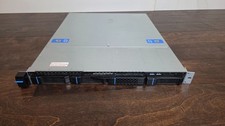
Datto S3P6000 4x 3.5" 1U Blade Rack Server Intel Xeon D-1541 @2.10GHz 48GB DDR4
$128.96

Dell PowerEdge M630 Blade Server 2x Xeon E5-2680 v4, 2F3MP , 4GDP5 ,R10KJ ,JVFVR
$95.20

Dell PowerEdge M640 Blade Barebone Server Dell P/N: HHB006 Tested Working
$149.99

Dell PowerEdge M620 Blade Server 2x Xeon E5-2680v2 2.8ghz 20-Cores | 128GB
$149.99

Datto S4P10 1U Blade Rack Server Intel Xeon D-2143IT 2.20GHz 48GB DDR4 4-Bay PSU
$197.76

HPE PROLIANT BL460C GEN 9 813198-B21 2.5"x2 Server Blade SEE NOTES
$21.08

Cisco B200 M3 2x E5-2670V2 10 Core 8x 16GB-128GB Ram Blade Server VIC1240 14900R
$399.00

Dell Poweredge C6400 24x 2.5’’ 2x 2400W 4x C6420 Nodes H330 | 2x SFP | 8x Trays
$799.99

NETAPP HCI NAF-1701 SuperMicro Server 4X BLADE H410C 8X GOLD 5120 4 NODE SERVER
$1499.97

Dell Poweredge VRTX 25Bay 2.5" 2x PERC 8, 2xCMC, I/O 1GB Pass Through, 4x PS
$578.08