

 Reply With Quote
Quick question before this gets to the bottom of the page...
What would be the best way to transfer this knoppix install to a different partition? make an image of it, copy it(with what arguments?), or some other way?
Thanks!


So, it's spring break. I got bored, and my bro burned me the newest knoppix CD. So since my last damnsmall linux install is kind of... jury rigged.. I decided I'd go and try Knoppix install.
Smooth as anything. I've already got pretty much everything up and running. It's almost kind of dissappointing in away, I figured I would spend a lot of time just getting stuff running, but everything just.. worked.. it was kind of freaky.
Anyhow, I'm happy now. Just some more fine tuning, which we all know will never end
Quick question before this gets to the bottom of the page...
What would be the best way to transfer this knoppix install to a different partition? make an image of it, copy it(with what arguments?), or some other way?
Thanks!
boot knoppix from cd, unmount all harddisks, then enter "dd if=/dev/hdxn of=/dev/hdxn" in the knoppix root shell. (Note: x stands for the IDE hard drive thats being used here; a is the master on the first controller, b would be the slave on the first controller and c is the master on the second controller and so on... n is the partition number; use "fdisk -l /dev/hdx" to find out! In case you don't know; if means input file and of means output file!) Oh, and make sure that you want to copy to is the same size or larger than the source partition ! But you can always use partimage for this if you are not familiar with dd!Originally Posted by PotatoHead
Ok, I just want to clarify:
/dev/hda5 is a 5 gig partition
/dev/hda7 is a 2.5 gig partition
Right now knoppix is installed on /dev/hda7, I want to move it to hda5, so the command I type is:
dd if=/dev/hda7 of=/dev/hda5
right?
in the slackware install the comand cp -a is used, does that help?
quote from man cp.
-a, --archive
Preserve as much as possible of the structure and
attributes of the original files in the copy (but
do not preserve directory structure). Equivalent
to -dpR.
I don't think that using dd would make sense here, you'd be better off using partimage when booting from cd, then tell partimage to make a image of /dev/hda7 and split the image in 650Mb chunks and temporarily store them on /dev/hda5, then boot your hdinstalled knoppix, burn those images onto cdr(w) (just in case something goes wrong! Double check whether you burned them correctly!!), boot from cd and dump the images onto /dev/hda5 using partimage, done! Then you can reformat /dev/hda7Of course you need to modify /etc/lilo.conf and run lilo (from cd within a chroot environment if neccessary) to tell the bootloader that your root partition has moved!! whatever you do, be careful, losing data in not fun

Boot with the Knoppix CD and then you would in a console window.
You need to edit the fstab to change the mount point for the / partition and in the lilo.conf change it to root=/dev/hda5 the chroot will write the new lilo configuration to the disk. Note: When editing lilo if you have installed lilo to the /dev/hda7 old / partition then you should change the boot= to /dev/hda5 if it is going into the MBR then you will be fine and make sure that you format the /dev/hda5 partition before you copy to eliminate any possibility leftover files that may be on it you would make sure the fs type in the /etc/fstab matches for the new / partition as well.Code:sudo mount /dev/hda5 /mnt/hda5 sudo mount /dev/hda7 /mnt/hda7 sudo cp -Rp /mnt/hda7/* /mnt/hda5/ sudo vi /mnt/hda5/etc/fstab sudo vi /mnt/hda5/etc/lilo.conf sudo chroot /mnt/hda5/ /sbin/lilo -v
Thanks for all the help guys! All I really wanted to know was which would be better, dd or cp for moving everything, and I just wasn't sure how to use dd.
Thanks again though!
 Posting Permissions


Gigabyte 4U AI Server 10x Nvidia GPU 2x Xeon Gold 6150 36 Core 2.7GHz DDR4 RAM
$1499.00

Dell EMC PowerEdge R440 Xeon silver 4215 2.5GHz 16 GB ram 2x 550W PSU No HDD
$275.00

867959-B21 HPE ProLiant DL360 G10 CTO Server W/ 2x 865414-B21 1x 840140-001
$245.00

Dell PowerEdge FX2s + 8x FC430 Blades 16x E5-2630v4 160 Cores Rails No PSU/RAM
$699.00

Dell PowerEdge C4130 1U AI GPU Server | 2x E5-2690 v3 | 64gb Ram | 2x 1600W
$524.99

Dell PowerEdge C4130 1U AI GPU Server | 2x E5-2680 v3 | 32gb Ram | 2x 1600W
$409.99

Dell PowerEdge C4130 1U AI GPU Server | 2x E6-2699 v3 | 128gb RAM | 2x 1600W
$899.99

Dell Poweredge R730xd 12LFF 2*2660v4 4*1Gbe h730 2x 750W Server CTO
$308.00

RDS CAL - Remote Desktop Services Windows Server 2019 50 User/Device Connections
$63.00
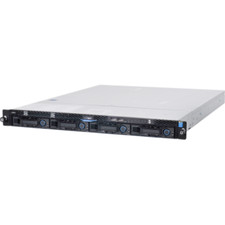
1U Server Intel Xeon E3-1240 V5 3.5Ghz 4C 32GB RAM 2x M.2 2280 OCP RJ45 Rails
$310.00