-
remasterisation create image
Hi all,
I try to customize my new Knoppix 3.4
I 've installed it on my hd (it's ok)
add and remove all packages I want (it'ok)
take the officicial instructions to create the image, and after the iso
the both are created
but, in the iso, there is no 'boot' directory and no files (except index.html) in the root/principal directory.
so I've copied 'boot' directory and files from original iso to my customize iso.
I succeed to use and to change the language of my iso image with knoppix customize application.
I've burned the iso on a cd.
Now I try my cd, it's booting...
/ramdisk creation ok
...
and:
Kernel panic: VFS: Unable to mount root fs on 01:0
what happened? 
please help me 
I think I made an error when I've created the image, but I've used the official command in the tutorial :/
-
Junior Member
registered user
Have you just installed it on the hardrive and made all ya changes from there?
if you have then the ay the ISO is made on the offical instruction will not work.
on the official instructions you work from the CD and create your filesystem on a partition on your drive. You then chroot into the file system to make your changes. If you follow the instructions from start to finsh i think you will find that more suitable.
It doesnt have to be done from the CD like it says in the instruction - i have done it from a hard drive install instead as it makes it faster - never the less the first stages have to be donee from CD it is not until you change into the development enviroment that you can use a hardrive install to work from (soz if thats confusing ive been doing boring college work all day)
Ryan
-
to customize I've made:
- a knoppix-installer (to install on my hardrive: /mnt/hda6)
- reboot under the installation on my hardrive
- make some apt-get install ... and apt-get remove ... (to install and remove softwares)
- copy /cdrom/index.html into /mnt/partition/knxmaster
- copy /cdrrom/KNOPPIX/* into /mnt/partition/knxmaster/KNOPPIX
- remove the big file /mnt/partition/knxmaster/KNOPPIX/KNOPPIX
- use this command to generate the image file:
Code:
mkisofs -R -U -V "KNOPPIX custom filesystem" -P "KNOPPIX custom" -hide-rr-moved -cache-inodes -no-bak -pad /mnt/hdq6 | nice -5 /usr/bin/create_compressed_fs - 65536 > /mnt/partition/knxmaster/KNOPPIX/KNOPPIX
- and this command to generate the iso file from the image file:
Code:
mkisofs -pad -l -r -J -v -V "KNOPPIX" -b KNOPPIX/boot.img -c KNOPPIX/boot.cat -hide-rr-moved -o /tmp/knoppix.iso /mnt/partition/knxmaster
What is wrong here?
I really want to have my personnalized knoppix
-
Junior Member
registered user
try this - i presume ya trying to to make the ISO based on what you have on ya hard disk install
mkisofs -R -U -V "KNOPPIX custom filesystem" -P "KNOPPIX custom" -hide-rr-moved -cache-inodes -no-bak -pad /mnt/hda6/ | nice -5 /usr/bin/create_compressed_fs - 65536 > /mnt/hda6/knxmaster/KNOPPIX/
i aint goin to promise this will work - i aint sure it will work by jus makin changes to the file system installled on ya hard drive
if you follow the instruction through from start to finish u copy the working file system from the Live CD
u then make changes to the file system by changin into the root of that file system
hope that helps
-
ok
I don't understand the difference between my command and your one.
The unique difference is the end of the command: the redirection where the image file will be write.
Why this help to make a correct bootable image???
So are you certain of your precedent answer?
If yes, I can try it... (it take a lot of time and a lot of ressources to generate the image)
tks a lot
-
Junior Member
registered user
You are trying to make a custom cd by piecing together pieces of different instruction sets
if i was u - i would jus follow through the Offical instructions as i no these definetly work on the latest realse of KNoppix 3.3
Similar Threads
-
By prism in forum Customising & Remastering
Replies: 2
Last Post: 04-19-2005, 12:44 AM
-
By daaniel in forum Customising & Remastering
Replies: 0
Last Post: 04-15-2005, 09:14 AM
-
By rashaunny in forum Hardware & Booting
Replies: 5
Last Post: 02-28-2005, 05:48 AM
-
By enoon in forum General Support
Replies: 5
Last Post: 09-18-2004, 07:11 PM
-
By hankster in forum General Support
Replies: 12
Last Post: 11-13-2003, 04:53 PM
 Posting Permissions
- You may not post new threads
- You may not post replies
- You may not post attachments
- You may not edit your posts
-
Forum Rules


GIGABYTE A520M DS3H AC AMD AM4 Motherboard mATX
$59.99

Corsair RMe RM850e 850W 80 Plus Gold Fully Modular Low Noise Certified Refurb
$58.99

Gigabyte GA-B85M-D3H Motherboard
$54.99

ASUS PRIME Z890-P WIFI Z890 LGA 1851 ATX motherboard, Intel® Core™ Ultra Series
$235.99

Asus Prime B660M-A AC D4 Motherboard Intel LGA 1700 14th 13th 12th Gen DDR4
$79.99

GIGABYTE B365 HD3 LGA1151 Intel 9th Gen motherboard
$59.99

Intel H81 Motherboard M.2 NVMe LGA 1150 mATX w/ IO Shield (Random Slot Color)
$29.90

MSI B550M PRO-VDH Micro-ATX Motherboard - AMD AM4, Ryzen 5000/4000/3000 Ready, P
$71.49
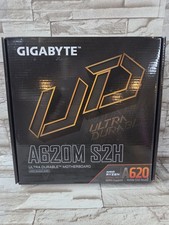
GIGABYTE - A620M S2H AM5 DDR5 M-ATX Motherboard
$65.00

HP Z440 WorkStation LGA 2011-3 DDR4 Desktop Motherboard 710324-002
$39.99



 Reply With Quote