-
USB Thumb Drive- Saving Settings
Hey,
Just wondering if there is anyway to save knoppix settings from a CD boot onto a USB thumb drive (128mb),
cheers, please get back to me its pretty important!
SilverX
-
Senior Member
registered user
sure there is! 
I do it also (64 mb) only along with the config I created a persistent home directory that way I can bring my files and favorites along with me.
Info on how to do it is in forum, just search for it. I've answered these questions before so I know there is atleast one with what you need.
-
ah cheesr for that i will have a look!
-
cant find any helpful infomation  sorry can you guide me any more?
-
Senior Member
registered user
really? Nothing? 
Ok then,
To save your settings you want to go to the knoppix menu (has the knoppix Tux on it) go to configure then click save configuration. Pick your usb drive (its most likely going to be /dev/sda1 but you might want to check) then pick want you want to save (I wouldn't suggest saving desktop items though)
To create a persistant Home directory do the same but instead of clicking save configuration, click make persistent home (or something to that extent) Once again pick the USB drive. Next it should give you an option to completely format the drive or to create a .img file (or once again something to that extent) Click the img file one then select a size that you want the directory to be (try and leave a few megs to spare, that way you can transfer files with a windows computer also) The next is completely optional. It will ask you if you want to encrypt the data using a long password. But be warned, when they say long they mean long as in at least 20 characters.
Ok then now thats thats done you want to do a restart.
when you get to the main menu type
knoppix config=scan home=scan (you could also use config=/dev/sda1 home=/dev/sda1 if scan isn't working for you (replace sda1 with what ever you have))
knoppix should then boot accordingly and when you save files to you home directory it should be saved to your USB drive. Just make sure you shutdown the computer correctly.
I think thats about it.
-
thank you, i will let you know how this works out 
Similar Threads
-
By pau1knopp in forum General Support
Replies: 0
Last Post: 05-19-2004, 03:28 PM
-
By smash in forum Hardware & Booting
Replies: 0
Last Post: 03-02-2004, 03:04 AM
-
By Jim Shoe in forum Hardware & Booting
Replies: 2
Last Post: 10-02-2003, 02:42 AM
-
By Wingman0 in forum Tips and Tricks
Replies: 3
Last Post: 09-06-2003, 10:28 PM
-
By iconfly in forum Ideas
Replies: 2
Last Post: 07-08-2003, 08:05 PM
 Posting Permissions
- You may not post new threads
- You may not post replies
- You may not post attachments
- You may not edit your posts
-
Forum Rules


Lot of 500 Cisco 10-3145-02 QSFP-100G-CWDM4-S 100G CWDM4 QSFP28 Transceiver
$1500.00

Cisco WS-C3650-12X48UR-L 48-Port Stackable Layer 3 8x10G SFP+ Port Switch
$129.99

Cisco Catalyst C9130AXI-B WiFi 6 802.11ax Wireless Access Point Brand New
$101.99
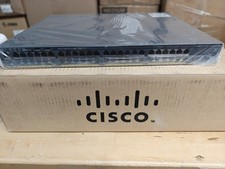
Cisco Catalyst 2960x (WS-C2960X-48FPD-L) 48 Port POE Rack Mount Switch Brand New
$399.99

CISCO Services Router C891F-K9, Grade B, SKU 16188
$24.94

Genuine Cisco SFP-10G-SR 0-2415-03 10 Gigabit Transceiver
$5.40
Cisco 8-Port Ethernet Catalyst Switch - WS-C2960C-8TC-L - Brand New
$50.00
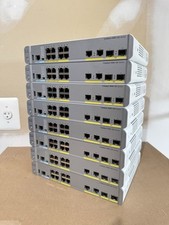
Cisco Catalyst WS-C3560CX-8PC-S Managed Switch 8 PoE+ Port | Quantity Available
$97.49
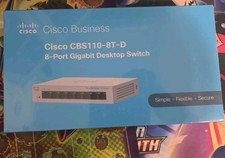
Cisco Business CBS110-8T-D Unmanaged Switch, 8 Port GE, Desktop
$44.99

Cisco Catalyst WS-C2960+24TC-S 24-Port Gigabit Managed SFP Switch
$39.99



 Reply With Quote